Page 1 of 1
Tomb Raider: Underworld
Posted: 23 Nov 2008, 09:40
by Sweetz
 Widescreen Grade: BUltra-Widescreen Grade: BMulti-monitor Grade: C4k Grade: BRead Full Detailed Report - Tomb Raider: UnderworldThe third Tomb Raider game since Crystal Dynamics took over the series, Tomb Raider: Underword continues from the story line started in Tomb Raider: Legend where it was revealed that Lara's mother may not be dead, but rather trapped in the mythical realm of Avalon (from the King Arthur legend). For the uninitiated, the Tomb Raider series is about lady adventurer Lara Croft, who is intelligent, athletic, infatuated with ancient history, and distractingly busty! The gameplay largely revolves around environmental puzzles (navigating various ledges and jumps) and mechanical puzzles (gears, switches, crate pushing) in fantastical ancient ruins and, in recent games, more typical present day locations. Combat is a part of the game as well and Lara uses her iconic dual pistols to fend off both human and exotic animal foes.
Tomb Raider: Underworld
Posted: 24 Nov 2008, 03:02
by The_cranky_hermit
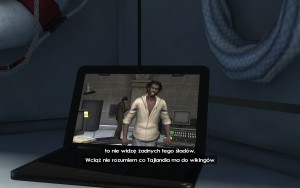
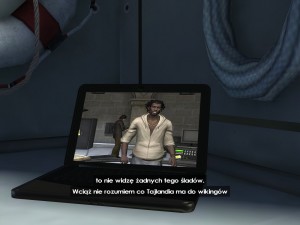
Can you just post comparison shots for an in-game rendered cut-scene? 4:3 and 16:10 should be enough.
Tomb Raider: Underworld
Posted: 15 Apr 2009, 20:04
by The_cranky_hermit
TH information:
The aspect ratio setting only goes up to 16:9. TH at its best is stretched 16:9.
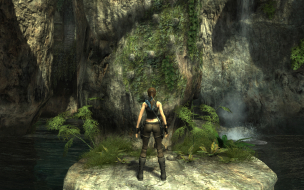
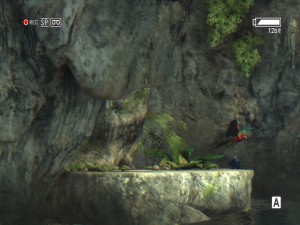
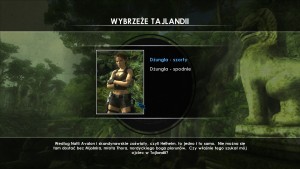
1024x768, 4:3

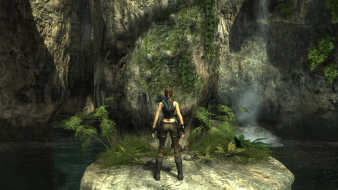
1920x1080, 16:9

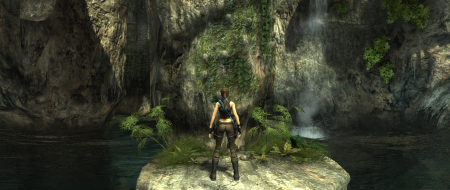
1920x698, 16:9

Tomb Raider: Underworld
Posted: 21 Apr 2009, 19:07
by The_cranky_hermit
New grade, to reflect new rules:
Calculated grade: B+
Stretching in TH is a blemish
CCE: 100%
Re: Tomb Raider: Underworld
Posted: 07 Dec 2009, 06:12
by Pakalolo77
Hi everyone. New to the forums. Was wondering if I'm able to play Tomb Raider Underworld using 5040x1050 for resolution?
Thanks in advance.
Re: Tomb Raider: Underworld
Posted: 08 Dec 2009, 05:45
by Sweetz
Hi everyone. New to the forums. Was wondering if I'm able to play Tomb Raider Underworld using 5040x1050 for resolution?
Look two posts above yours. Triple head resolutions are stretched. The max aspect the game supports without stretching is 16:9.
Re: Tomb Raider: Underworld
Posted: 26 Jun 2010, 09:50
by GeneralAdmission
It may be worthwhile updating the DR with the TH registry fix from
this thread. It corrects the stretching nicely:
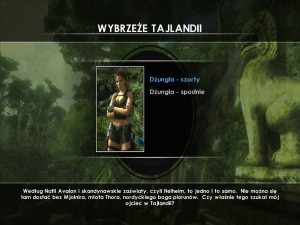
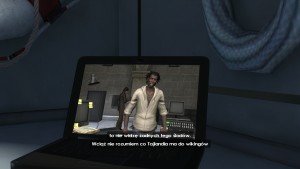
Normal:

Fixed:

Normal:

Fixed:

Tomb Raider: Undeworld [Edit][Hor+]
Posted: 20 Jul 2010, 14:52
by scavvenjahh
A registry edit is all it takes to get Hor+ gameplay. Thanks to howdid for this solution.
1) Windows Start menu / Execute... / regedit
2) On the left panel, navigate to HKEY_CURRENT_USERSoftwareCrystal DynamicsTomb RaiderGraphics
3) On the right panel, double-click the AspectRatio key, then change the value to 48000 (decimal) for 48:10.
Normal:
Fixed:
Re: Tomb Raider: Underworld
Posted: 04 Dec 2013, 04:45
by swili
Re: Tomb Raider: Underworld
Posted: 01 Jan 2014, 03:31
by swili
Hell yeah!
I found a solution for tripple monitor setup at native resolution. In other words, a solution for problem of not being able to set anything higher than 4095 horizontally.
Out of blue i came up with this idea, why not just try dx9res10, a .dll and .cfg file allowing you to set any resolution you want.
Yeah, it doesn't work with every game, and it can only override the resolution, not AR.
But we can set custom AR in registry, and put our desired resolution in .cfg file and run the game. And it looks like it works!
Somehow you can't natively set a resolution higher than 4095 horizontally, but with this hack it's finally possible.
I tested this on Windows XP sp3, so...
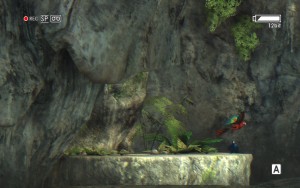
here is the screenshot at custom resolution
5760x1200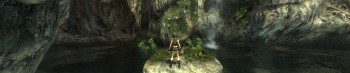
edit:
it looks like it doesn't work on Windows 8.1.
The game crashes before even properly launching.