Page 1 of 1
Metal Gear Solid 2: Substance
Posted: 23 Jan 2008, 03:49
by czarman
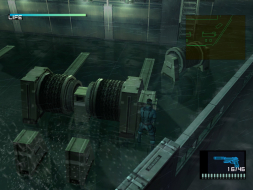
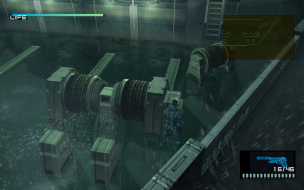
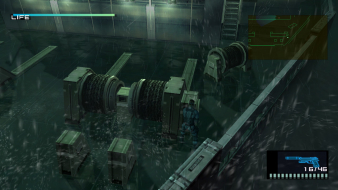
 Widescreen Grade: CUltra-Widescreen Grade: CMulti-monitor Grade: C4k Grade: CRead Full Detailed Report - Metal Gear Solid 2: SubstancePlayers control Solid Snake and Raiden as they help unfold another convoluted Metal Gear plot. Enemies are your friends and friends are your enemies. Typical Metal Gear stuff. This is a stealth-based game. If you are sloppy you will die. *Insert Solid Snake joke here.*
Metal Gear Solid 2 Substance: Detailed Report
Posted: 23 Jan 2008, 23:43
by The_cranky_hermit
D+, 100%
Metal Gear Solid 2 Substance: Detailed Report
Posted: 14 Jun 2008, 06:58
by solidsnake
What is the hexidecimal value for 1920x1080 ?
sorry cant understand how hexidecimal work :x
Please help.
Metal Gear Solid 2 Substance: Detailed Report
Posted: 14 Jun 2008, 15:47
by Paradigm Shifter
Decimal = 1080
Hexadecimal = 0438
edit:
I can't understand why this stretches - I've tried the PS2 version out on both a 4:3 and a 16:9 screen and it doesn't stretch. :(
Metal Gear Solid 2 Substance: Detailed Report
Posted: 14 Jun 2008, 21:53
by The_cranky_hermit
I've tried the PS2 version out on both a 4:3 and a 16:9 screen and it doesn't stretch.
Does the PS2 version have any "widescreen" options? If it doesn't (and I'm pretty sure it doesn't), then the game won't support widescreen. The PS2 has no way of knowing your TV's shape or resolution, nor is there a system-level setting for them, which means that in order for a PS2 game to support widescreen or progressive scan, you need to select these options manually from an ingame menu. Incidentally, very few PS2 games support either one.
If MGS2 isn't stretching on your TV, then I'm guessing your TV is set to zoom in on 4:3 images so that they fill the screen, cropping off the top and bottom. Of course it's also possible that it's stretching and you're not noticing.
Metal Gear Solid 2 Substance: Detailed Report
Posted: 14 Jun 2008, 22:03
by Paradigm Shifter
Uh... on my PS2...
Go to "System Configuration" -> "Screen Size"
I have three options:
4:3
Full Screen
16:9
So. There is a system level setting for aspect ratio. This is on an SD 4:3 TV, and an SD 16:9 TV. Neither set supports progressive scan, since they're SD.
It might just be a PAL thing.
Metal Gear Solid 2 Substance: Detailed Report
Posted: 14 Jun 2008, 22:15
by The_cranky_hermit
Right, I forgot about that menu. FYI, that setting only affects PS2 menus - not the games. Even when playing DVDs, you still need to turn on a completely different "16:9" mode from the DVD menu to use widescreen.
Metal Gear Solid 2 Substance: Detailed Report
Posted: 08 Jul 2008, 14:51
by Simplex
Hello,
I am looking for help with setting custom resolutions in Metal Gear Solid (1). There are files mgs.cfg and mgsvideo.cfg but they are not 'text' files - the values probably have to be changed in hex editor, just like for MGS, but I have no idea what and where should be changed. I hope someone here who is more knowledgeable can help me :)
If it helps, I can provide links to cfg files. The default resolution is 640x480. I can theoretically choose 800x600 and 1024x768 in the options menu, but once I do that the game starts crashing and has to be reinstalled. I would be perfectly happy if I could set 1024x768.
If anyone is interested, I found fixed exe file which enables MGS to run in XP/Vista with modern graphics cards (e.g. 8800GT) in hardware accelerated mode.
Re: Metal Gear Solid 2: Substance
Posted: 23 Mar 2014, 12:23
by prodigalson1
Any way to fix the aspect ratio ? with text editor we can change resolution but it's stretched. metal gear solid 2 looks must be amazing on pc on 21/9 or triple wide.
hayden your work on silent hill 3 is amazing. i hope you look this thread
Re: Metal Gear Solid 2: Substance
Posted: 20 Dec 2016, 09:04
by czarman
Updated DR with new Solution -->
https://github.com/VFansss/mgs2-v-s-fix ... ag/releaseor
Stand alone Widescreen Patch for 16:10 and 16:9 -->
http://ps2wide.net/pc.html#popstfor higher Aspect Ratio see DR.