Page 1 of 16
Star Wars: Knights of the Old Republic
Posted: 01 Dec 2007, 07:10
by Tanuki
 Widescreen Grade: CUltra-Widescreen Grade: CMulti-monitor Grade: Incomplete4k Grade: IncompleteRead Full Detailed Report - Star Wars: Knights of the Old RepublicThe game details events that occurred thousands of years before any of the Star Wars movies. A Sith Lord called Darth Malak is intent on destroying the Republic and needs a lightsaber swatting. Players can recruit several different NPCs and have active parties of three characters. Battles are a mix of turn-based and real-time actions. NPCs are a collection of humans, droids, and other assorted alien things. Party members develop based on class and player customization decisions. A lovely array of Force powers is available for your adventuring pleasure.
Knights of the Old Republic
Posted: 01 Dec 2007, 07:18
by Tanuki
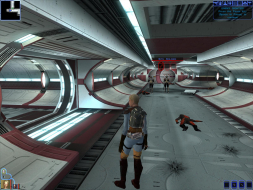
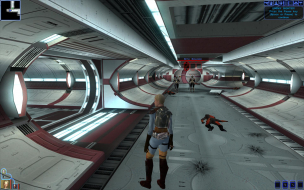
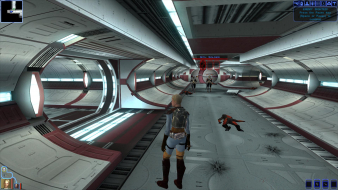
Cranky - The lighting problem is very minor. The HUD coverage problem is at its worst in the 1920x1080 pic I posted.
Knights of the Old Republic
Posted: 01 Dec 2007, 07:23
by Tanuki
Please note that step three can be used with any resolution not just widescreen.
You could use it to get the movies in 1600x1200 for example.
Knights of the Old Republic
Posted: 01 Dec 2007, 07:26
by The_cranky_hermit
I'm assuming all of the anomalies are minor cosmetic stuff.
D+, due to the hack solution, and not helped by the lack of lower resolutions.
Knights of the Old Republic
Posted: 02 Dec 2007, 20:41
by Tanuki
1680 is 0690 in hexadecimal.
1050 is 041A in hexadecimal.
So you would need to enter "9006" for 1680 and "1A04" for 1050.
I am holding off on KOTOR II until the Gizka Team completes their content patch.
The UniWS should not fix the movies in KOTOR II.
Knights of the Old Republic
Posted: 02 Dec 2007, 23:41
by The_cranky_hermit
I am holding off on KOTOR II until the Gizka Team completes their content patch.
Judging from history, it's not going to happen. If they actually get anywhere, LucasArts will shut them down once they do. And then they will claim that the incomplete state of KOTORII is what best represents George Lucas's "original vision." That is until they release their own patch which adds a side mission where you have to escort Jar Jar Binks through enemy territory.
Knights of the Old Republic
Posted: 03 Dec 2007, 00:48
by Tanuki
Knights of the Old Republic
Posted: 05 Dec 2007, 01:31
by Sweetz
Tanuki doesn't mention it, but there's also a problem where some resolutions will work, but captions/text don't appear in the lower letterbox pane.
When the game goes into "conversation mode" the lower letterbox pane is where player response choices show up. As a result of this problem, you don't see the choices and thus can't really play the game (you can still actually choose an option using the number keys and the game will run normally, but there wouldn't be much point since you don't know what you're choosing)
1360x768 for example, will run, but exibits this problem.
Knights of the Old Republic
Posted: 05 Dec 2007, 01:57
by The_cranky_hermit
Does this behavior occur in any of the four resolutions that Tanuki lists as "supported"? If so, can you provide a screenshot?
Knights of the Old Republic
Posted: 06 Dec 2007, 05:03
by Tanuki
Does this behavior occur in any of the four resolutions that Tanuki lists as "supported"? If so, can you provide a screenshot?
No. I am aware of that problem.
1360x768 is the only working res I have seen with the problem. The text is also selectable with the mouse, it just does not display.
Knights of the Old Republic
Posted: 07 Dec 2007, 01:22
by Sweetz
1360x768 may indeed be the only resolution which is affected. I can't run anything higher than that (1360x768 is my native res) and anything lower crashes as Tanuki mentioned.
Knights of the Old Republic
Posted: 07 Dec 2007, 04:31
by wazoo
Tried in 3840x1024 using TripleHead2Go.... and the dialogue selections do not show up.
In addition, all HUD items appear on the left-most screen.
Knights of the Old Republic
Posted: 09 Dec 2007, 23:24
by Tanuki
Here is the greater list of movie values. This may help people find them in different versions.
00 00 85 C9 75 0A 8B 88 FC 01 00 00 85 C9 74 40 81 3D D4 D1 78 00 80 02 00 00 75 15 81 3D D8 D1 78 00 E0 01 00 00 75 09 80 3D E0 D1 78 00 20 74 1F 6A 00 E8 62 B5 04 00 6A 00 6A 01 6A 20 68 E0 01 00 00 68 80 02 00 00
00 00 00 01 E8 BC B1 FF FF 8B 4D 0C 51 8B 4E 04 8B F8 E8 DE 5B 02 00 39 5D 08 74 1F C7 44 24 14 80 02 00 00 C7 44 24 10 E0 01 00 00 C6 44 24 18 20 C7 05 54 3C 7A 00 01 00 00 00 8B 54 24 1C 8B 44 24 18 8B 4C 24 10 52 8B 54 24 18 50 51 52 E8 B1 76 11 00
Knights of the Old Republic
Posted: 10 Dec 2007, 00:36
by Bulletbillx
I have the latest english/USA version 1.03. UniWS can find the EXE but i cant type a resolution. Also i cant find the first set of values for the pre-rendered movie fix.
what do i need to find/change to get everything to work at 1920x1200?
*wishes all games supported it natively.*
Knights of the Old Republic
Posted: 10 Dec 2007, 00:57
by Bulletbillx
actually i cant seem to find any of the strings. WTF?
Knights of the Old Republic
Posted: 10 Dec 2007, 02:13
by Tanuki
Are you searching for HEX values (not strings)? Do you have the right file?
What editor are you using?
EDIT - The UniWS should be able to work with your US version. Do you have the root game directory selected when you try to patch? If you have changed any of the res or HUD values then the UniWS will not be able to locate the write values.
Knights of the Old Republic
Posted: 10 Dec 2007, 03:48
by Bulletbillx
Tanuki
PostPosted: Sun Dec 09, 2007 8:13 pm Post subject:
Are you searching for HEX values (not strings)? Do you have the right file?
What editor are you using?
EDIT - The UniWS should be able to work with your US version. Do you have the root game directory selected when you try to patch? If you have changed any of the res or HUD values then the UniWS will not be able to locate the write values.
even if you changed the res by starting to play the game/configuring it from the menu?
also using xvi32 to search for hex values by selecting the entire example and clicking search.
Knights of the Old Republic
Posted: 10 Dec 2007, 03:52
by Tanuki
even if you changed the res by starting to play the game/configuring it from the menu?
Yep.
also using xvi32 to search for hex values by selecting the entire example and clicking search.
Only do parts. When you find a hit make sure it is the only one/right one. The problem with searching for the whole value is one different entry will result in nothing found.
Knights of the Old Republic
Posted: 10 Dec 2007, 18:25
by Bulletbillx
I hacked it and it gives me the new res but all the text on the main menu where you load/save, start a new game, etc is gone. i dont notice any missing text elsewhere though.
Knights of the Old Republic
Posted: 10 Dec 2007, 18:27
by Bulletbillx
also it wont save my res when restating the game.