Page 1 of 3
The Witcher
Posted: 01 Nov 2007, 11:40
by schlaufer
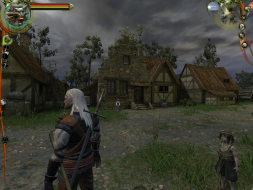
 Widescreen Grade: BUltra-Widescreen Grade: BMulti-monitor Grade: B4k Grade: ARead Full Detailed Report - The WitcherSet in a world created by best-selling Polish author Andrzej Sapkowski, The Witcher combines spectacular action and an intriguing storyline. You are aWitcher, a warrior who has been trained to fight since childhood, subjected to mutations and trials that have transformed you. You earn a living killing monsters, and are a member of a brotherhood founded long ago to protect people from werewolves, the undead, and a host of other beasts. The game uses advanced graphics and physics systems for a high-powered blend of brutal action, complex RPG options and character configuration, and sweeping storytelling.The game uses the latest Aurora engine from Bioware (Neverwinter Nights).
The Witcher
Posted: 01 Nov 2007, 13:15
by BlueMak
It's such a good feeling when good new games support Hor+
Well done to the Witcher developer and publisher.
The Witcher
Posted: 01 Nov 2007, 14:37
by JosephJEHancock
I know this is not the surround discussion forum, but I hope it's alright to include these:
Witcher FMV screenshots:


As you can see, not so good. Ah well. The game is much better.

^Works rather nicely.^
The Witcher
Posted: 01 Nov 2007, 23:03
by The_cranky_hermit
Cranky's coverage estimate: 99.5%?
89.5%. And great job on the detailed report - this is literally the only thing I have to add/correct.
The Witcher
Posted: 02 Nov 2007, 00:17
by skipclarke
I know this is not the surround discussion forum, but I hope it's alright to include these:
^Works rather nicely.^
It's great to add them. Heads show that the game renders the FOV based on the aspect
The Witcher
Posted: 07 Nov 2007, 19:14
by Malatar
Only one minor correction... The Aurora Engine is from Neverwinter Nights 1, not 2. NWN2 uses the Electron Engine.
The Witcher programmers did some incredible work taking the NWN 1 Engine and making some beautiful visuals...
The Witcher
Posted: 14 Nov 2007, 01:23
by schlaufer
Missing resolutions confirmed by destroy and KamiCrazy - The Withcer can now receive its deserved award. ;)
The Witcher
Posted: 28 Mar 2008, 20:25
by infernus
Hor+ even on the gambling table...amazing.. D:
The Witcher
Posted: 28 Mar 2008, 21:53
by Tanuki
Hor+ even on the gambling table...amazing.. D:
Considering that the game is certified I would hope so. 8)
The Witcher
Posted: 16 Oct 2008, 15:47
by scavvenjahh
Is this issue proper to either the original game or Enhanced Edition only ?
The Witcher
Posted: 16 Oct 2008, 17:46
by Tanuki
Is this issue proper to either the original game or Enhanced Edition only?
I do not think everyone gets the problem but it happens for both versions.
The Witcher
Posted: 21 Apr 2009, 19:07
by The_cranky_hermit
New grade, to reflect new rules:
Calculated grade: B+
FMV stretching in TH is a blemish
CCE: 100%
The Witcher
Posted: 22 May 2009, 16:36
by JEFX
Hello everyone (thanks for the very informative forum)
The Witcher works great on TH2Go (in game) but I dont seem to be able to see the films and animations anymore (I see only a small portion, or nothing at all and I can only hear the dialogs)...
Is there something I am missing, a setting or a tweak that could make this work in TH2Go?
THanks
JEFX
The Witcher
Posted: 23 May 2009, 00:18
by MobsterOO7
We all wish it was that simple. Unfortunately this flaw is with the game engine and until either racer or dopefish have a look we will be waiting on the games developing studio; who will probably never fix it because they already released a huge patch for it last year.
Re: The Witcher
Posted: 07 Apr 2010, 06:55
by morfinx
Hi guys, I just started playing this game on an Eyefinity setup. Everything seems to work fine except for the cut scenes. I still get sound and subtitles, but the animation freeze at the first frame. The game returns to normal once the cut scene is over. I think it's similar or same as the problem JEFX is having. Anyone have a fix?
Re: The Witcher
Posted: 07 Apr 2010, 07:50
by morfinx
Just wanted to share a workaround I found. Setting the Lighting Quality to "Low" allows the cut-scenes to play correctly. Not ideal, but better than no cut-scenes.
Re: The Witcher
Posted: 07 Apr 2010, 23:55
by skipclarke
So, if the cut-scenes were still fubarred on the portrait setup, then it wouldn't be an aspect ratio issue, unless it just doesn't like anything except perfect 16:9 or 16:10 for widescreen (since 3x1-P is damn close to 16:9.5). It must be a super-high res issue.
Can you try rotating your panels and testing this solution in 3x1-L?
Re: The Witcher
Posted: 08 Apr 2010, 00:15
by morfinx
So, if the cut-scenes were still fubarred on the portrait setup, then it wouldn't be an aspect ratio issue, unless it just doesn't like anything except perfect 16:9 or 16:10 for widescreen (since 3x1-P is damn close to 16:9.5). It must be a super-high res issue.
Can you try rotating your panels and testing this solution in 3x1-L?
From what I read on various forums, the only two workarounds that consistently work are to lower Lighting Quality to "Low", or to run in a 16:9 (not 16:10) aspect ratio. 3x Portrait is 15:8 unfortunately. I tried various resolutions available to me (down to 1800x800), and got the same problem.
I can't do landscape because I literally don't have the space for it. But
Re: The Witcher
Posted: 08 Apr 2010, 03:36
by skipclarke
I can't do landscape because I literally don't have the space for it. But
I did some testing in 3x1-L without turning the monitors. Just had to turn my head. Pretty annoying, but it works...
Re: The Witcher
Posted: 08 Apr 2010, 05:01
by morfinx
[quote]I can't do landscape because I literally don't have the space for it. But
I did some testing in 3x1-L without turning the monitors. Just had to turn my head. Pretty annoying, but it works...
I'm in the middle of a relocation right now so it's a bit chaotic. A lot of stuff are packed up already. I'll try next week when I'm done moving.