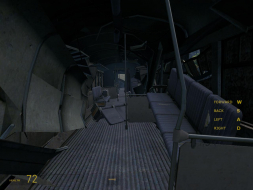
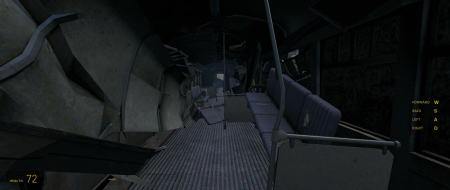
Half-Life 2: Episode 2 is the latest continuation of the Half-Life story from your friends at Valve. Gameplay is essentially the same as the previous two games with the emphasis on action. There are some large maps which give a nonlinear tint to parts of the game. A new ammunition is available for the gravity gun which allows placement of Strider destroying "sticky bombs".
If you got the first two you know you are getting this one so why fight it?
Actually that is the pre-rendered cut-scene. AKA FMV. You have to look closely but you can tell the diff. One giveaway is a constant framerate.
Rendered is the same as you would see while playing. A rendered cut would be where you lose control of the player for a period of time while something happens. (EX. - Panning shot where you see the bad guy walk out of a cave to fight you. That kind of thing.)
Thanks for the input anyway. We need more of that around here. :)
Normally, I wouldn't do this if there's an outstanding issue. But in this case, the benefits of an early certification are high enough, and the odds of a rendered cut-scene not being hor + are so low, that the risk is easily worth it.
But please remember to update this with the appropriate info once you've finished the game!
I have a question regarding the WS support for HL2:ep2/Portal/TF2
I have a old rigs... 6800GT with A64-3200. It runs ok @ 1024*768 resolution for HL2 ep2.
However, i have a Dell 24" (2407) monitor. When i tried to switch to Wide Screen (16:10) option, they only have 1600*1000 or 1920x1200 options to choose from.
At 1600*1000, my machine is barely runs with that high resolution. Is there anyway i can turn to lower res? Like, 1280x720, 1280x768 or 1280x800 ??
I tried to edit the short cut (-width xxxx -height xxxx) way, it returns to the default 4:3 ration and 800*600 resolution when the game boots up.
If none look good on your monitor see if your desired widescreen res is listed on your desktop. If it is it should be available in the game. If not, you need to add a custom res to your desktop.
Are there anymore ways to get more aspect ratios? Say I want 1920x720 or something that's 8:3, is that possible?
Valve places any aspect wider than 16:9 in the 16:9 list, in the video options. Check there. To actually get that ratio, you would need to set a custom resolution in Windows. Steps to do that are unique to using either ATI or NVIDIA. NV is easy, with a custom res in the advanced portion of their control panel.
But yes. The FOV and aspect ratio will be correct for the resolution. Selecting "aspect ratio" doesn't actually do anything except change the list of available resolutions. Once you've changed your resolution, the engine will then divide xRes by yRes to get your aspect ratio, and DirectX will give you the proper FOV for that aspect ratio.
Really? That's so cool. I wonder why other games don't do this. Any idea on how to make custom resolutions say if I have ATi? From what I've seen, nVIDIA's the only one that did it in the drivers, Intel and ATi have been outta luck here for years as far as I know. I've tried to make custom resolutions before, but the programs like powercolor something or other were always really too complicated.
I figured out a way to do it in a window at least: http://www.tweakguides.com/HL2_7.html
-width 1900 -height 720 (only works when windowed)
I also added -novid -heapsize 1024000 for tweaking the game to run faster since it probably doesn't cache as much without changing some other options. -novid is just convenient.
I do have a question. What say I have 2 monitors, I want to to the game in both but have the crosshair centered in my main one and have the rest of the game extended out to my second one. Possible?
Don't do what? Most games work the exact same way - only you don't need to select the aspect ratio before choosing the resolution. Every resolution is available in one drop-down menu, and once you select it, the game divides to get the correct aspect ratio, and DirectX calculates the correct FOV. Same as Half-Life 2.
I do have a question. What say I have 2 monitors, I want to to the game in both but have the crosshair centered in my main one and have the rest of the game extended out to my second one. Possible?
You could try to fake another display. There was a thread or two in the mutli-display section of this site. I cannot find them but you could search or just make another thread there.