Page 1 of 2
Stranglehold v1.1
Posted: 27 Sep 2007, 05:31
by DubiZubi
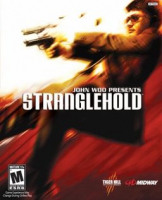 Widescreen Grade: CUltra-Widescreen Grade: CMulti-monitor Grade: Unsupported4k Grade: CRead Full Detailed Report - Stranglehold v1.1Stranglehold, or John Woo Presents Stranglehold, is a third-person shooter developed by Midway Games' Chicago studio, released in late 2007 for Windows, PlayStation 3, and Xbox 360. It is Midway's first game to use Unreal Engine 3, and was developed in collaboration with John Woo.
The game is the sequel to Woo's 1992 Hong Kong action film, Hard Boiled, and stars Chow Yun-fat in a reprisal of his role as hard-boiled cop Inspector "Tequila" Yuen. Stranglehold is the first project on which Woo and Chow have collaborated since Hard Boiled.
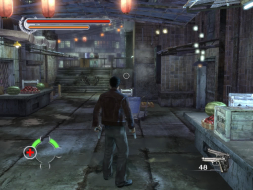
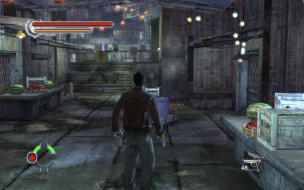
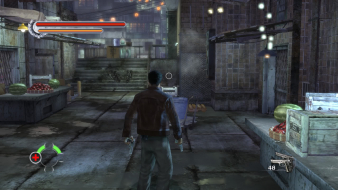
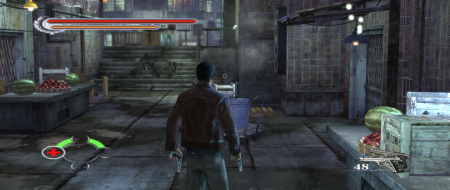
The patched game is not compatible with the FOV hack. For Hor+ gameplay, see Stranglehold v.1.0.
Stranglehold
Posted: 27 Sep 2007, 12:08
by Elios
what with games with hor+ menus and vert- gameplay O.o
oh well its UT3 AGAIN so im sure theres a way to fix the fov
Stranglehold
Posted: 27 Sep 2007, 12:42
by g00seberry
A 3rd Person game with the guy right smack bang in the middle of the screen being Vert- just makes it so frustratingly annoying as you can't see shit.
Why on earth make the menus Hor+ but the gameplay Vert-!? The mind boggles. :shock:
Stranglehold
Posted: 27 Sep 2007, 17:25
by Destroy
Any hack to change the FOV? I wouldn't mind playing this game but the zoomed in view is just too much for me.
Stranglehold
Posted: 27 Sep 2007, 19:41
by Tanuki
You may want to add the shortcut resolution override in the report. The game automatically weeds out higher resolutions if you do not meet certain system requirements.
Stranglehold
Posted: 27 Sep 2007, 20:26
by The_cranky_hermit
==HUD stretch==
I don't see this HUD stretch you're talking about. Comparing 4:3 and 16:9, the proportions of everything seem perfect to me. I do see the 16:10 squashing, though, and it looks like a squashed version of 16:9. The system doesn't really account for this as a flaw. Can you verify whether this HUD stretch is real or not?
==Cut-scenes==
Can you provide comparison shots for the FMVs as well?
==Grading==
Calculated grade: C+
Major unresolved issues: None
Minor unresolved issues: None
Summary of widescreen-related flaws:
Vert - gameplay
Cranky's coverage estimate: 98%
Stranglehold
Posted: 27 Sep 2007, 20:58
by DubiZubi
Alright cranky, updated the main post, now you can see about the stretch I'm talking about the HUD.
Further more, those "Cut-Scene" I showed before were actually the FMV's I was talking about. those FMV's are like captured game-rendering.
Now to clear things up, I've renamed the pictures properly, and added the REAL cut-scenes, rendered in-game.
P.S. - You might see them twice, just click the refresh button and it should load the new pictures.
waiting for you final judgment before I edit.
Stranglehold
Posted: 27 Sep 2007, 23:52
by The_cranky_hermit
I still don't see any stretching. In both HUD stretch examples, one of the HUD icons is a little bit larger than the others, but both still seem to have the same proportions. Try editing the lifebar picture you made in MS paint, and enlarge the bottom one 107% in both dimensions. It should be nearly identical to the top one.
Cranky's coverage estimate: 99%
BTW, now that you've got some more resolutions working, can you test them in FIFA 08?
Stranglehold
Posted: 28 Sep 2007, 03:13
by DubiZubi
I did some checking, for example, the top life bar at 1024x768, is exactly like the 1280x720, but the lower round hud element, is way larger in 1024x768.
At the one I compared, I also made it smaller a bit.
The HUD performs differently. =
A question - does HUD enlargement is considered fine, unlike stretching? if so, the case is closed.
Another subject, FIFA 08, I've written every resolution I tested there; The other resolutions weren't there.
Probably some bugs with the resolution capability checker in FIFA's engine.
Stranglehold
Posted: 28 Sep 2007, 04:00
by skeeder
it stretchs widescreen....gay....gay....gay...
must we always fix companies crap...
Stranglehold
Posted: 28 Sep 2007, 04:03
by Tanuki
The game is Vert -
Stranglehold
Posted: 28 Sep 2007, 05:38
by The_cranky_hermit
A question - does HUD enlargement is considered fine, unlike stretching? if so, the case is closed.
HUD enlargement is not considered HUD stretch. If circles become bigger circles, that isn't HUD stretch. Circles becoming ovals is HUD stretch.
Another subject, FIFA 08, I've written every resolution I tested there; The other resolutions weren't there.
If you know your setup supports a resolution and you can't get it to work in a given game, then you should list that resolution under "unsupported."
Cranky's coverage estimate: 99.5%
1360x768 not working
Posted: 05 Oct 2007, 15:34
by stemaxx
Retail release : 1360x768 does not work.
Hud and menus are displayed in the middle of the screen, making the game quite unplayable.
In any case, as already posted by someone else, the 16:9 and 16:10 just zoom in, showing a smaller part of the screen instead of a wider one(like Bioshock: probably a U3 engine problem).
1360x768 problem is already listed as unsupported in midway official support forum.
Don't know about yours, but here in Italy almost ALL 16:9 LCD TV have a native 1360x768.
Stranglehold
Posted: 05 Oct 2007, 21:45
by The_cranky_hermit
1360x768 isn't a very well supported resolution. Fortunately, HDTVs usually support 1280x720 over HDMI even when their native res is 1366x768. This usually looks terrible for Windows desktop usage, but good enough for movies and 3D games.
Stranglehold
Posted: 21 Jan 2008, 06:28
by apprt
I just tried this game with the patch and there are no longer any problems with 1360x768 so I can finally play the game.
Stranglehold
Posted: 21 Jan 2008, 18:05
by Destroy
Yeah but is it still lame Vert- with the patch??
Stranglehold
Posted: 02 Oct 2008, 13:06
by scavvenjahh
(This game has its DR and a FOV hack for Surround, but it hasn't made it to the Games List yet... Hopefully these points will help update/close the case.)
-To get real Hor+ (i.e see your character's feet) in widescreen you need to use Racer_S's FOV hack. See below for details.
-1440x900 is unsupported : -ResX=1440 -ResY=900 will result in a 1152x864 image, stretched to fit the 1440x900 screen area. Very odd. You could use the FOV hack, but still, only 1152x864 pixels would be displayed...

 screenshot (1152x864) vs. how it looks in-game (1440x900)
-There is a
patch 1.1 that fixes the HUD issue at 1360x768 (HUD and all menus and 2D elements confined to a 640x480 area in the display's upper left corner).
NOT RECOMMENDED though as the FOV hack only works with v1.0 !
-Suggested values for the FOV hack : (leave the Width FOV at 1)
0.65 for 16:9
0.63 for 16:10
1.09 for TripleHead 3840x1024 (Paddy sayz)
1.21 for TripleHead 5040x1050.
Stranglehold
Posted: 03 Oct 2008, 23:04
by Tanuki
Everthing in this report is the same for 1.1. All tested resolutions are native except for 1280x768.
Stranglehold
Posted: 04 Oct 2008, 00:22
by The_cranky_hermit
Did they break 1280x768?
Stranglehold
Posted: 04 Oct 2008, 01:39
by Tanuki