Page 1 of 2
Dungeon Lords
Posted: 19 Aug 2007, 02:24
by Tanuki
 Widescreen Grade: CUltra-Widescreen Grade: IncompleteMulti-monitor Grade: Unsupported4k Grade: IncompleteRead Full Detailed Report - Dungeon LordsDungeon Lords is a third-person RPG with a focus on action.
Choose your character from a selection of races and develop them based on your preferences. Each character can have up to five specialization classes that determines their abilities and unique skills. Tailor your character to suit your playing style.
The world of Dungeon Lords is designed for quick character interaction and the campaign can be played as singleplayer or multiplayer co-op.
This is a hack and slash RPG with an emphasis on power gaming. Get it on number crunchers.
Dungeon Lords: Detailed Report
Posted: 19 Aug 2007, 02:25
by Tanuki
Someone please confirm if the tweak works with 1.4. Thanks.
Dungeon Lords: Detailed Report
Posted: 19 Aug 2007, 05:28
by The_cranky_hermit
==Cut-scenes==
It looks like the FMVs are letterboxed. That's a bad thing if they run at fixed resolutions - the result is windowboxing.
==Grading==
Calculated grade: D+
Major unresolved issues: None
Minor unresolved issues: None
Summary of widescreen-related flaws:
Hex-edit solution
Vert - gameplay
Windowboxed FMVs
Cranky's coverage estimate: 100%
Dungeon Lords: Detailed Report
Posted: 19 Aug 2007, 06:01
by Tanuki
They are Bink videos. Once the game starts they are no longer used.
The title screen(s) are a fixed resolution also, similiar to Dungeon Siege 2.
Dungeon Lords: Detailed Report
Posted: 13 Oct 2007, 03:44
by Tanuki
Updated for issues.
Problem
Posted: 29 Oct 2007, 21:50
by Dungeonlord1
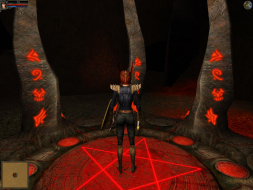
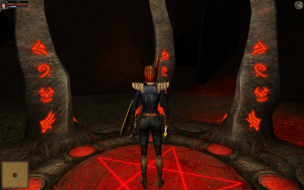
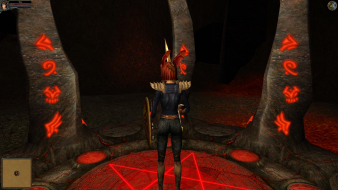
I tried this in 1680x1050 and it worked fine. But there is a problem: when I open the inventory, the small drawing that represents my character--where you swap armor, weapons, etc.--is not centered in the window like it should be.
Prior to adjusting the hex code, the character depiction was centered, and when you swap gear, you can see the gear being taken on and off on the little character drawing. But now with the hex code adjusted--and I confirmed the code change with a computer programmer--now the character is only shown from the waist down in the window because it is only being placed in the upper two-thirds of that window. So, since this game was never intended to run in 1680x1050, there is this issue.
I would like to play the game in widescreen but am afraid to continue, because if there is one problem there could be more, and if another problem is a gamestopper/crash situation, I don't want to be halfway through the game and be unable to continue, or something similar.
Do you think you can correct this situation? Otherwise I'll just play it on my 19-inch regular LCD monitor in 1280x1024. But obviously I'd prefer it in widescreen.
Dungeon Lords: Detailed Report
Posted: 29 Oct 2007, 22:13
by Tanuki
I will look at the problem later tonight and get back to you.
Dungeon Lords: Detailed Report
Posted: 29 Oct 2007, 22:44
by Tanuki

You are correct it is a flaw. What is probably happening is the two-dimensional HUD is aligned with a 4:3 aspect ratio.
Different resolutions show different parts (or all) of the mini-avatar.
Other than the problem itself you should not have anything to worry about. I would say less than a 1% chance of anything major.
The game supports multiple resolutions so even if a problem did occur that is game breaking because of the resolution you could simply switch to another resolution at that time.
So if the mini-avatar and Vert - is acceptable to you then you are good to go. :D
Dungeon Lords: Detailed Report
Posted: 30 Oct 2007, 01:07
by The_cranky_hermit
And the grade doesn't change one bit.
==Grading==
Calculated grade: D+
Major unresolved issues: None
Minor unresolved issues: None
Summary of widescreen-related flaws:
Hex-edit solution
Vert - gameplay
Windowboxed FMVs
2D art alignment bug
Cranky's coverage estimate: 100%
Reply
Posted: 30 Oct 2007, 02:02
by Dungeonlord1
Thanks for the info. It looks MUCH better on my widescreen with the hex adjustment. I'll just deal with the funky avatar situation, reassured by your comment that it's likely the only issue in the game.
One thing is odd, though...
I had the game set at 1280x1024 for my regular monitor. When I switched to my widescreen monitor, and then adjusted the hex code to display 1680x1050, I assumed the hex code would override the 1280x1024 setting. But when I went into the game, it was running 1280x1024. So I adjusted the in-game setting to 1600x1200 (which is actually impossible on a 1680x1050 LCD monitor because it can't go over 1050 on the vertical), and only THEN, when I adjusted to 1600x1200, did it display at 1680x1050. Or, at least, I'm ASSUMING it's 1680x1050. Is it? I mean, my monitor can't physically push 1200, can it? I'm kind of confused.
Forgot
Posted: 30 Oct 2007, 02:06
by Dungeonlord1
...oh and I forgot one thing:
When I press the "F" key, which supposedly opens the quick menu, it will not work. Is this just a Dungeon Lord bug? You'd think they'd have fixed that, though, considering I have the Collector's Edition (which is version 1.5).
Dungeon Lords: Detailed Report
Posted: 30 Oct 2007, 02:25
by Mesh
depends on the monitor, most monitors display 'out of scan range' or something along those lines if not a plain blank screen when you feed them something they don't like, a few are a bit smarter. My 1440x900 19" samsung here downscales anything over it's native without asking, I can feed it 1080i or 1080p without issue, it just downscales it a bit, nice feature and one wonders why most/all screens don't do that, it's not like you need uber dupper scaling engines to do so, a simple basic scale down works. (of my 3 screens, the samsung is the 'cheapest' yet has such a feature, the others don't)
Response
Posted: 30 Oct 2007, 03:13
by Dungeonlord1
Yeah, my monitor does have built-in scaling. So then, seems like I didn't even need to adjust the hex code in the first place?
More
Posted: 30 Oct 2007, 04:01
by Dungeonlord1
Ok, even though my monitor does have scaling, when I switched the hex code back to the default the game would not display hi-res when I switched the in-game control to 1600x1200. The hex code adjustment has to be in place, AND the in-game has to be selected to 1600x1200 for the whole thing to work right. Kind of confusing, but whatever, it works. I just wish I knew what was wrong with the game's "F" key for the quick menu shortcut, but I guess I need another forum for that one. Unless someone here knows what the deal is with that.
Dungeon Lords: Detailed Report
Posted: 30 Oct 2007, 04:12
by Tanuki
When I press the "F" key, which supposedly opens the quick menu, it will not work. Is this just a Dungeon Lord bug? You'd think they'd have fixed that, though, considering I have the Collector's Edition (which is version 1.5).
I tested with my native res and 1680x1050 and the f key works. You might have changed the binding in the controls menu. Or maybe you accidently have two things binded to the f key causing the conflict. The menu appears in the bottom right.

Ok, even though my monitor does have scaling, when I switched the hex code back to the default the game would not display hi-res when I switched the in-game control to 1600x1200. The hex code adjustment has to be in place, AND the in-game has to be selected to 1600x1200 for the whole thing to work right. Kind of confusing, but whatever, it works. I just wish I knew what was wrong with the game's "F" key for the quick menu shortcut, but I guess I need another forum for that one. Unless someone here knows what the deal is with that.
Scaling would just stretch the 4:3 image which would make everything look fatter. So the HEX edit is preferred for widescreen displays.
My guess for why your 1600x1200 is the widescreen res is that is the value you changed in the exe file. There are values listed for each resolution and you change the corresponding 4:3 resolution that you have selected.
So if you changed the
"40 06 00 00 C7 05 E4 09 60 00 B0 04" you changed the 1600x1200 value which is why it goes into widescreen.
Got it
Posted: 30 Oct 2007, 04:25
by Dungeonlord1
Ah, I see. That's exactly the value I changed, which is why my widescreen activates at 1600x1200. Now I finally understand how this whole thing functions, and am happy. Thank you.
And I found out from another forum that you first have to have a spellbook before the F key will function. But until then, I can still access the quick slots through the inventory.
Thanks again, and good job figuring out the widescreen fix...
Dungeon Lords: Detailed Report
Posted: 30 Oct 2007, 04:31
by Tanuki
I am glad you got it working. :)
Keys
Posted: 30 Oct 2007, 15:22
by Dungeonlord1
I have one more inquiry for you, Sakatei:
Do you know how to use the hex code to remap keys? Since my PC game keyboard preference is to always have things centered around the direction arrow keys on the right side of a standard keyboard, my secondary concern with Dungeon Lords would be the ability to switch most of the quick slot keys (2 thru 8) over to the numberpad's 2 thru 8 keys (on the right side of a standard keyboard, next to the direction arrow keys).
But at the very least, my PRIMARY concern would be to remap the 1 key to the End key (which is right above the up arrow key in that spot where there are those group of six keys bunched together: Page up, Page down, etc). Then I could put health potions in quick slot 1, and when I want to drink a health potion my index finger would just shoot up to the End key above the up arrow key so my hand doesn't have to travel all the way over to the 1 key on the left. This would be NICE.
I don't suppose you know how to do that? The game won't let you remap the quick slot keys, which is a pretty big oversight.
Dungeon Lords: Detailed Report
Posted: 30 Oct 2007, 19:56
by Tanuki
I think that they are hidden in code somewhere. I looked over the file structure and I could not even guess where to start.
http://www.dreamcatchergames.com/forums/showthread.php?t=21088
Perhaps there is a custom keymapping utility on the web. I was unable to find any but I am not that familiar with those types of programs.
Thanks
Posted: 30 Oct 2007, 21:40
by Dungeonlord1
Thanks for your time and help.