World of Warcraft

Detailed breakdowns of how games react to widescreen, ultra-wide, 4k and multi-mon
User avatar
skipclarke
Founder
Founder
Posts: 7358
Joined: 13 Oct 2003, 05:00

World of Warcraft

Post by skipclarke »


Widescreen Grade: A
Ultra-Widescreen Grade: Incomplete
Multi-monitor Grade: A
4k Grade: Incomplete

Read Full Detailed Report - World of Warcraft

WOW is the blockbuster MMO from from Blizzard, set in their Warcraft universe. The screenshots included here are from the original release of WOW. The client has been updated continuously, and with the Lich King release was brought into full Hor+. We've updated the info here, but left the original screenshots.

This DR is out of date for the current state of the game (June 2014). Please see the entry for Pandaria.


4:3

16:10
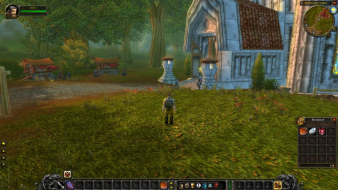

16:9


3x1

Last edited by skipclarke on 07 May 2016, 07:12, edited 7 times in total.
Reason: Edit
CodE-E
Posts: 183
Joined: 15 Apr 2005, 13:46

World of Warcraft

Post by CodE-E »

A "C+" doesn't really do the game's wide-screen capabilities justice, imho.

Character creation scenes: There's plenty of vertical space to see the characters in full, so nobody cares if it might be a tiny bit -vert.

World map pillar-boxing: That's only with the default world-map user interface. There are lots of UI mods out there which change this. I use Cartographer which makes this a non-issue. Also, the world map only shows one location at a time, so it doesn't need some sort of special wide-screen mode.

The game's 3D viewport is -vert indeed, but not completely. It's a bit +horiz too. Because this is a 3rd person view game and one can zoom and pan the camera around freely (and also change the max-camera distance in the UI options menu). This isn't a competitive 1st person FPS game where you'd really want all the extra FOV you can get. There's no need for some uberhigh FOV and max +horiz in WoW.

Btw, I'm anal about wide-screen support, just so you know. I didn't buy a Battlefield game in the last 4 years because of their sh*tty wide-screen support, even though I like the games. WoW's great in wide-screen, and I'd recommend every WoW player to get a wide-screen monitor. There are loads of very useful UI mods in WoW, and the extra pixels on the side of the screen are a great place to put them.
The_cranky_hermit
Insiders
Insiders
Posts: 3010
Joined: 07 Nov 2005, 04:16

World of Warcraft

Post by The_cranky_hermit »

Any vert - game will get at most a C+.

The grading system needs to be as objective as possible. Saying "WoW is more vert - than hor +" is easily measureable, and therefore, objective. Rationalizing this by saying that WoW doesn't need hor + as much as BF2142 does is being subjective. Allow more subjectiveness into the equation than absolutely necessary, and the game's grade will depend more on the tastes of the reviewer than the game's widescreen support, which is a bad thing for this kind of grading system.

Plus, from a technical perspective, making WoW hor + would be a trivial task. If Blizzard wants WSGF certification, that's all they have to do, and there's no reason they couldn't do that.

Also, dollying out is not the same thing as zooming out. Dollying out on a zoomed in game will cause distortion, and furthermore, it won't even undo the vert - consistently. You can read more about this here.
User avatar
skipclarke
Founder
Founder
Posts: 7358
Joined: 13 Oct 2003, 05:00

World of Warcraft

Post by skipclarke »

Character creation scenes: There's plenty of vertical space to see the characters in full, so nobody cares if it might be a tiny bit -vert.


I actually agree with you that WOW (and any other Vert- MMORPG, such as COH/V) is better in widescreen. But, it is certainly more than "a tiny bit" Vert-. I'm actually working on an article for the site that compares how MMORPGs handle widescreen, and how even a Vert- experience is probably preferable to a 4:3 experience (if only for UI elements such as inventory bags).

pocketdrummer
Posts: 7
Joined: 14 Apr 2007, 09:36

World of Warcraft

Post by pocketdrummer »

WoW users that read this should attempt to start a thread on the WoW forums to have them fix the vert FOV. Maybe they'll catch on, who knows.
User avatar
P-Storm
Posts: 764
Joined: 24 Dec 2006, 18:56

World of Warcraft

Post by P-Storm »

I think we have a chance of 1:100.000.000.000 that blizzard will listen to us.

Just a feeling though.
pocketdrummer
Posts: 7
Joined: 14 Apr 2007, 09:36

World of Warcraft

Post by pocketdrummer »

I think we have a chance of 1:100.000.000.000 that blizzard will listen to us.

Just a feeling though.


At least you're optimistic, lol
Spit
Posts: 1
Joined: 22 Apr 2007, 20:26

World of Warcraft

Post by Spit »

Is there anyway of running WOW at 1024x600?

Cheers
User avatar
P-Storm
Posts: 764
Joined: 24 Dec 2006, 18:56

World of Warcraft

Post by P-Storm »

If you can select it with windows your resolution, then I think you could use that resolution.
User avatar
P-Storm
Posts: 764
Joined: 24 Dec 2006, 18:56

World of Warcraft

Post by P-Storm »

Little bump: I noticed when you are looking at you map, or traveling oversea that you get black bars. I think that it is the standard resolution. :wink:
madman
Posts: 5
Joined: 03 Sep 2006, 16:50

World of Warcraft

Post by madman »

No news from Blizzard on this? I have emailed them as well as petitioned in their forums, but no reply.
Ascii_Aficionado
Posts: 238
Joined: 16 May 2006, 14:55

World of Warcraft

Post by Ascii_Aficionado »

There are mods that allow you to change the FOV in WoW such as the Viewport mod, to my understanding it actually does modify the FOV and not simply act as a modifier for the camera*some mods get rid of the zoom out limit set by the game*. Someone should look into this seeing as how I no longer use those mods.
icxnamjah
Posts: 36
Joined: 16 Jul 2008, 17:17

World of Warcraft

Post by icxnamjah »

The FOV is killing me in surround gaming for WoW.

I added the :

SET fov "179" command and it changed nothing.

Is there a special number to this command?

Please help, thanks
User avatar
Mergatroid
Posts: 185
Joined: 27 Feb 2007, 00:20

World of Warcraft

Post by Mergatroid »

The viewport mod does not change the fov. Blizzard took out the functionality for it a while ago. The fov command doesn't do anything anymore either.
icxnamjah
Posts: 36
Joined: 16 Jul 2008, 17:17

World of Warcraft

Post by icxnamjah »

I also need to get rid of this magnification problem


I play at 3840x1024 and the health bars over NPCs are HUGE

They can get so huge that when I get close it can fill the top half of my middle screen.


Is there any remedy to this at all?

Thanks


P.S. I can't turn them off as I am the main tank and I need them up
User avatar
Mergatroid
Posts: 185
Joined: 27 Feb 2007, 00:20

World of Warcraft

Post by Mergatroid »

There should be a mod that customizes them. Try downloading one and adjusting the size.
User avatar
DaFox
Posts: 2356
Joined: 14 Nov 2006, 15:48

World of Warcraft

Post by DaFox »

http://www.wowace.com/wiki/Aloft

Heres the mod that you need.
istador
Posts: 12
Joined: 29 Jul 2008, 15:58
Location: Hamburg, Germany
Contact:

World of Warcraft

Post by istador »

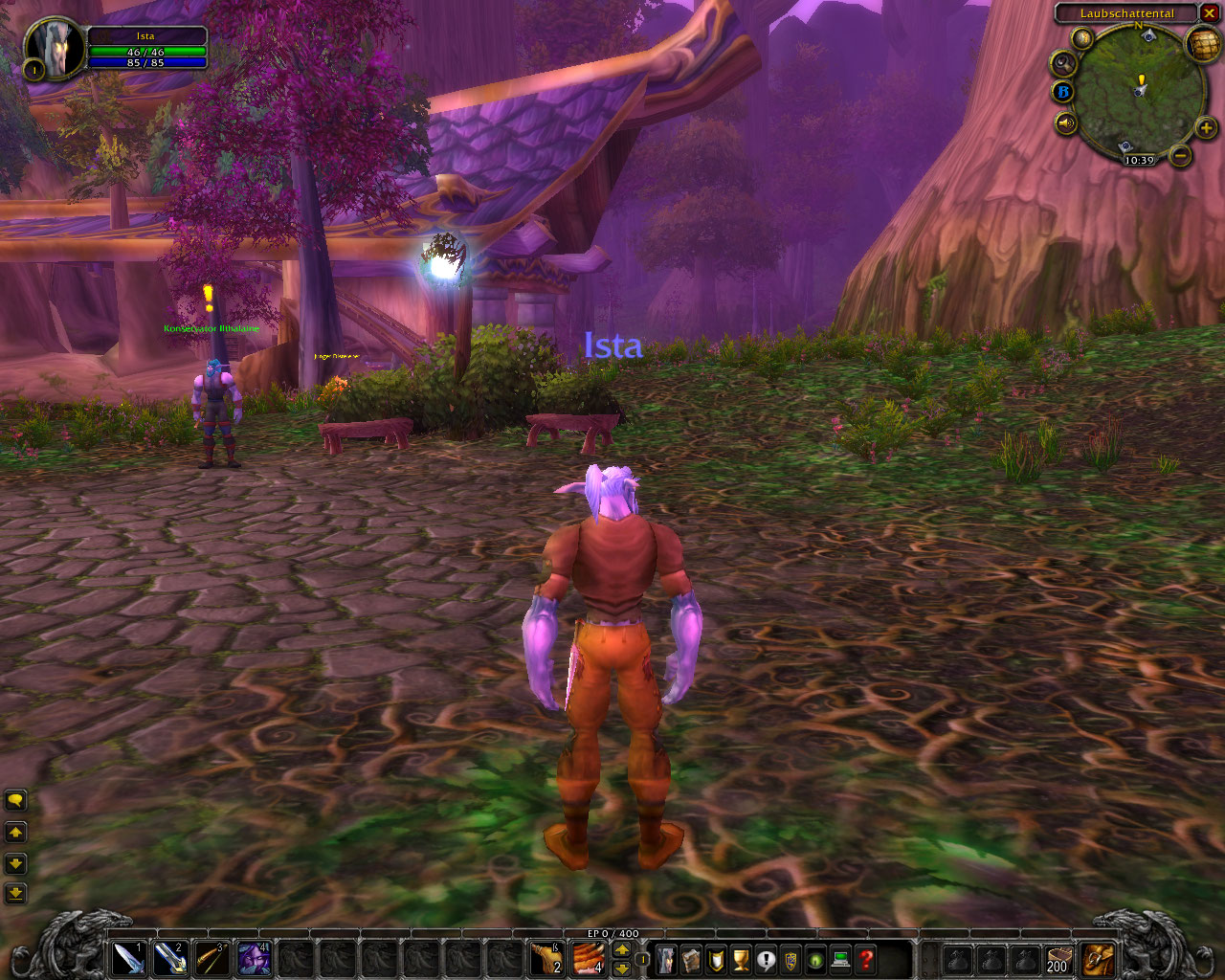
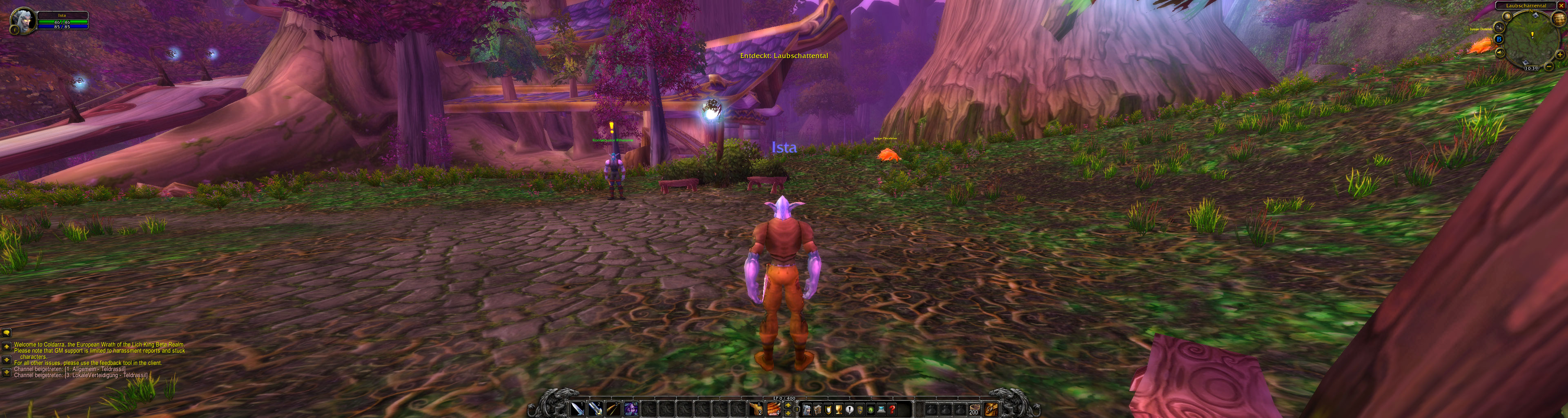
With Wrath of the Lich King World of Warcraft becomes Hor+.
Tested it out on the Beta Server with TH2G, I am not loosing vert by switching from a Single Monitor resolution to a tri monitor resolution I'm only get more hor.
Unlike the live servers.

Health bars from NPC's still big.

The login and character creation/selection screens are still Vert- and limited to a maximum aspect (16:9? 16:10?).


1280x1024


3840x1024
infernus
Posts: 544
Joined: 20 Feb 2007, 05:14

World of Warcraft

Post by infernus »

I don't play WoW anymore, but I'm glad to see they're at least paying some attention to us widescreen owners.
User avatar
MobsterOO7
Insiders
Insiders
Posts: 1055
Joined: 19 Sep 2006, 16:25
Location: Ruckersville, Virginia

World of Warcraft

Post by MobsterOO7 »

And I'm assuming that those two shots are taken at the same zoom level right?
EVGA GeForce GTX 970 SC ACX 2.0 3.5GB | 3 X LG Flatron 24EA53VQ in Nvidia Surround | Optoma HD20
Post Reply

Who is online

Users browsing this forum: No registered users and 4 guests