The Elder Scrolls IV: Oblivion

Detailed breakdowns of how games react to widescreen, ultra-wide, 4k and multi-mon
User avatar
Paddy the Wak
Editors
Editors
Posts: 3436
Joined: 27 Jul 2004, 17:42

The Elder Scrolls IV: Oblivion

Post by Paddy the Wak »


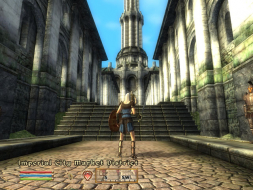
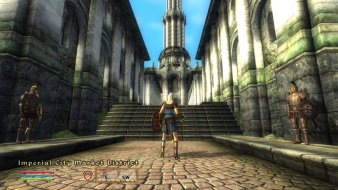
Widescreen Grade: A
Ultra-Widescreen Grade: A
Multi-monitor Grade: B
4k Grade: A

Read Full Detailed Report - The Elder Scrolls IV: Oblivion

Oblivion is the fourth installment of the Elder Scrolls series. It is a 3D Fantasy RPG in which you choose your own path through the land of Cyrodiil.


4:3


16:10


16:9


3x1

Last edited by Paddy the Wak on 02 Jun 2017, 01:30, edited 6 times in total.
Reason: Edit
TonyM16
Posts: 36
Joined: 11 Dec 2005, 03:36

The Elder Scrolls IV: Oblivion : Detailed report

Post by TonyM16 »

Amazing. I like that.
Bluesilentpro
Posts: 121
Joined: 16 Sep 2006, 12:18

The Elder Scrolls IV: Oblivion : Detailed report

Post by Bluesilentpro »

It looks a bit like fisheye. Am I right or is this just the screenshot? :?

If the gaming experience equals the screenshot I won't prefer triplehead. Moreover the bezels of the TFTs are cutting the screen into three pieces. But nevertheless an interesting screenshot.;)
Intel i7 980X | MSI Big Bang Xpower X58 | 12GB G.Skill Pi Black DDR3-1600 | Sapphire 5870 Vapor-X 2GB | 2x Intel X-25M 160GB | SB X-Fi | Seasonic X-750 | Silverstone FT01 black | 3x HP ZR24w @ 5760x1200 Triplehead

AMD X2 4800+ | Gigabyte K8N Ultra-SLI | 2GB Kingston VS DDR1-400 | Zotac GTX260 AMP! + Gigabyte 8400GS | 3x Samsung HD 2.1TB | SB X-Fi | Seasonic M12-600 | Chieftec CS-601 blue | Dell 2407WFP + Dell 1707FP Dualhead
Gabbo
Posts: 381
Joined: 24 Dec 2005, 11:13

The Elder Scrolls IV: Oblivion : Detailed report

Post by Gabbo »

==Game Information==
Oblivion is the fourth installment of the Elder Scrolls series. It is a 3D Fantasy RPG in which you choose your own path through the land of Cyrodiil.


==Version==

US Retail Version 1.0-1.1.511


==Method==

The game has native support for widescreen resolutions. You can set your resolution in either the launcher's options or within the game's video options


==Screen change==

16:9 Gameplay


16:10 Gameplay


4:3 Gameplay


5:4 Gameplay


Gameplay is HOR+


16:9 Menu


16:10 Menu


4:3 Menu


5:4 Menu


Menus are HOR+


==Supported resolutions==

Note: This is only a list of what resolutions are available to me. I can add resolutions if requested/confirmed.

640x480
720x480
720x576
800x600
848x480
1024x768
1152x864
1280x720
1280x768
1280x800
1280x960
1280x1024
1360x768
1360x1024
1440x900
1440x1050
1600x1200
1680x1050
1920x1080
1920x1200

List of widescreen resolutions the game successfully ran at:

720x480
848x480
1280x720
1280x768
1280x800
1360x768
1440x900
1680x1050
1920x1080
1920x1200


List of widescreen resolutions that were not tested:

2560x1600


List of widescreen resolutions the game fails to run at:

None that I can test.


==Singleplayer anomalies==

None


==Cut-scenes==

Cutscenes display correctly at all aspect ratios. The movies are formatted in 16:9 and will letterbox accordingly.

16:9 FMV screenshot


16:10 FMV screenshot


4:3 FMV screenshot


5:4 FMV screenshot


==Multiplayer support==

There is no multiplayer component in this game. Singleplayer only.


==Aspect ratio support==

The game automatically adjusts the aspect ratio (as shown in the above screenshots).


==HUD stretch==

The HUD maintains the correct dimensions regardless of resolution. It also maintains the correct distance relative to the borders regardless of resolution.


==Summary==

Perfect implementation of widescreen whose example should be studied by all developers.


==Grading==

Certified
The_cranky_hermit
Insiders
Insiders
Posts: 3010
Joined: 07 Nov 2005, 04:16

The Elder Scrolls IV: Oblivion : Detailed report

Post by The_cranky_hermit »

I've been waiting a long time for someone to do this report.
I'm giving this game a golden cog. It's certified.
User avatar
skipclarke
Founder
Founder
Posts: 7358
Joined: 13 Oct 2003, 05:00

The Elder Scrolls IV: Oblivion : Detailed report

Post by skipclarke »

Same here. Got the game page up.
Gabbo
Posts: 381
Joined: 24 Dec 2005, 11:13

Re: The Elder Scrolls IV: Oblivion : Detailed report

Post by Gabbo »

Grading is finalized then...
MickeyFinns
Posts: 3
Joined: 17 Nov 2006, 00:04

The Elder Scrolls IV: Oblivion : Detailed report

Post by MickeyFinns »

wow that screenshot makes you realise how much of the scenary you miss with one screen. Beautiful game.
User avatar
ViciousXUSMC
Editors
Editors
Posts: 1497
Joined: 31 Jul 2006, 14:58

The Elder Scrolls IV: Oblivion : Detailed report

Post by ViciousXUSMC »

yeah the fov defintily causes some distortion, but im sure you get used to it after awhile. one thing the th2g screenshots never shows that you deal with in person tho is the break between screens :/

Unless you have one of those ultra expensive seamless tripple monitor setups.
ViciousXUSMC on the Web - YouTube :: FaceBook :: Website
User avatar
Paddy the Wak
Editors
Editors
Posts: 3436
Joined: 27 Jul 2004, 17:42

The Elder Scrolls IV: Oblivion : Detailed report

Post by Paddy the Wak »

The point about TripleHead set ups that everyone seems to miss (even when it is explained to them) is that the sidescreens are just for adding to the immersion ... you can't look at or focus on all the screens at once unless you are looking at a screenshot.
Same as in reality ... you can't look at and focus on everything your eyes are seeing at once.

Whilst playing a game you are concentrating on the centre screen where the action is ... in front of you ... just like using one screen.
The sidescreens then add to this giving you some peripheral vision as your eyes have ... and so the distortion isn't noticed so much (if at all) when you are playing.

With regard to the bars where the screens join ... your too busy playing/concentrating on the centre screen.
Do you notice the edges of the screen when you are playing on one screen ? ... no ... because you are busy concentrating on the game.
So ... just as when you are using one screen you don't notice the edges of the screens or the bars because you are too busy concentrating /playing the game on the centre screen ... the sidescreens as I have said just add to the emersion giving you some peripheral vision.
The emersion is stunning ... giving a view that is far far closer to the way your eyes work in reality ... way more than just one screen could ever do.

I guess it is one of those things you have to experience ...
Looking at screenshots most get it wrong and moan about or point out the distortion ... "fisheye" ... etc.
Looking at photos of setups with 3 screens most get it wrong and moan about or point out the bars between the screens ... "one of those ultra expensive seamless triple monitor setups" really really isn't necessary.
It you ever get to try it you will understand ... until then trust me those that say these things are wrong ... :wink:
mengzor
Posts: 173
Joined: 06 Jun 2006, 18:49

The Elder Scrolls IV: Oblivion : Detailed report

Post by mengzor »

What i dont get is why they put the GUI and stuff on the left screen , wouldnt it be easier to see if it stayed on the middle screen?

also.
any chance of getting a screenshot of the item screens and such?
does it stretch or just stay one screen [left or middle] or what?
User avatar
Paddy the Wak
Editors
Editors
Posts: 3436
Joined: 27 Jul 2004, 17:42

The Elder Scrolls IV: Oblivion : Detailed report

Post by Paddy the Wak »

What i dont get is why they put the GUI and stuff on the left screen , wouldnt it be easier to see if it stayed on the middle screen?
Of course it would be easier to see if it was on the middle screen but the game wasn't made for TripleHead ...
It is made for 4:3 and widescreens and so the have anchored the GUI to the left so that when it expands from 4:3 to widescreen it still looks fine.
I wouldn't imagine they never even gave TripleHead a consideration. That said it works fine and I didn't find it being a problem on the left ... it really is no big deal.

also.
any chance of getting a screenshot of the item screens and such?
... not from me ... I no longer have the game installed.

... does it stretch or just stay one screen [left or middle] or what?
It expands out from the left as does all of the GUI and it is not stretched.
I had some mods/add-ons ... I can't remember what they were but my map filled the whole screen and was in colour and my inventory was enhanced to show more and also filled the screen without stretching.
JKeefe
Posts: 643
Joined: 21 Apr 2006, 17:17

The Elder Scrolls IV: Oblivion : Detailed report

Post by JKeefe »

I guess it is one of those things you have to experience ...
Looking at screenshots most get it wrong and moan about or point out the distortion ... "fisheye" ... etc.
Looking at photos of setups with 3 screens most get it wrong and moan about or point out the bars between the screens ... "one of those ultra expensive seamless triple monitor setups" really really isn't necessary.
It you ever get to try it you will understand ... until then trust me those that say these things are wrong ... :wink:
Amen, and ditto. Listen to this man, for he is wise.

And he has two 8800GTXs.
User avatar
Tamlin
Editors
Editors
Posts: 1371
Joined: 10 Jun 2005, 21:24

The Elder Scrolls IV: Oblivion : Detailed report

Post by Tamlin »

Might be worth mentioning that typing fov [number] (as fov 90) in the console menu, increases the field of view.
Altering the
fDefaultFOV=75.0000 in oblivion.ini gives the same effect, but permanent.
Gabbo
Posts: 381
Joined: 24 Dec 2005, 11:13

The Elder Scrolls IV: Oblivion : Detailed report

Post by Gabbo »

Might be worth mentioning that typing fov [number] (as fov 90) in the console menu, increases the field of view.
Altering the
fDefaultFOV=75.0000 in oblivion.ini gives the same effect, but permanent.


Is it really permanent? I swear when I tried this, it would work until I either A) Zoomed in/out with my bow or B)Got off my horse. It would revert back to the original FOV.

I guess I will answer my own questions later when i can test.

On a side note, I finally finished Oblivion. Yay for me... i guess.
User avatar
Paradigm Shifter
Editors
Editors
Posts: 5706
Joined: 14 Oct 2003, 13:52

The Elder Scrolls IV: Oblivion : Detailed report

Post by Paradigm Shifter »

Whenever I changed that FOV value in the .ini, Oblivion crashed on me if I zoomed in and out again. :x
mkk
Posts: 13
Joined: 04 Feb 2006, 11:16

The Elder Scrolls IV: Oblivion : Detailed report

Post by mkk »

This worked last I played Oblivion.
Don't edit the .INI, but make it write protected.
Start the game, bring up the console and enter the following long line:
SetINI "fDefaultFOV:Display" 90
The game tries to write that to the .INI file, fails but keeps the setting in the running game so that it works properly with NPC conversations and all. You'll have to type that line next time you play since it can't be saved. Just writing the new value into the .INI screws up the menues and perhaps more, it was a while since I last played.
Tanuki
Posts: 2866
Joined: 07 Jul 2007, 23:55

The Elder Scrolls IV: Oblivion : Detailed report

Post by Tanuki »

Some one may want to fool around with this.


Streamline v3.0
The Elder Scrolls IV - Oblivion
OPEN BETA 4 (RC2) - June 9th, 2007


===================================================================
Requirements
===================================================================

- Oblivion patch v1.1.511 or higher
- OBSE v0011 or higher (http://obse.silverlock.org)
** If OBSE is not installed correctly or not running,
** Streamline will not start or may not run as it should.


===================================================================
Mod Description
===================================================================

Streamline is an "intelligent performance enhancement" mod. It
helps eliminate lag, smooths FPS (display) speed, and has many
other useful features like an automated rotating savegame system,
custom field-of-view, etc. It was originally developed as a
simple memory purge mod, and grew from there to an all-around
performance and utility mod.


===================================================================
Installation - Summary
===================================================================

- Backup your original Oblivion.ini file
- Extract archive contents directly to data directory
- Rename old sl.ini if present and use new with or without edits
- Edit dataStreamlineINI Filessl.ini to set prefs (optional)
- Enable the esp and start Oblivion to initialize the mod


===================================================================
Installation - Detailed
===================================================================

- BACK UP YOUR OBLIVION.INI FILE!
Streamline's FPS smoother can and will make changes to the
visual settings entries in your ini. While not harmful, it
cannot restore your ini to the state it was in before you
installed Streamline. Making a backup is a very good idea.
The ini is located in this folder:
My DocumentsMy GamesOblivion

- Extract the esp file and "Streamline" folder to your
OblivionData directory. If they are not both placed
there the mod will not run correctly. If you have used the
mod in the past, rename your old ini and use the new one in
it's place. You can edit the new one to update the values,
but it has been changed significantly since previous versions
and has a new structure.

- If you would like to use the auto-FOV feature, open the
DataStreamlineIni Filessl.ini file and edit the slFOV
entry to reflect the correct FOV for your monitor. A 4:3
monitor needs 70-80, widescreen displays will need a
larger FOV number (90-110), or input whatever number you
would like to use. You can then edit the slFOVauto entry
to "1" to enable auto-FOV changes. If you would also like
FOV changes during conversation with NPCs, set the variable
named "SLv.FOVInDialogs" to 1.

- To enable the mod: launch the game, select Data Files and
enable Streamline 3.0.esp.

- **IMPORTANT** If you make changes to the sl.ini file after
you have installed the mod, you will need to re-init the
mod with the new ini values for them to take effect. You
can do this in the Streamline menu by choosing the
Special Actions Menu, and choosing the Re-Initialize option.


===================================================================
Default Hotkeys
===================================================================

- Streamline Main Menu: CTRL-home
- Perform purge: CTRL-del
- Perform save: F10
- Set max vLOD (detail): CTRL-]
- Set min vLOD (detail): CTRL-[
- Set auto vLOD (detail): CTRL-backspace
- Fine-tune vLOD up: CTRL-.
- Fine-tune vLOD down: CTRL-,
- Toggle Streampurge: ALT-p
- Toggle Streamsmooth: ALT-f
- Toggle music (delayed): CTRL-m
- Fast-Quit: (off by default, suggest CTRL-F12)
- Force Kill Corpses: CTRL-insert

Note: We recommend remapping the default Oblivion Quicksave key
to F10, and setting the Streamsave Perform Save key to F5. That
way when you hit F5 (which you may be accustomed to), the save
that is made is part of your Streamsave rotating savegame list.

It is perfectly safe to enable the Fast-Quit hotkey, as a save
is made immediately before the quit is processed.


===================================================================
Configuration
===================================================================

If you would like to change the default behavior of Streamline
and it's modules, you can open the ini file in:

DataStreamlineIni Filessl.ini

and make changes per the included notes.

To get more details on how certain features in Streamline work,
enter the game, you can use the [ Help ] button on ANY menu. You
can also choose the Special Actions Menu, and click on Streamline
Tome of Knowledge.

If you have questions about the mod or configuration options,
the Streamline [RELz] thread on the Official Forums is the best
place to try and get help. Please remember (this is important);

** If you have not read this readme, you will NOT get help
** on the official forums!

The mod is extremely flexible and powerful, and may seem
complicated to the first-time user. The sl.ini is meant to be
usable by beginners (the top section), and power users (the
top/bottom sections) depending on their needs. If something
doesn't make sense, just leave it as is. :)


===================================================================
Compatability
===================================================================

Streamline 3.0 has no known conflicts with normal mods. However,
you should not attempt to run this at the same time as another
cache clearing or FPS-altering mods, like HTF's PCB mod, or the
Nearly-Perfect-Frame-Rate-Optimizer. Doing so may cause stutter
and/or crashes.


===================================================================
Troubleshooting
===================================================================

If you think the mod isn't running as it should be, you can
enable debug messages that appear in the console. The easiest way
is editing the sl.ini file and setting the SLdebug entry to 1. You
can also do this via the Streamline menu in the "Main > Settings
> Miscellaneous" area. (Note: On by default for the Open Beta)

To view the messages, you need to open the console (` key), type
in "tdt" (no quotes), hit enter, then close the console (` key).
Messages will be displayed as Streamline runs in the lower left
corner.

** If you have not read this readme, you will NOT get help
** on the official forums!


=================================================================
License
=================================================================

This package may be freely redistributed unless otherwise stated
by the original author (Jaga Telesin - [email protected]).
Its works and coding (and those of any other package in the
series by another version number) may not be altered or
repackaged unless express permission has been granted by said
author. It may be bundled with other packages for Oblivion
only if said author is contacted notifying them of the bundling
and what other packages are included.

If at any time a request is made to remove this package or any
part of it from a website or package bundle, we ask that you
respect that request and do so.


=================================================================
Disclaimer
=================================================================

Neither the makers of this mod, nor Bethesda Softworks are
responsible for any damage or other liability, either directly or
indirectly from the use of this package in whatever form.


===================================================================
Contact
===================================================================

I can be reached for mod-related issues or other matters at the
following email address: [email protected]


===================================================================
Credits & Thanks
===================================================================

As we are still in Open Beta, this section will be filled in
after the beta and before the mod goes to full release. There are
many people that helped, and I would like to see them all receive
due credit!

JosephJEHancock
Posts: 215
Joined: 24 Jul 2007, 15:25

The Elder Scrolls IV: Oblivion : Detailed report

Post by JosephJEHancock »

The point about TripleHead set ups that everyone seems to miss (even when it is explained to them) is that the sidescreens are just for adding to the immersion ... you can't look at or focus on all the screens at once unless you are looking at a screenshot.
Same as in reality ... you can't look at and focus on everything your eyes are seeing at once.


Sorry to be a thread necromancer, but I though I'd mention that there are some weird people (my older brother) who have a condition (monocular vision?), which means they see independently with each eye. Good for reading a book while watching the news, but crappy for depth perception!

:lol:
User avatar
Paddy the Wak
Editors
Editors
Posts: 3436
Joined: 27 Jul 2004, 17:42

The Elder Scrolls IV: Oblivion : Detailed report

Post by Paddy the Wak »

I guess there is always an exception to the rule ... :lol:
I hope it doesn't hamper his life too much.
I would consider that a real problem.
Post Reply

Who is online

Users browsing this forum: No registered users and 3 guests