Page 1 of 2
Star Wars Jedi Knight: Jedi Academy
Posted: 15 Aug 2006, 03:40
by czarman
 Widescreen Grade: CUltra-Widescreen Grade: CMulti-monitor Grade: C4k Grade: CRead Full Detailed Report - Star Wars Jedi Knight: Jedi AcademyJedi Knight: Jedi Academy is a Star Wars themed action game from Raven Software. You play as a Jedi apprentice under the instruction of Luke Skywalker and Kyle Katarn, and must hone your skills through a variety of missions across several Star Wars locations.
As a first/third person shooter set in the Star Wars universe, Jedi Academy puts the player into combat wielding a variety of firearms from the universe, as well as lightsabers and Force powers. The player can choose perspective for every weapon but the lightsaber, which can only be used in third person.
The shooter aspects of the game are typical, including a variety of projectile and energy weapons and explosives. Players have a health meter and a shield meter, which are replenished separately.
Jedi Knight: Jedi Academy: Detailed report
Posted: 15 Aug 2006, 14:29
by Nabil
I can confirm 1920x1080 and 1920x1200...
Also, the exact FOV for 16:10 is actually 90.4 but that's getting picky
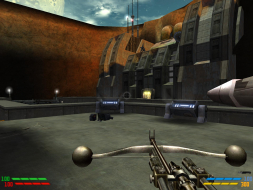
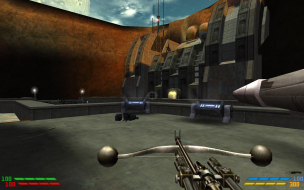
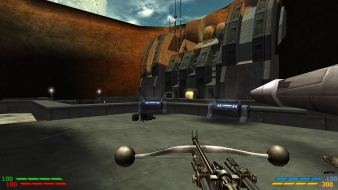
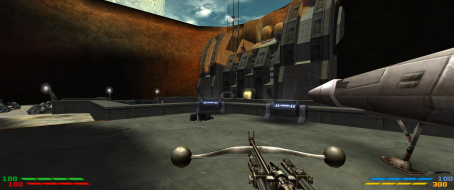
Also no matter what, increasing the FOV (even to 90) will result in a fish-eye effect on the left and right edges of the screen.
To see what I mean, run the game at 90 FOV at a widescreen res. Load a level and find or spawn another character. Now, position your guy so this other character is right in front of you at the center of the screen. Now turn a little so that this other characters is at the very left or right edge of your vision... you'll notice he's fatter than before....
Although, you can't really do anything about this. The more you increase the FOV the worse the fish-eye becomes...
Jedi Knight: Jedi Academy: Detailed report
Posted: 02 Nov 2006, 05:49
by skipclarke
The game is listed here as a C+, but in the "list by grade" thread as a B-. It also doesn't have a medal in the MGL. Just trying to get the final word on the grading.
Jedi Knight: Jedi Academy: Detailed report
Posted: 03 Nov 2006, 00:13
by The_cranky_hermit
It's on the "list by grade" page by accident. There shouldn't be any games on the "list by grade" page that have a letter difference between the calculated and potential grades. I'll correct this.
Jedi Knight: Jedi Academy: Detailed report
Posted: 22 Nov 2006, 04:36
by The_cranky_hermit
Cranky's Coverage estimate: 88.5%
Jedi Knight: Jedi Academy: Detailed report
Posted: 07 May 2007, 05:33
by Jade Jedi
I get an error when i try to play MP solo or create game, it gets as far as start up then says 'jedi academy multi player has encounted a problem and needs to close etc etc....' I have traced it to 'seta r_mode -1'. Any way to fix it and still have widescreen?
I have 1680x1050, cg_fov 115, seta r_mode -1
link to message
Jedi Knight: Jedi Academy: Detailed report
Posted: 07 May 2007, 17:01
by The_cranky_hermit
I have traced it to 'seta r_mode -1'.
Does that mean that if you simply change the -1 to a positive integer, MP runs fine? Also, what's the name of the config file used for multiplayer? In Quake III engine games, the SP and MP config files are different.
Jedi Knight: Jedi Academy: Detailed report
Posted: 07 May 2007, 21:38
by Jade Jedi
Yeah if I have r_mode 7 (defult) it runs fine but if I minimise then no widescreen. The MP config is jampconfig.
Jedi Knight: Jedi Academy: Detailed report
Posted: 07 May 2007, 22:21
by The_cranky_hermit
Then that probably means that multiplayer doesn't support widescreen resolutions. This wouldn't be the only Quake III engine game that doesn't support widescreen (Soldier of Fortune II doesn't either).
Jedi Knight: Jedi Academy: Detailed report
Posted: 08 May 2007, 05:16
by ViciousXUSMC
I have this game I may play around with it some.
I lost my jedi knight II game wich I liked better.
Also the original Dark Forces was a great classic. I could play that game even today and enjoy it (graphics will seem dated probably, but in memory they look good :P)
Jedi Knight: Jedi Academy: Detailed report
Posted: 09 May 2007, 04:28
by PerfectCr
Then that probably means that multiplayer doesn't support widescreen resolutions. This wouldn't be the only Quake III engine game that doesn't support widescreen (Soldier of Fortune II doesn't either).
No it does, I play it just fine in WS.
Jedi Knight: Jedi Academy: Detailed report
Posted: 09 May 2007, 07:51
by Jade Jedi
Yeah it plays fine in MP internet connecting through all seeing eye etc, just not when you try to play 'solo game' or create game' from the MP menu, that is when I get the error.
Jedi Knight: Jedi Academy: Detailed report
Posted: 09 May 2007, 11:34
by PerfectCr
Yeah it plays fine in MP internet connecting through all seeing eye etc, just not when you try to play 'solo game' or create game' from the MP menu, that is when I get the error.
Oh you mean like a local game with bots? Interesting, I need to test that. Hmmm.
Jedi Knight: Jedi Academy: Detailed report
Posted: 09 May 2007, 14:11
by Jade Jedi
Oh you mean like a local game with bots? Interesting, I need to test that. Hmmm.
Yep exactly, sorry I should have been more specific. :oops:
Jedi Knight: Jedi Academy: Detailed report
Posted: 09 May 2007, 16:22
by The_cranky_hermit
Can someone provide comparison screenshots for multiplayer, including the FOV increase?
Jedi Knight: Jedi Academy: Detailed report
Posted: 01 Jun 2007, 17:38
by Who Knows?
All of this applies to the MP application since its the only one with the problem.
[Edit - Previous method stopped working]
This was done on a mac but I've had similar results with my pc version. I've set the resolution to 1024x768 and switch r_mode to -1 after the map is loaded and you are waiting to spawn and doing a vid_restart and it would reload the map just fine into the widescreen resolution. Just make sure to switch r_mode back before you quit (6 is 1024x768 for me/restarting doesn't matter as you are quitting).
Re: Jedi Knight: Jedi Academy: Detailed report
Posted: 22 Aug 2010, 21:00
by Master_OrHan
Registered to state that the method posted by the OP works awesome for me. I get full 1920X1200 res with some fish eye for the HUD in MP. I have to set the res back to a much lower one like 800X600 to get XFire to respond though, FYI. If the game crashes, I have to reenter the last line at the end of the config for the FOV number. Other than that, I don't have to do anything unusual for it to work constanly in MP.
I have to use the original executable though and not the one from Ultra Utility, if any of you use that. Not a big deal, since if it is already running, all the UU shortcuts will still work. Hope to get some of these other widescreen mods working soon too! Still working on DS II + BW. :D
Re: Star Wars Jedi Knight: Jedi Academy
Posted: 14 Jul 2017, 08:58
by czarman
Updated DR with correct Weapon FOV. Unfortunately couldn't find a fix for the VERT- Cutscenes.
Re: Star Wars Jedi Knight: Jedi Academy
Posted: 14 Jul 2017, 10:19
by antrad
czarman wrote:Updated DR with correct Weapon FOV. Unfortunately couldn't find a fix for the VERT- Cutscenes.
It's running on Quake 3 engine. Jackfuste has made several hor+ FOV fixes for other Q3 engine games, maybe he could do his magic here too.
Re: Star Wars Jedi Knight: Jedi Academy
Posted: 16 Aug 2017, 05:50
by slx
I tried on a non steam version (1.0.1.0) and not works on 4k! If I set the resolution to 3840x2160 I can see the upper left corner of the menu in zoomed view... if I press Alt+Enter it become windowed mode and I can see the bottom left corner of the menu.
The last usable resolution for me 2560x1440 after this the same error happens as with the 4k!
I do not use the described lines in the autoexec.cfg because I modified these lines in the jaconfig.cfg. I tried with the autoexec.cfg but it isn't work that way neither!