
The MGL indicates:
Deus Ex .ini Hor + Max Res 1440x900
In the Solution: [FULL][Edit] Deus Ex Widescreen post Link it states
"FOV edits should work to make this a full solution."
1) Where are these found & what would be suggestions for values?
2) What would happen if a higher res I.E. 1920X1200 were tried?
RE: Deus Ex WS Solution
-
The_cranky_hermit
- Insiders

- Posts: 3010
- Joined: 07 Nov 2005, 04:16
RE: Deus Ex WS Solution
I don't remember exactly which file to edit, but one of the .ini's has two lines in it that look something like this:
DefaultFov=75
DesiredFov=75
Both of these need to be changed. My screenshots reflect an increase from 75 to 85.
DefaultFov=75
DesiredFov=75
Both of these need to be changed. My screenshots reflect an increase from 75 to 85.
-
skipclarke

- Founder

- Posts: 7358
- Joined: 13 Oct 2003, 05:00
RE: Deus Ex WS Solution
Tx Cranky,
& for 2) What would happen if a higher res I.E. 1920X1200 were tried?
Any thoughts/tech?
& for 2) What would happen if a higher res I.E. 1920X1200 were tried?
Any thoughts/tech?
-
Paradigm Shifter

- Editors

- Posts: 5706
- Joined: 14 Oct 2003, 13:52
RE: Deus Ex WS Solution
A higher res needs to have the .ini file edited. :)
-
skipclarke
- Founder
- Posts: 7358
- Joined: 13 Oct 2003, 05:00
RE: Deus Ex WS Solution
So why does the Mater Gaming List Solution state
"Deus Ex .ini Hor + Max Res 1440x900" ??
"Deus Ex .ini Hor + Max Res 1440x900" ??
-
Paradigm Shifter
- Editors
- Posts: 5706
- Joined: 14 Oct 2003, 13:52
RE: Deus Ex WS Solution
That's the highest res that is available natively. Some members have reported widescreen res's being available in the menus. I haven't seen that - I've always needed to edit the .ini file...
-
The_cranky_hermit
- Insiders
- Posts: 3010
- Joined: 07 Nov 2005, 04:16
RE: Deus Ex WS Solution
Can anyone confirm that resolutions higher than 1440x900 work in Deus Ex if entered in manually? If anyone does, I'll take that part out next time I submit MGL updates.
RE: Deus Ex WS Solution
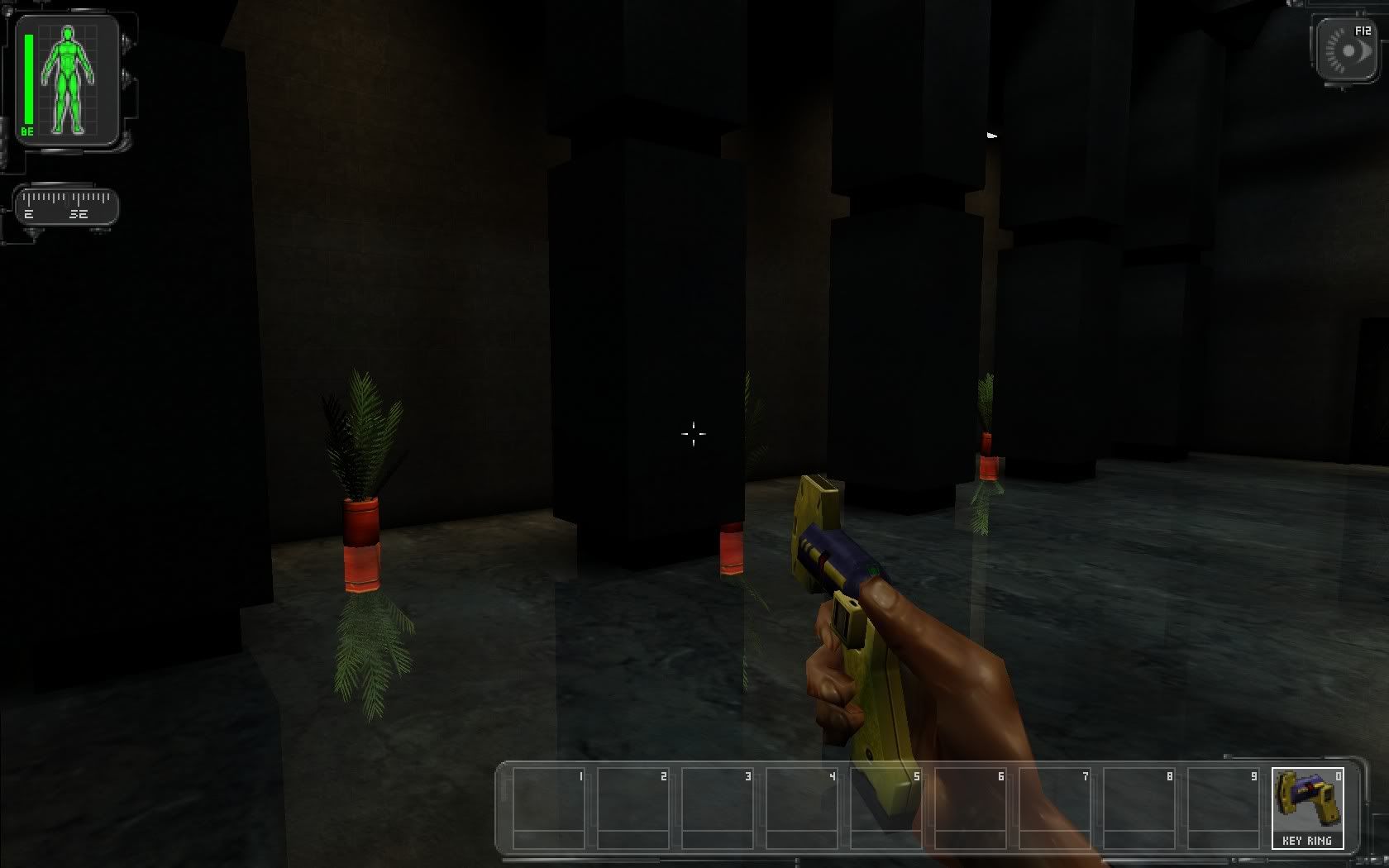
Yeah, I'm playing DeusEx at 1680x1050, FOV= 85.28127 at this very moment.
The only thing that does not fit the resolution is the HUD. It's the rescaled low res version but looks fine and sharp, though.
Here's a screenshot:
DeusEx @1680x1050
al'be:do
The only thing that does not fit the resolution is the HUD. It's the rescaled low res version but looks fine and sharp, though.
Here's a screenshot:
DeusEx @1680x1050
al'be:do
RE: Deus Ex WS Solution
Mine looks just like al'be:do's. Everything looks fine in widescreen, but the HUD is kinda big and pixely. >_<
Anyone got a fix to that?
Anyone got a fix to that?
-
Paradigm Shifter
- Editors
- Posts: 5706
- Joined: 14 Oct 2003, 13:52
RE: Deus Ex WS Solution
That's something to do with how Deus Ex's HUD was coded - the only "proper" HUDs it has are 640x480, 800x600 and 1024x768. 1024x768 is nice and small, but resolutions higher than that use an expanded 640x480 or 800x600 HUD, and so they take up a lot more room. It's the same with playing in ultra-high 4:3 ratios, too... :(
RE: Deus Ex WS Solution
I talked about that in the DX Alpha forum. Maybe it's possible to change some scripting lines in the code to change the rescaling factor. Repainting would be another possibility, maybe.
I'll keep an eye on it and tell you if I know more.
al'be:do
I'll keep an eye on it and tell you if I know more.
al'be:do
Who is online
Users browsing this forum: No registered users and 10 guests