Page 1 of 1
Worms 4: Mayhem
Posted: 22 Jun 2005, 04:17
by mattdasplat
 Widescreen Grade: CUltra-Widescreen Grade: CMulti-monitor Grade: Unsupported4k Grade: IncompleteRead Full Detailed Report - Worms 4: MayhemWorms 4: Mayhem is a 3D artillery game in the Worms series developed by Team17. It is much like its 3D predecessor Worms 3D, except that players can customize their worm's appearance (hats/helmets, glasses, facial hair, gloves/hands) as well as create their own unique weapons in an added feature called "The Weapon Factory." The game also contains a shop where users can buy various items, using points won by completing story missions, activities or unlocking trophies.
Solution: Worms 4 Mayhem
Posted: 22 Jun 2005, 12:35
by skipclarke
What have you tried? Is there a demo we can download?
Solution: Worms 4 Mayhem
Posted: 22 Jun 2005, 20:22
by mattdasplat
It's ok, I can now tell you myself. This game DOES support widescreen natively. My Dell 2005fpw arrived this morning with no problems at all! WOW, I'm blown away.
As for the game, it's great like its predecessors and you just select the widescreen resolution before you start the game.
Matt
Solution: Worms 4 Mayhem
Posted: 22 Jun 2005, 20:23
by mattdasplat
oh, and a demo is available at 3dgamers.com
Solution: Worms 4 Mayhem
Posted: 22 Jun 2005, 20:36
by Paradigm Shifter
Moved to the Solutions forum. :)
Solution: Worms 4 Mayhem
Posted: 22 Jun 2005, 21:37
by skipclarke
Is this one 2D or 3D?
Solution: Worms 4 Mayhem
Posted: 24 Jun 2005, 02:04
by mattdasplat
this one is in 3D just like the previous one. A bit of a disappointment really, they only notable difference is that you can choose a hat for your team to wear.
Solution: Worms 4 Mayhem
Posted: 03 Oct 2005, 17:59
by remf
i didn't get widescreen options.....................?
Solution: Worms 4 Mayhem
Posted: 03 Oct 2005, 18:00
by remf
better camera control in game, makes it much less frustrating than Worms3d.
Solution: Worms 4 Mayhem
Posted: 03 Oct 2005, 18:07
by skipclarke
Some folks have needed to do this:
Unfortunately no more native widescreen support like in Worms 3D.
But editing the "launcher.cfg" in the game directory works great. Don't forget to make the file "read only" after editing.
Have fun!
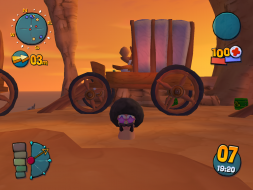
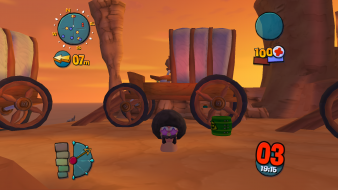
Worms 4: 4:3 and 16:10
Posted: 22 Feb 2007, 02:47
by The_cranky_hermit

1024x768

1280x800
It's stretched.
Solution: Worms 4 Mayhem
Posted: 21 Apr 2009, 17:18
by AlexBond
I have not stretched. But for it need change part of code...
Stretched.
 No stretched

Solution: Worms 4 Mayhem
Posted: 21 Apr 2009, 20:00
by scavvenjahh
Awesome :shock: I had totally overlooked
your solution thread. Congrats & thanks for this ! :bowdown (Now all I need is to find this CD in my truckload of forgotten games...)
Download PNM 4.315 : (you need to register to Worms3D-Portal.com to download)
http://www.worms3d-portal.com/portal.php?download=994
AlexBond, does this work for all 3D Worms games or for Mayhem only ?
Re: Worms 4: 4:3 and 16:10
Posted: 06 Oct 2010, 18:41
by AlexBond
For Worms3D and W4 too http://worms3d-portal.com/portal.php?download=1117

Aspect mode.

Re: Worms 4: Mayhem
Posted: 11 Mar 2015, 23:41
by maquibut
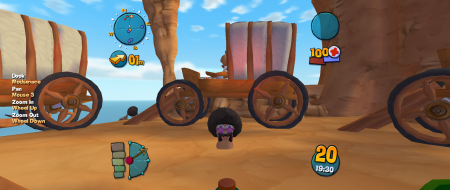
Works fine in WS with AlexBond launcher.
I had some issues with image flickering at 21:9 and couldn't get more than 1920 px on vertical axis
because of my ancient GPU.
Can someone test if it works at 2560x1080?