Page 11 of 16
Far Cry 2
Posted: 06 Nov 2008, 00:52
by Abram
A patch gets released and they didn't address the FOV issue? After SO many posts on the forums about it?
Those stupid bastards.
At least it fixed some other issues i have with the game.. but i guess now i have to wait for Racer_S ( i hope) to install the damned thing.
Bad Ubisoft! Bad. where's a rolled-up newspaper when you need one?
Far Cry 2
Posted: 06 Nov 2008, 01:18
by puffydogg
yeah kinda rediculous they didnt include a FOV fix with all the talk about it.. better be in the next patch
Far Cry 2
Posted: 06 Nov 2008, 01:23
by skeeder
I'm running the fix and it seems weird...
X=1
Y=1.333
what are people running this at?
16:10 ratio btw.
Far Cry 2
Posted: 06 Nov 2008, 09:37
by Eol_Ruin
Please Racer - update the Widescreen Fix soon !!!!! :oops:
I want to continue playing - but only with that fix !
Re: Far Cry Pacth FOV-Fix doesn't work anymore
Posted: 06 Nov 2008, 11:56
by trgz
:!:
So there's a new 1.01 FarCry Patch out. Sadly, this renders de FOV-Fix useless. :(
Patch 1.01 has stopped FOV fix v3 working for me too
Far Cry 2
Posted: 06 Nov 2008, 12:11
by Abram
That's been the case for any fov hack I've used. Version change breaks the fix. Well more often the game just crashes... so i saw that coming as soon as 1.0 fix came out.
I';m still very surprised the patch doesn't fix it, and judging by the Ubi forums I'm not the only one.
Far Cry 2
Posted: 06 Nov 2008, 13:50
by Yakunchik
Tell me how I could use this tool "fc2FOV3" if my keyboard "logitech dinovo" does not have a numpad :?
Far Cry 2
Posted: 06 Nov 2008, 13:54
by Eol_Ruin
Tell me how I could use this tool "fc2FOV3" if my keyboard "logitech dinovo" does not have a numpad :?
By using a Keymapper:
http://webpages.charter.net/krumsick/
But with the Patch the Fix doesn't work anymore.
Far Cry 2
Posted: 06 Nov 2008, 14:15
by Yakunchik
[quote]Tell me how I could use this tool "fc2FOV3" if my keyboard "logitech dinovo" does not have a numpad :?
By using a Keymapper:
http://webpages.charter.net/krumsick/
But with the Patch the Fix doesn't work anymore.
thx
Far Cry 2
Posted: 06 Nov 2008, 16:19
by skeeder
so does it patch automatically?
you could...block it from getting to the web...
Far Cry 2
Posted: 06 Nov 2008, 19:13
by Racer_S
Just letting you all know I'm working on updating the tool for the patch right now!
Far Cry 2
Posted: 06 Nov 2008, 19:41
by Eol_Ruin
Just letting you all know I'm working on updating the tool for the patch right now!
Thank you, thank you very much - you are the best :D
Btw - what do you think about the Patch?
Is it realy to much work for Ubisoft to fix that Widescreen problem?
Far Cry 2
Posted: 06 Nov 2008, 20:29
by Covak
If you widen the FOV at all and look left or right while hang gliding you'll see incomplete arm models, so they obviously designed for their default FOV and no wider.
I'm not saying that isn't a simple fix for them, too, but it's not quite as simple as just changing the FOV. There may be other minor issues like that, too.
Far Cry 2
Posted: 06 Nov 2008, 21:37
by twistedjester
I'm not sure why, but only version 2 of the fix worked on my machine. Version 3 would CTD when I toggled the fix. Would it be possible for you to update version 2, or allow some sort of toggle between how v2 and v3 implemented the fix?
I don't think I can stand playing with the default FOV anymore as my session last night almost made me nauseous with how crowded it felt. :(
Far Cry 2
Posted: 06 Nov 2008, 23:11
by puffydogg
Just letting you all know I'm working on updating the tool for the patch right now!
Sweet, thanks man. I cant wait to enjoy FC2 in widesreen again.
Far Cry 2
Posted: 07 Nov 2008, 02:35
by Racer_S
Early test version, can some of you download and confirm if it works or not? I'm not able to test it at the moment but I think it might work :P
- What's new in v4.0 on 11/6/08?
* Added support for v1.01 patch
* Added Auto Enable option
(link removed)
Thanks!
Far Cry 2
Posted: 07 Nov 2008, 02:49
by Abram
FOV works.
No shadows. At all.
Disabling it turns screen two shades of blue and flashes. Enabling again reverts back to altered FOV but still no shadows.
but thanks for getting these out so fast.
Auto-enable worked.
played for about 20 minutes without a crash or hang-up. The game looks very weird with no shadows. Otherwise it looks okay - water is not blurred as with v1.2
Far Cry 2
Posted: 07 Nov 2008, 03:09
by AdamK47
Enabling also removed all shadows for me. I don't understand how the auto enable is suppose to work. I launch the utility and then launch the game, but I still have to press * for the changes to be made.
Far Cry 2
Posted: 07 Nov 2008, 03:43
by Tumdace
Ya shadows dont work for me either... same with the blue screen when disabling...
Also.. what settings should I be using for 1680x1050?
I forgot what settings I had before for xfov and yfov.. and when i pull out my silenced mp5 it shows my left shoulder or something but its all messed up... so i think i have the fov too high or something..
Without tool:
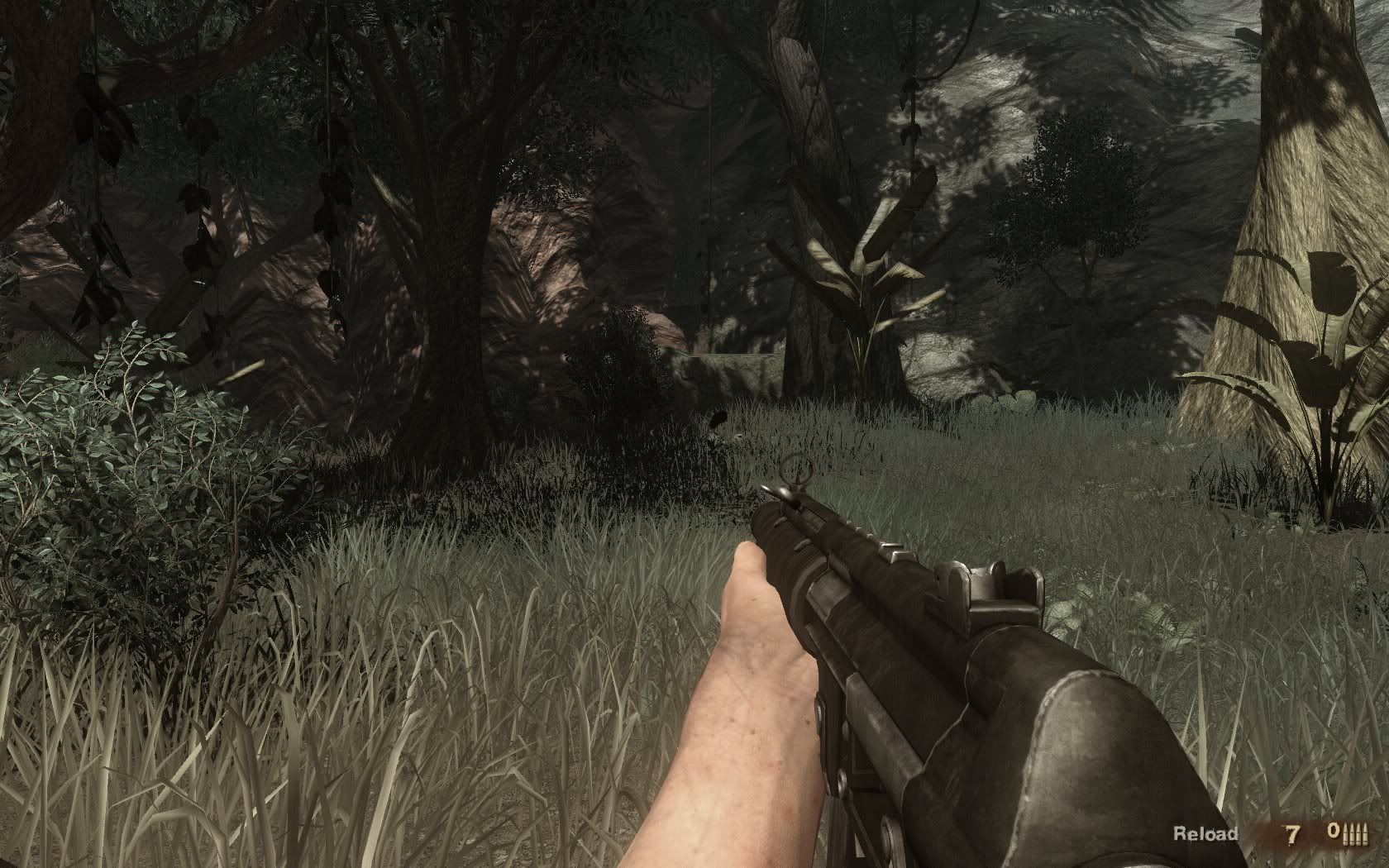
With tool (incorrect fov):
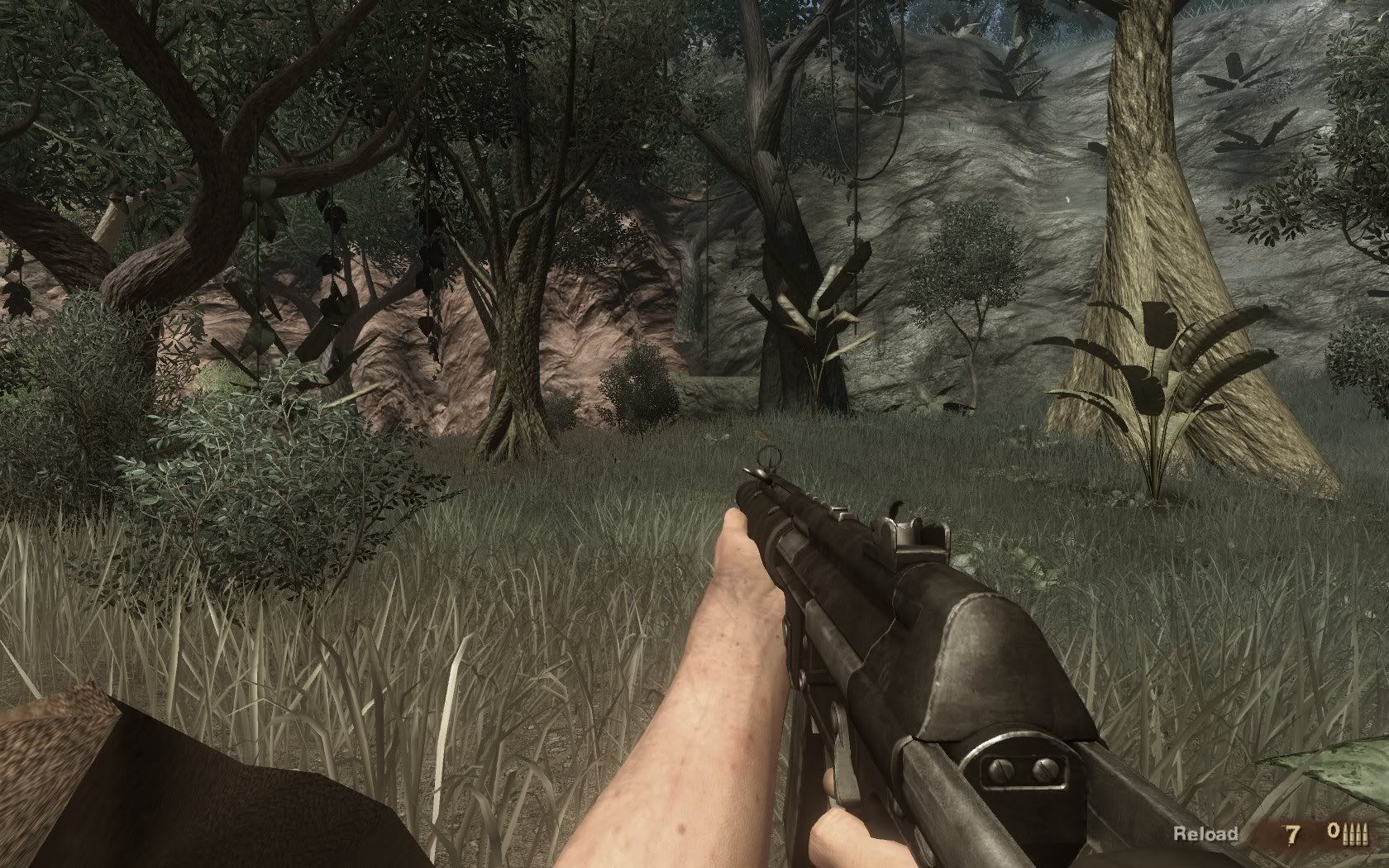
When disabling tool:

Far Cry 2
Posted: 07 Nov 2008, 03:54
by Destroy
Early test version, can some of you download and confirm if it works or not? I'm not able to test it at the moment but I think it might work :P
- What's new in v4.0 on 11/6/08?
* Added support for v1.01 patch
* Added Auto Enable option
http://dl.tocaedit.com/fc2FOV4test.zip
Thanks!
Shadows are missing and lighting seems changed(due to shadowing perhaps) when enabled.
Disabling causes screen to show 2 halves of blue in full screen.