Left 4 Dead 2

Detailed breakdowns of how games react to widescreen, ultra-wide, 4k and multi-mon
User avatar
DaFox
Posts: 2356
Joined: 14 Nov 2006, 15:48

Left 4 Dead 2 Detailed Report

Post by DaFox »

We don't evaluate loading screens unless they have something to do with the narrative.


Took a few comparison shots of the loading screen for good measure.

4:3
http://img87.imageshack.us/img87/3559/11222009192240.jpg

16:9
http://img193.imageshack.us/img193/732/11222009213843.jpg

2:1 (Faux TH(eh? DH?))
http://img121.imageshack.us/img121/7339/11222009215522.jpg

Scales in both directions. Wider than 16:9 stretches. And as you can see the load screens were really made for 16:9 in mind.
wayland
Posts: 7
Joined: 29 Nov 2009, 23:05

Left 4 Dead 2 Detailed Report

Post by wayland »

i have i problem with 1280x720 on a 1080 display, there is about an inch of black borders on all sides, havnt seen the problem mentioned elsewhere but its quite annoying. might just be because i use a tv rather than a monitor though
User avatar
DaFox
Posts: 2356
Joined: 14 Nov 2006, 15:48

Left 4 Dead 2 Detailed Report

Post by DaFox »

i have i problem with 1280x720 on a 1080 display, there is about an inch of black borders on all sides, havnt seen the problem mentioned elsewhere but its quite annoying. might just be because i use a tv rather than a monitor though


Yes that would be GPU or the TV not scaling the image to fit your tv. Is there any particular reason why you are not using 1080p though? Look on your TV for video scaling options, you are most likely on 1:1 or Per Pixel mode.
User avatar
ViciousXUSMC
Editors
Editors
Posts: 1497
Joined: 31 Jul 2006, 14:58

Left 4 Dead 2 Detailed Report

Post by ViciousXUSMC »

For my 5870 I have to go inot the overscan option and turn it to 0% to get a 1920x1080 res to fill my 37" screen it seems to default to like 15% underscan for some reason.

At some point the option was not there, I had to play around with the ATI CCC a bit to get it to show up.
ViciousXUSMC on the Web - YouTube :: FaceBook :: Website
wayland
Posts: 7
Joined: 29 Nov 2009, 23:05

Left 4 Dead 2 Detailed Report

Post by wayland »

i only have a ati 4550 (for the audio out features) at 1080p it doesnt run so well. i will have to play around with the ccc settings, i would rather not turn of 1:1 pixel mapping just to play l4d2
MaxDarklighter
Posts: 140
Joined: 23 Apr 2009, 12:06

Left 4 Dead 2 Detailed Report

Post by MaxDarklighter »

Guys is there any solution on placing HUD on centre monitor? Or get normal crosshair size?
User avatar
DaFox
Posts: 2356
Joined: 14 Nov 2006, 15:48

Left 4 Dead 2 Detailed Report

Post by DaFox »

i only have a ati 4550 (for the audio out features) at 1080p it doesnt run so well. i will have to play around with the ccc settings, i would rather not turn of 1:1 pixel mapping just to play l4d2


Is there some reason that you would like it on? Basically as I see it you are complaining that it's on, and complaining that it you don't want it off...

Guys is there any solution on placing HUD on centre monitor? Or get normal crosshair size?


http://www.widescreengamingforum.com/forum/viewtopic.php?t=17516
MaxDarklighter
Posts: 140
Joined: 23 Apr 2009, 12:06

Left 4 Dead 2 Detailed Report

Post by MaxDarklighter »

DaFox
Thank you so much!!! But I always tought that such kind of info must be in this section: http://www.widescreengamingforum.com/wiki/index.php/Master_Games_List_-_L
And before questining something I always look there first!
User avatar
DaFox
Posts: 2356
Joined: 14 Nov 2006, 15:48

Re:

Post by DaFox »

DaFox
Thank you so much!!! But I always tought that such kind of info must be in this section: http://www.widescreengamingforum.com/wiki/index.php/Master_Games_List_-_L
And before questining something I always look there first!


I have updated it just for you :)
MaxDarklighter
Posts: 140
Joined: 23 Apr 2009, 12:06

Re: Left 4 Dead 2 Detailed Report

Post by MaxDarklighter »

Million thx! :cheers
icepop4who
Posts: 1
Joined: 05 Dec 2009, 21:20

Re: Left 4 Dead 2 Detailed Report

Post by icepop4who »

Hello,
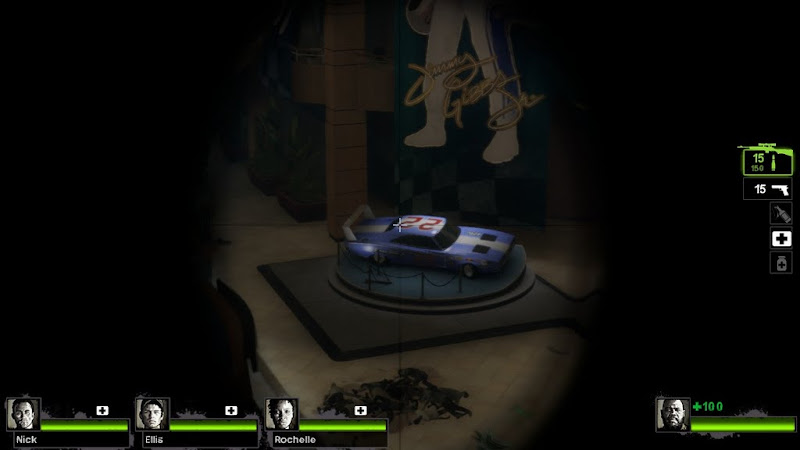
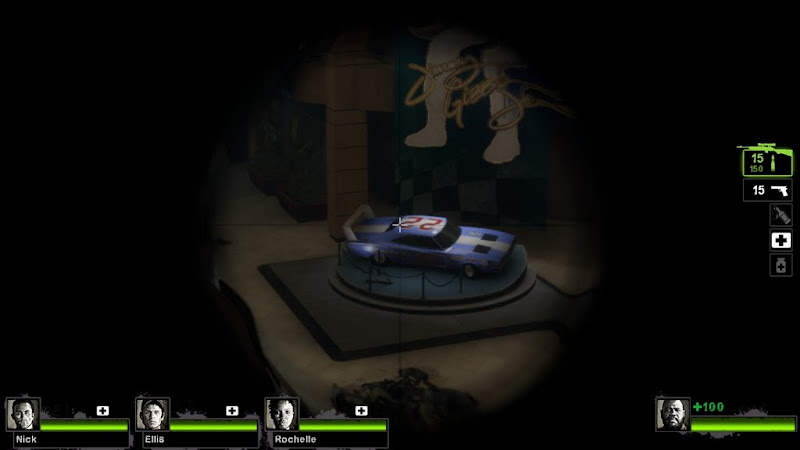
I have an anomaly with L4D2 (which also occurred with L4D) with a 16:9, 1366x768 resolution. The scope on sniper rifles is an oval instead of a circle. While this isn't a major gaming deterrent since the fov of the scope is correct for horizontal, but the vertical fov is higher than normal.

Here is my screenshot scope at 1366x768:


This is the correct scope at 1280x720:


Thanks for your help.
User avatar
StingingVelvet
Posts: 1506
Joined: 09 Aug 2006, 14:17

Re: Left 4 Dead 2 Detailed Report

Post by StingingVelvet »

I'd report that as a bug to Valve, with those pics. They are good about patching such things.
User avatar
Downtown1
Insiders
Insiders
Posts: 647
Joined: 22 Aug 2007, 19:00

Re:

Post by Downtown1 »

Shame about #6 too.. I was planning to get triple WS soon, big shame I won't actually get more FOV.. anyway L4D2 has way less FOV than L4D1 so the 16:9 FOV is just right for 5:4.

In my opinion the two biggest real issues are:

* The crosshair being huge. It's impossible to play it by default. Sure we can use CVARs to make it smaller and static but then we lose the recoil information.

* HUD not being centered. Let's be serious now, it gets docked to the sides and it is worse than stretched since it's so hard to look at it while playing. It almost might as well not be there sometimes since you need far more than a casual glance to see your health.

So maybe this game should get 99%. But it doesn't deserve 100% since both of these issues could've been easily solved by VALVE by using the middle monitor rectangle for their bounding geometry calculations.

Meanwhile there are other games who actually do put in more effort (post-patch Far Cry 2 had perfect TripleHead support as far as I can remember, rFactor solved the fish-eye camera, etc), so do they not deserve a higher score?
User avatar
DaFox
Posts: 2356
Joined: 14 Nov 2006, 15:48

Re: Left 4 Dead 2 Detailed Report

Post by DaFox »

Yes but those are relatively minor issues dealing exclusively with surround. Surround blemishes do not cause decertification.
User avatar
Downtown1
Insiders
Insiders
Posts: 647
Joined: 22 Aug 2007, 19:00

Re: Left 4 Dead 2 Detailed Report

Post by Downtown1 »

Yes but those are relatively minor issues dealing exclusively with surround. Surround blemishes do not cause decertification.


I understand it doesn't cause decertification, but then again it shouldn't be 100% is what I was saying. Empire Total War has way less game-affecting blemishes and even that game doesn't get 100%.
The_cranky_hermit
Insiders
Insiders
Posts: 3010
Joined: 07 Nov 2005, 04:16

Re: Left 4 Dead 2 Detailed Report

Post by The_cranky_hermit »

Empire: Total War's problem affects widescreen users, which are the primary focus. Also, I don't think you understand what the percentage means. It's not a score of the game, but a score of the DR. Left 4 Dead 2's DR is 100% complete. Empire: Total War's DR is only 99.5% complete - it's missing information on 1920x1200 support.
User avatar
Downtown1
Insiders
Insiders
Posts: 647
Joined: 22 Aug 2007, 19:00

Re: Left 4 Dead 2 Detailed Report

Post by Downtown1 »

Empire: Total War's problem affects widescreen users, which are the primary focus. Also, I don't think you understand what the percentage means. It's not a score of the game, but a score of the DR. Left 4 Dead 2's DR is 100% complete. Empire: Total War's DR is only 99.5% complete - it's missing information on 1920x1200 support.


Oh ok, thanks for that tidbit.. well maybe we should have a separate Triplehead certification then now that EyeFinity is mainstream. Because M2TW triple support is far more playable then the L4D2 triple support out of the box, not really fair to give L4D2 higher marks.
Leapo
Posts: 144
Joined: 19 Apr 2008, 22:46

Re: Left 4 Dead 2 Detailed Report

Post by Leapo »

I finally had some free time to mess around with left4Dead 2. I came across this while I was setting up a center-screen-HUD fix.

Undeniable proof that parts of the HUD are behaving in a vert- manner:

Normal:


Triplehead:


Normally, those floating pop-up messages are confined to a small box in the middle of the screen. This invisible box that limits how far these pop-ups can move from the center of the screen is a fixed aspect ratio, but it expands as the screen gets wider. Once the screen gets wide enough, the top and bottom of this boundary box go off the top and bottom of the screen (cropping occurs).

Icons within this boundary box are now allowed to trail off the top and bottom of the screen, meaning they get cropped as well.

Here's what that invisible boundary box looks like at 16:10


And here's what it looks like at 48:10


As you can see, it's quite obviously being cropped, allowing icons to run off the top and bottom of the screen. It appears that certain HUD elements (this boundary box, the crosshair, the pop-up icons themselves) only look at the horizontal width of the screen when they determine their size, and just assume the screen will be tall enough to fit everything.

User avatar
MobsterOO7
Insiders
Insiders
Posts: 1055
Joined: 19 Sep 2006, 16:25
Location: Ruckersville, Virginia

Re: Left 4 Dead 2 Detailed Report

Post by MobsterOO7 »

That's really weird because I don't remember mine being that big. I'm gonna check this when I get back.

update:
Not as small as 16:9 but definitely not as big as yours.
EVGA GeForce GTX 970 SC ACX 2.0 3.5GB | 3 X LG Flatron 24EA53VQ in Nvidia Surround | Optoma HD20
Snipe3000
Posts: 25
Joined: 25 Sep 2007, 02:33

Re: Left 4 Dead 2 Detailed Report

Post by Snipe3000 »

So im running L4d2 on 3 30" monitors at 8040x1600(bezel corrected) on 3 480GTX's. The problem is the side monitors looks very odd. the objects in them look enlarged like looking through a magnifying glass, and they get stretched the closer to the outer edges of the screen they go. The middle monitor looks just fine though. Is there a FOV setting Im suppose to adjust or something? Why does it look like that?
Here is an example:

Post Reply

Who is online

Users browsing this forum: No registered users and 12 guests