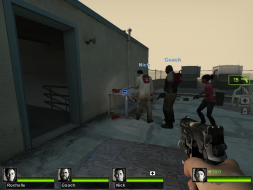
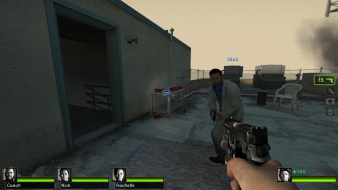
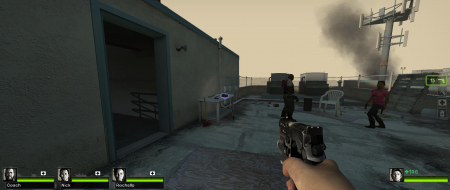
An awesome game about killing zombies. Follow-up to Left 4 Dead, this massively popular zombie killer provides the same fun fast-paced action of the original, supporting up to 4 player co-op.
Hey dafox is there anyway you can post your softh file? I have everything working but the mouse pointer is too high.. I tried changing the hook offset but nothing is working.. thanks
I figured out that the reason the mouse is offset was because both my monitors on the left and right are 2048x1154 and my main one is 1900x1200, is there any way to adjust that? Im hoping your softTH file can fix the crashing I am getting when I load up a game..
So i guess your using THTG2 .. I got in running finally but it crashes when I walk around. What kind of card are you using for a tri setup? I have a 9800 gtx+ and it can handle 2 monitors but I have to turn the settings down in L4D2..
Sharing my first gameplay experiences with L4D2, mind you I have not played the demo and not played L4D1 in a long time :D
Youtube videos for the lazy or those seeking convenience (streaming low res crap encoded)
http://www.youtube.com/watch?v=uIfloCdpEjM
http://www.youtube.com/watch?v=KU9ffw_AvSk
Download links for those seeking quality (download 1920x400 res expert encoded)
http://rapidshare.com/files/308816943/L4D2_Rock_Concert.mkv
http://www.megaupload.com/?d=NTFH4MXE
Also let me know what you prefer, Rapidshare or Megaupload.
I could not put the larger video on rapidshare it was like 2mb over the 200mb limit....
Only blemishes I have spotted so far are the loading screens and title menu being stretched. But it keeps it from being perfect :D
I know people like the HUD to be in the center monitor usually but so far for me I am happy with it on the sides as you just need to glance at it now and t hen and so it keeps your center screen more cleared up.
In TH there is a bug, same as all source games (and STALKER and others) in that if you go hard against a wall you can often -partially- see through it. Not like XRay vision but bits and pieces are visible.
In TH there is a bug, same as all source games (and STALKER and others) in that if you go hard against a wall you can often -partially- see through it. Not like XRay vision but bits and pieces are visible.
ah yeah that too, that happens in a few games where the increased FOV extends your vision behind the wall.
Another more annoying one is seeing partial character textures, I think with the axe and nick you see part of your elbow/arm when running with the axe.
I've found the following problems with Left4Dead2 so far:
1. Loading screens are stretched.
2. Blood splatter on screen is stretched.
3. Pup up icon/arrow indicators for horde events and weapons are vert-.
4. Cross-hair is vert-.
5. HUD is not on the center monitor.
6. The game switches to a triple-16:9 FOV for all triplehead modes, making the FOV incorrect (too high) for triple 5:4, triple 4:3, and triple 16:10.
In my honest opinion, the HUD is completely FUBAR in triplehead. And L4D2 actually has more issues than L4D1 (loading screens were not stretched in L4D1). The vert- elements are drawn three times too large, meaning those pop-up icons get in the way constantly, and it's harder to aim some weapons because the cross-hair is also three times too large.
The calculated grade in the first post needs to be reevaluated, as a lot of these issues were missed.
We don't evaluate loading screens unless they have something to do with the narrative.
2. Blood splatter on screen is stretched.
Is it possible to get screenshots documenting this? This might be worth noting, but we need proof in the form of screenshots comparing it.
3. Pup up icon/arrow indicators for horde events and weapons are vert-.
4. Cross-hair is vert-.
I have no idea what this is supposed to mean. Are you saying that these things get cropped off in widescreen? That seems unlikely, and I don't know what else you could mean by that.
5. HUD is not on the center monitor.
This has not been determined to objectively be a flaw.
6. The game switches to a triple-16:9 FOV for all triplehead modes, making the FOV incorrect (too high) for triple 5:4, triple 4:3, and triple 16:10.
The screenshots in this DR are not consistent with this claim. The triple 16:10 shot here has exactly as much FOV as it should. Not too much, not too little.
3. Pup up icon/arrow indicators for horde events and weapons are vert-.
4. Cross-hair is vert-.
I have no idea what this is supposed to mean. Are you saying that these things get cropped off in widescreen? That seems unlikely, and I don't know what else you could mean by that.
He means that the wider the screen gets the bigger both the crosshair and the pop-up indicators get. Nothing gets cropped however, just bigger. I for one would really like to see Valve fix the crosshair issue.
EVGA GeForce GTX 970 SC ACX 2.0 3.5GB | 3 X LG Flatron 24EA53VQ in Nvidia Surround | Optoma HD20
He means that the wider the screen gets the bigger both the crosshair and the pop-up indicators get. Nothing gets cropped however, just bigger. I for one would really like to see Valve fix the crosshair issue.
That would indicate that if an aspect ratio was wide enough the indicators and crosshair would be cropped. Although I doubt any would have such a setup for gaming purposes.
Here are a couple of screenshots proving the existence of ver- HUD elements.
Take a close look at the floating indicators for the weapons as well as the crosshair. The wider the aspect ratio gets, the bigger they get. In triplehead, they're three times larger than they should be, which causes them to push each-other out of the way to the point that it's hard to tell what they're even pointing at anymore!
16:10
48:10
I'm still working on getting screenshots of the stretched blood spatter, but it's hard to get two matching sreenshots because it uses a series of overlays.
It's worth noting, the first Left4Dead also has the same issues with vert- HUD elements and stretched blood spatter on the screen.