PLP via SoftTH on a 5870

Hardware discussions about AMD Eyefinity
Post Reply
l88bastard
Posts: 98
Joined: 06 Oct 2009, 22:47

PLP via SoftTH on a 5870

Post by l88bastard »

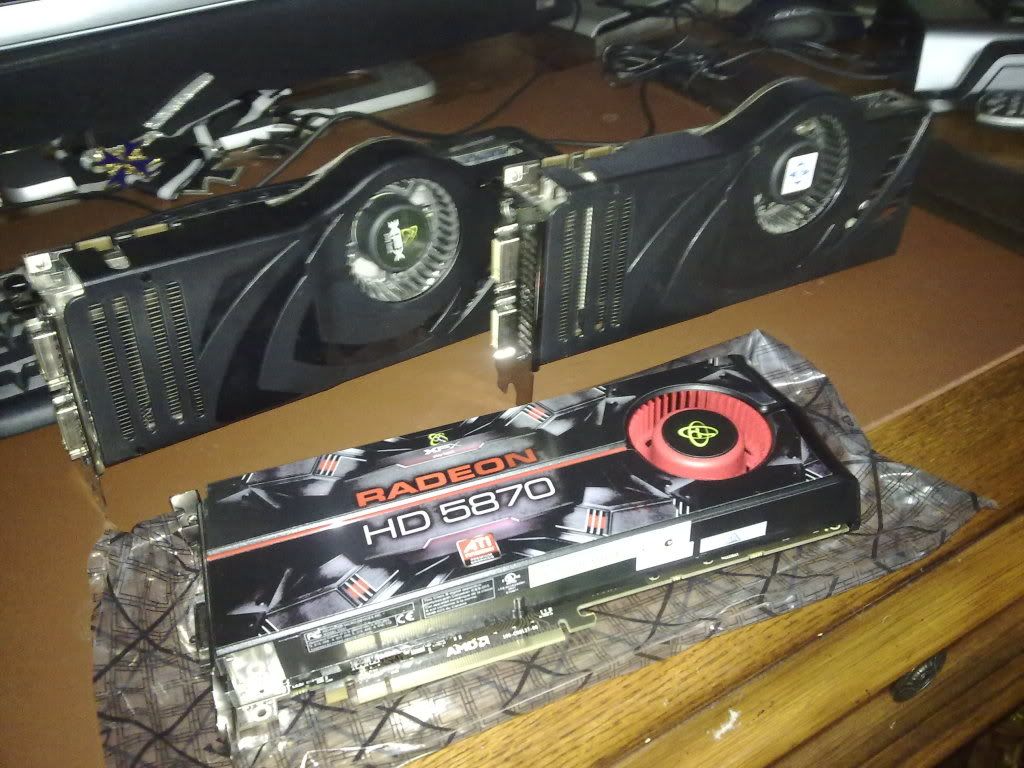
Ok, I just got the 5870 today and I love it. Here is a sexy screen shot of it posing in the nude with my old 8800 ultras.


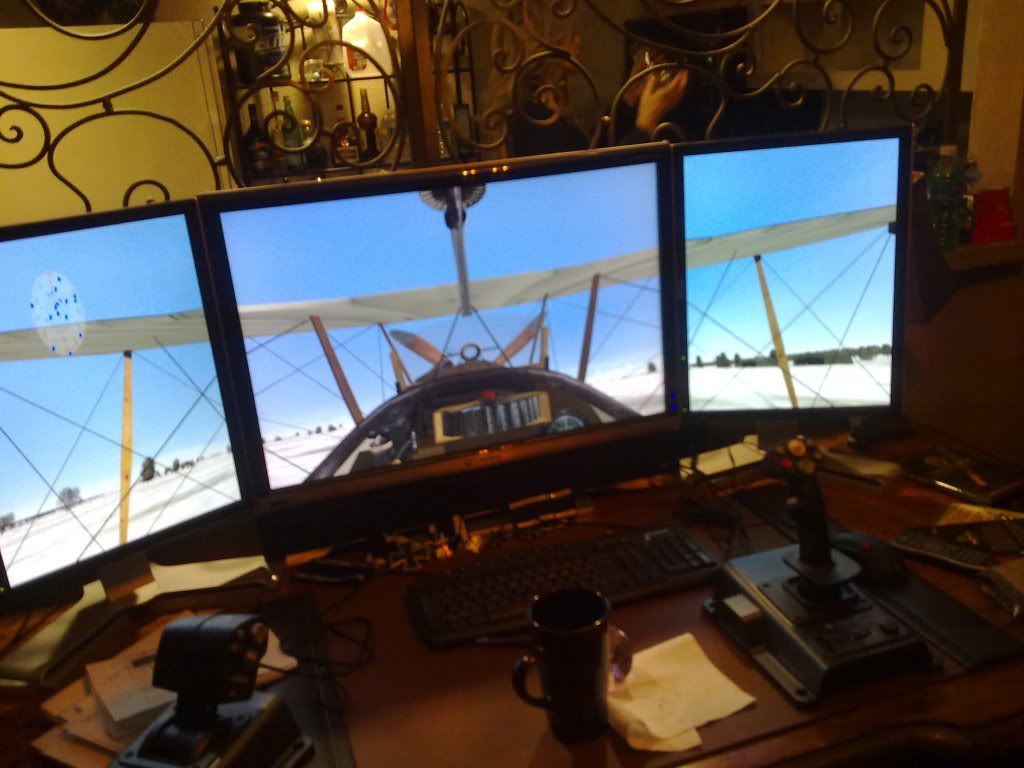
And after installing it and playing with it for a while, I have packed up the ultras and put em on ebay. Apparently I am an ATI man now, and I am getting almost double the FPS in my favorite game, "Over Flanders Fields," at 2560x1600... went from 5-15fps to 25-40fps with all of the eye candy turned up!

Unfortunately, I have a problem. Since Eyefinity does not support my PLP 20x30x20 =4960x1600 setup, I figured that I would just use SoftTH and enjoy the power of the 5870 with my setup.

I had no problem gettin SoftTH to work with my 8800 ultras, however, it does not work with my 5870. I even went out and bought a crappy 4670 to use as a second card but I get the same exact result with the second card as I do when I just push out all three displays from the 5870! It will not let me set my resolution in the CFS3Config file and hard locks my computer when I try and fly a mission.

Has anybody been able to make a 5870 work with SoftTH. I am desperate to get my tripple screens back. Please dont make me down grade my 30" resolution and turn my 20"s at the crappy landscape angle because that is just a crime!

Or better yet and Im begging on my knees, please make eyefinity support continuous resolutions like 4960x1600!!! Pretty please with cherries on top! I have over two grand in monitors sitting on my desk going to waste!

User avatar
Gilly
Insiders
Insiders
Posts: 1172
Joined: 15 Apr 2005, 23:27

PLP via SoftTH on a 5870

Post by Gilly »

as for softth i dont know.

but eyefinity is not meant to work like that... for the moment at least. i wouldnt hold your breath anyway, i dont think its exactly the easiest thing to impliment, without having them impliment their own softth system for the card.
P8Z68-V Pro | 2600K | HR02 | HD5850 | 2x4GB Vengeance LP | 128GB M4 + 6TB | X-Fi > HD595 | AX850 | Tai Chi | PB278Q | G110 + Deathadder 2013
P8Z77-V | 3570K | Mugen 2 | HD5850 | 2x4GB Vengeance LP | 500GB | X-750 | Fractal R3 | U2212HM | G110 + G400
P8H77-I | G860 | 4650 | 2x2GB XMS | 320GB | CX500 | Prodigy | T22B350EW | MX518
DC3217IYE | 1x4GB Vengeance | 64GB M4 | TX-42VT20E
l88bastard
Posts: 98
Joined: 06 Oct 2009, 22:47

PLP via SoftTH on a 5870

Post by l88bastard »

Hmm, how do you enable and disable eyefinity in the control panel? Maybe I have something setup in the control panel that is conflicting with my SoftTH program?

Im a noob with ATI as I have been using Nvidia for the last five years!

Thanks!
Ed Blown Vert
Posts: 12
Joined: 06 Nov 2009, 04:43

PLP via SoftTH on a 5870

Post by Ed Blown Vert »

Create a group by right-clicking on the monitors in CCC.
l88bastard
Posts: 98
Joined: 06 Oct 2009, 22:47

PLP via SoftTH on a 5870

Post by l88bastard »

Create a group by right-clicking on the monitors in CCC.


Ok after playing around with that for an hour, I am pretty competent on it. Unfortunately, I cant do eyefinity unless I want to gimp my 30" resolution and landscape my 20's. It looks stupid and does not run right anyway so I disable the group and went back to an extended desktop.

Man, all I want to do is play OFF on my three screen setup. Is that too much to ask for!
User avatar
Mach1.9pants
Insiders
Insiders
Posts: 1512
Joined: 29 Jul 2007, 05:24
Location: NZ

PLP via SoftTH on a 5870

Post by Mach1.9pants »

d'oh misunderstood question and didn't read entire thread
User avatar
suiken_2mieu
Insiders
Insiders
Posts: 2351
Joined: 20 Aug 2009, 04:20
Location: Virginia
Contact:

PLP via SoftTH on a 5870

Post by suiken_2mieu »

I heard that windows dosn't like using more than one driver at a time, so it's like you'll want another 5700 or 5800 series card to SoftTH with.
System Core: | Intel Core i5-2500K + ASUS P8Z68-V + 16GB Corsair XMS3 DDR3 1333 MHz | Win7 x64 | MSI R7970 Lightning 3GB [1105/1400] |
Display: | 3 x Dell Ultrasharp 3007WFP-HC @ 7680x1600 | Dell u3011 |
l88bastard
Posts: 98
Joined: 06 Oct 2009, 22:47

PLP via SoftTH on a 5870

Post by l88bastard »

Well I am able to use SoftTH 7 with just the one 5870 card, using two dvi out monitors and one display port adapter to dvi out monitor!

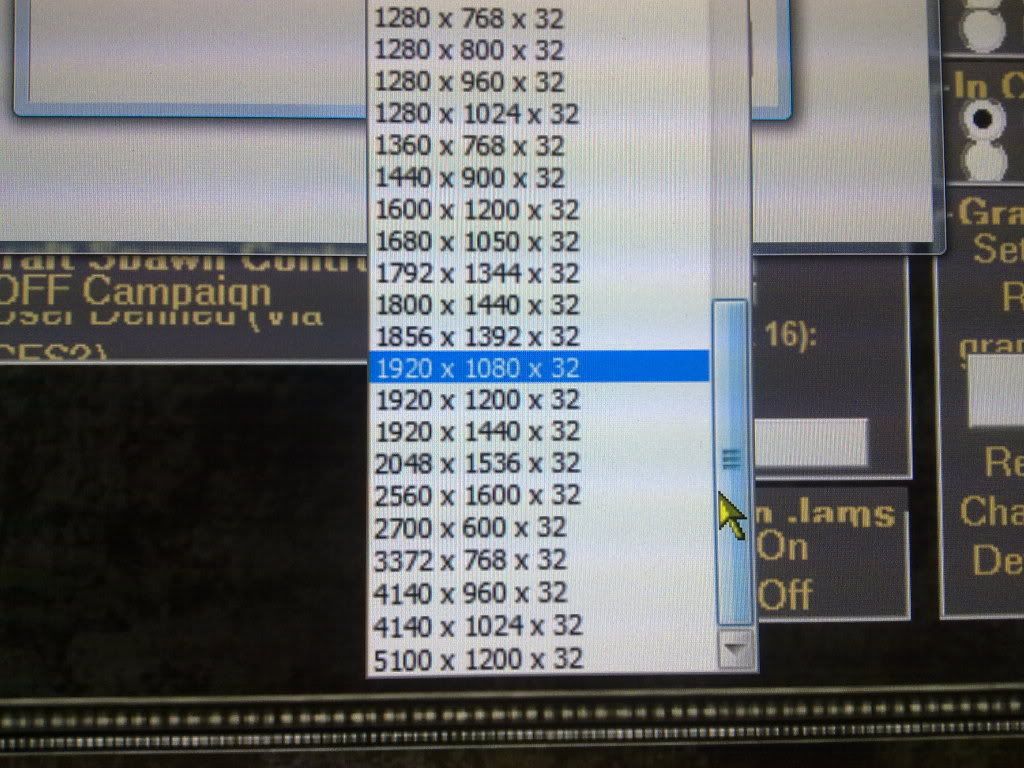
However, I have found that the 1.7 version works but not too well (versions 1.9 & 1.8 dont work at all). For some reason it only recognizes my 2560x1600 monitor as being 1600x1200 and it forces my 1200x1600 monitors to a 1200x1200 resolution. Instead of giving me 4960x1600 + 300 for borders = 5260x1600 resolution option it only allows me these choices:


And here is how crappy the 5100x1200 option looks... its all distorted Sad


Here is my config file


; SoftTH configuration file
; by Kegetys
;

[config]
; deviceIDLeft/right: Direct3D device ID's of left and right monitor, or 'auto' for automatic
; secondaryWidth/Height: Left & right monitor resolution, or 'auto' to use same as middle screen resolution
; secondaryRefresh: Refresh rate of left & right monitors, or 'auto' for automatic
; secondaryFormat: Secondary device image format, 'RGB32', 'RGB16' or 'YUV12'.
; antialiasing: Level of forced anti-aliasing
; anisotropic: Level of forced anisotropic filtering
; borderSize: Size in pixels of frame border between monitors that is discarded
; noHotkeys: Set to 1 to disable all hotkeys
deviceIDLeft=auto
deviceIDright=auto
secondaryWidth=1200
secondaryHeight=1600
secondaryRefresh=60
secondaryFormat=RGB32
antialiasing=0
anisotropic=0
borderSize=150
sideExtraWidth=0
noHotkeys=0

[Direct3D]
; ** Advanced setting for Direct3D games **
; cylindicalCorretionAngle: Amount of cylindrical correction done, use with sideExtraWidth
; hideNondefaultDevices: Hides all but the default adapter from the game
; forceHorizontalFOV: Forces horizontal FOV to be three times as wide
; forceResolutionWidth/Height: Forces device to be created with this resolution
; force16bitDepth: Force game to use 16bit depth buffer, can improve performance and reduce memory use
; sleepBeforeRead: Time in ms to sleep before reading back buffer data from video card
; useMultihead: Uses multihead features of primary card if available, can increase performance and reduce memory use
; Set to 2 to force multihead initialization even if game doesn't create device with TH resolution
; delayedPresent: When useMultihead enabled, delay primary monitor present to sync with secondary head
; swapOrder: Swap order at which the frame contents are copied
; autoSquash: Automatically squash output to middle monitor if only pretransformed (GUI) elements are drawn
; d3d8dll: Path to D3D8.dll/D3D9.dll to use or auto for automatic (system32 dir)
cylindicalCorretionAngle=0
hideNondefaultDevices=0
forceHorizontalFOV=0
forceResolutionWidth=0
forceResolutionHeight=0
force16bitDepth=0
sleepBeforeRead=2
useMultihead=1
delayedPresent=0
swapOrder=0
autoSquash=0
d3d8dll=auto

[hooks]
; Win32 API hooking settings - Used for some extra compatibility and game-specific fixes
; doHooking: Enable/disable hooks in Direct3D, with OpenGL hooks are always enabled
; doScaleMouseCoordinates: Scale mouse coordinates for getCursorPos to fix games which do not handle negative screen coordinates properly
; doScaleFromLeftScreen: Spread out mouse coordinates from left screen to full width
; doScaleWindowRects: Scale game window rectangle to triplehead size
; mouseXoffset: Number of pixels to offset mouse cursor position in X axis, to fix misplaced cursor due to negative screen coordinates. auto = use X resolution
doHooking=1
doScaleMouseCoordinates=0
doScaleFromLeftScreen=0
doScaleWindowRects=0
mouseXoffset=auto

; Triplehead screenmodes to add to resolutions list (width multiplied by 3 and border added)
; Must be last in this file
[modes]
640x480x60
640x480x75
640x480x85
800x600x60
800x600x75
800x600x85
1024x768x60
1024x768x75
1024x768x85
1280x960x60
1280x960x75
1280x960x85
1280x1024x60
1280x1024x75
1280x1024x85
1600x1200x60
1600x1200x75
1600x1200x85
User avatar
AussieTimmeh
Editors
Editors
Posts: 1441
Joined: 14 Oct 2009, 03:11

PLP via SoftTH on a 5870

Post by AussieTimmeh »

Crikey mate! Maybe you need another 2 monitors like your centre one for the outsides! Start a business selling DP-to-DVI adapters to unpriveleged people overseas to pay for it. :wink:

Wish I could help but I've never played with a setup like that!
i5-2500K @ 4Ghz ° Asus P8Z68 ° GTX670 Windforce OC ° 8GB DDR3 RipjawsX ° 4x Viewsonic VA2703 ° Logitech G15 / G5 / G27 ° Razer Vespula ° TrackIR 5 ° Thrustmaster Warthog HOTAS
l88bastard
Posts: 98
Joined: 06 Oct 2009, 22:47

PLP via SoftTH on a 5870

Post by l88bastard »

I got it working. Basically I had to stick with beta 1.7 and had to add the 2560x1600 resolution at the bottom of the list and then put auto after it. Then I had to subtract the difference of 2560-1200 and make that negative adjustment so sideExtraWidth=-1360. Then I told it to half the display of the side monitors to 600x800, which surprisingly gives a decent quality while keeping the main at 2560x1600. With these settings I'm able to run OFF at 5,4,4,4,4 and get 35fps on average for 4960x1600 running on a single 5870!

Mind you this is off of one single 5870, there is no other card for the other display outs, which you would typically need for running SoftTH! Just make sure you have your middle monitor set as monitor 1.

This is what my softTH config looks like for anybody that ever has the same situation.

;
; SoftTH configuration file
; by Kegetys
;

[config]
; deviceIDLeft/right: Direct3D device ID's of left and right monitor, or 'auto' for automatic
; secondaryWidth/Height: Left & right monitor resolution, or 'auto' to use same as middle screen resolution
; secondaryRefresh: Refresh rate of left & right monitors, or 'auto' for automatic
; secondaryFormat: Secondary device image format, 'RGB32', 'RGB16' or 'YUV12'.
; antialiasing: Level of forced anti-aliasing
; anisotropic: Level of forced anisotropic filtering
; borderSize: Size in pixels of frame border between monitors that is discarded
; noHotkeys: Set to 1 to disable all hotkeys
deviceIDLeft=auto
deviceIDright=auto
secondaryWidth=600
secondaryHeight=800
secondaryRefresh=auto
secondaryFormat=rgb32
antialiasing=0
anisotropic=0
borderSize=150
sideExtraWidth=-1360
noHotkeys=0

[Direct3D]
; ** Advanced setting for Direct3D games **
; cylindicalCorretionAngle: Amount of cylindrical correction done, use with sideExtraWidth
; hideNondefaultDevices: Hides all but the default adapter from the game
; forceHorizontalFOV: Forces horizontal FOV to be three times as wide
; forceResolutionWidth/Height: Forces device to be created with this resolution
; force16bitDepth: Force game to use 16bit depth buffer, can improve performance and reduce memory use
; sleepBeforeRead: Time in ms to sleep before reading back buffer data from video card
; useMultihead: Uses multihead features of primary card if available, can increase performance and reduce memory use
; Set to 2 to force multihead initialization even if game doesn't create device with TH resolution
; delayedPresent: When useMultihead enabled, delay primary monitor present to sync with secondary head
; swapOrder: Swap order at which the frame contents are copied
; autoSquash: Automatically squash output to middle monitor if only pretransformed (GUI) elements are drawn
; d3d8dll: Path to D3D8.dll/D3D9.dll to use or auto for automatic (system32 dir)
cylindicalCorretionAngle=0
hideNondefaultDevices=0
forceHorizontalFOV=0
forceResolutionWidth=0
forceResolutionHeight=0
force16bitDepth=0
sleepBeforeRead=2
useMultihead=1
delayedPresent=0
swapOrder=0
autoSquash=0
d3d8dll=auto

[hooks]
; Win32 API hooking settings - Used for some extra compatibility and game-specific fixes
; doHooking: Enable/disable hooks in Direct3D, with OpenGL hooks are always enabled
; doScaleMouseCoordinates: Scale mouse coordinates for getCursorPos to fix games which do not handle negative screen coordinates properly
; doScaleFromLeftScreen: Spread out mouse coordinates from left screen to full width
; doScaleWindowRects: Scale game window rectangle to triplehead size
; mouseXoffset: Number of pixels to offset mouse cursor position in X axis, to fix misplaced cursor due to negative screen coordinates. auto = use X resolution
doHooking=1
doScaleMouseCoordinates=0
doScaleFromLeftScreen=0
doScaleWindowRects=0
mouseXoffset=auto

; Triplehead screenmodes to add to resolutions list (width multiplied by 3 and border added)
; Must be last in this file
[modes]
640x480x60
640x480x75
640x480x85
800x600x60
800x600x75
800x600x85
1024x768x60
1024x768x75
1024x768x85
1200x1600x60
1280x960x60
1280x960x75
1280x960x85
1280x1024x60
1280x1024x75
1280x1024x85
1600x1200x60
1600x1200x75
1600x1200x85
2560x1600x60
auto
User avatar
Paradigm Shifter
Editors
Editors
Posts: 5706
Joined: 14 Oct 2003, 13:52

PLP via SoftTH on a 5870

Post by Paradigm Shifter »

Very well done! :D

If you want to change the title, I'll sticky this as an example of PLP via SoftTH on a 5870. :D
l88bastard
Posts: 98
Joined: 06 Oct 2009, 22:47

PLP via SoftTH on a 5870

Post by l88bastard »

Thanks Paradigm! I changed the title and I am sorry for the multiple threads.
User avatar
Paradigm Shifter
Editors
Editors
Posts: 5706
Joined: 14 Oct 2003, 13:52

PLP via SoftTH on a 5870

Post by Paradigm Shifter »

Another Mod beat me to the sticky. 8)
l88bastard
Posts: 98
Joined: 06 Oct 2009, 22:47

PLP via SoftTH on a 5870

Post by l88bastard »

I would like to add in some more info.

I have now completely reinstalled my Vista64 ultimate OS, with fresh ATI drivers and now nothing nvidia is left over and the game has added another 5-10 frames coupled with much better visual smoothness! So yea if you are switching over from NVIDIA reinstall everything.

Its pretty impressive how well the 5870 handles itself and I am curious if I could get crossfire to work with SoftTH, because the ati cards dont have the same limitations that the Nvidia cards have, now correct me if I am wrong but in order to do SLI you could only have one monitor going and the second card was merely a slave to the first. With the two dvi out cards you could not do three monitors and when using softth you had to use the second cards outputs for the third monitor which meant you had to disable sli.

Now with the 5870, since I am able to power all three displays off of one card, what will happen if I crossfire another one?!? Since no displays have to come out of the second card, will I be able to harness its power with SoftTH?

I am trying to find this out the hard way, but I looks like I might be gettin scammed on my second 5870 purchase on amazon, but I have to wait until the 19th before I either get the card or file a claim so time will tell.
User avatar
Paradigm Shifter
Editors
Editors
Posts: 5706
Joined: 14 Oct 2003, 13:52

PLP via SoftTH on a 5870

Post by Paradigm Shifter »

I don't know whether the 5000 series have changed the 'only one output works when CrossFire/SLI enabled' thing that both nVidia and ATi have going on their multi-GPU setups...?
l88bastard
Posts: 98
Joined: 06 Oct 2009, 22:47

PLP via SoftTH on a 5870

Post by l88bastard »

I know thats what I would like to find out, lol.

Currently, I think it only supports one out because they don't have crossfire enabled with eyefinity, however, they stated that they will eventually support crossfire and eyefinity working together.

If they do that then they should have all display outs being utilized, so there just might be a chance in having crossfire and all display outs being utilized with eyefinity and the normal desktop.

In theory if they allow that then it might be possible to go crossfire with all three display outs coming off of the primarly card (like I have now) while using Softth, which would help us irregular PLP monitor peeps out a whole lot!

Its a long shot, but then again, nobody thought one 5870 would push SoftTH and it does!

Then again, they could bunk all of that and come out with PLP support in Catalyst, which would be my ideal dream!
boxrick
Posts: 54
Joined: 25 Nov 2006, 04:14

PLP via SoftTH on a 5870

Post by boxrick »

A couple of questions so this effectively works as a single spanned desktop when you play games and you are simply setting the ingame resolution too 4960x1600?

Also what 20" monitors are you using, none widescreen monitors are difficult to pickup nowadays and LCD tech has come a LONG way in the last few years.
Kognitive
Posts: 1
Joined: 29 Nov 2009, 13:23

PLP via SoftTH on a 5870

Post by Kognitive »

In case its of any use I thought I'd post to confirm a successful SoftTH triplehead setup using both ATI and nVidia cards in the same system on Win7 64bit. I went with SoftTH because of the current difficulty getting an active displayport adapter for Eyefinity mode (yet to try the DVI-to-VGA alternative). Having never had a triplehead setup before I can say – it rocks!

- ATI HD 5870 (Catalyst 9.11)
----> HDMI to monitor 1
----> DVI>HDMI to monitor 2
- nVidia 9800GTX as the secondary one (MS WDDM v1.1 – built into Win 7)
----> DVI>HDMI to monitor 3
- Intel DP45SG motherboard
- 4gb
- 3 x AOC 2434 23.6" monitors (thin bezels but no VESA mount and no DVI input – just VGA and HDMI)

I've only tested in a couple of racing games so far – Driving Speed 2 and rFactor. DS2 works OK but rFactor works beautifully. The game resolution is set to 5760x1080 and initially I ran all 3 monitors at 1080. Incredibly with everything in-game maxed I got playable framerates ranging between 25fps to 45fps. Then using SoftTH's configs I was able to drop the final resolution of each side monitor down to 1280x720 and jumped the FPS up to 44-75. I'm intrigued to compare this performance with Eyefinity which doesn't allow different resolutions for the side monitors.

I don't know which to be more impressed with; Windows 7, SoftTH or the 5870! I was expecting to spend days tweaking and fiddling just to get the vid cards to live with each other, but the whole shebang just worked. I didn't even have to install drivers for the nVidia card – Win7 just installed its own driver without so much as a message balloon.
0utf0xZer0
Posts: 24
Joined: 15 Oct 2006, 00:25

Re: PLP via SoftTH on a 5870

Post by 0utf0xZer0 »

I'm curious as to whether SoftTH on a 5870 is faster than SoftTH on other setups... seems to me like it should be since you have three outputs on the card and don't have to go across the PCI-E bus, right?
kohan69
Posts: 48
Joined: 09 Feb 2006, 00:23

Re: PLP via SoftTH on a 5870

Post by kohan69 »

I'm pretty sure it still goes to system ram and back.

In fact, while in source games I'd get 20-30 fps with softth and 50+ with eyefinity
Post Reply

Who is online

Users browsing this forum: No registered users and 8 guests