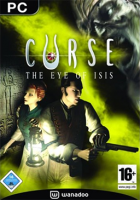
Curse is a survival horror game deveoped by Asylum Entertainment for the PC and published by Dreamcatcher. In the game you play as two different heroes battling ancient egyptian enemies in Victorian England.
I got this for $1 recently in a gogamer.com sale and basically just made a DR for completeness sake, as I assume the goal is to have all games with widescreen possible in the database.
The .ini solution is still useful with maintaining image integrity to get 1600x1200, as the game loads up in low resolution and has no in-game settings.
I think this game would be "retired on arrival." It predates 2006, and I can't find any information that suggests it was ever got significant public attention.
That's fine, I mainly just wanted something out there for people to see if they searched for a way to change the resolution, as I searched and found nothing and had to figure it out myself.
I've noticed some interesting things with this game.
First of all I would like to correct a couple of things: 1) You have to edit game.ini, not game.cfg; 2) There is a resolution selector, but it's not in game. If you run RunCurse.exe instead than Curse.exe, you'll be prompted with a resolution selection windown (which can also be accessed if you run CurseLaunch.exe and select Play from the menu).
Now, what I've seen in my experience is that when I changed the resolution to 1440x1080 (to maintain the 16:9 aspect ratio) in the .ini file, the game launched at the desired resolution, but instead of having black bars on its side like when I was running it on 1280x960, the game was locked in a window-mode of sorts, with the window locked on the left side of the screen.
I didn't like this, I just wanted the game to run in 1440x1080 but at the center of the screen, with the black bars on the side, so I checked the Curse.exe shortcut (NOT the actual executable) properties and set the value Run to Maximized.
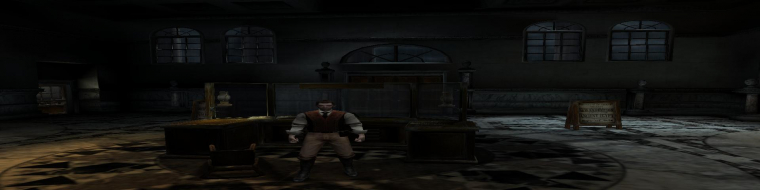
This made the game run in full screen, but not in 1440x1080 with black bars on the side as expected. The game was running instead with a proper 1920x1080 resolution, however the change is Vert- (still better than a stretched screen with loss of aspect ratio, no?) and there's also some interesting interface glitches in this mode.
In this mode, all HUD elements (like loading icon animations, menu entries and letterbox bars for cutscenes) occupy the same space and position that they occupied when the game was running on 1440x1080 while locked on the side of the screen.
Actual gameplay seemed to be fine, other than being Vert-.
Attachments
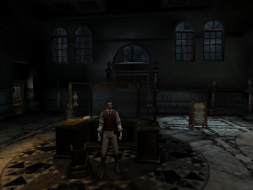
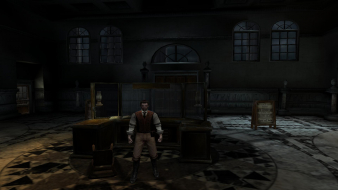
Gameplay in 1920x1080. Seems fine other than being Vert-.
1920x1080.jpg (108.46 KiB) Viewed 4123 times
Main menu in 1920x1080. Notice the HUD elements to the left. The green cloud instead is correctly positioned on the center of the screen, but it doesn't match the title of the game like this.