Rail Simulator

Detailed breakdowns of how games react to widescreen, ultra-wide, 4k and multi-mon
Post Reply
User avatar
scavvenjahh
Editors
Editors
Posts: 3424
Joined: 06 Mar 2008, 17:20

Rail Simulator

Post by scavvenjahh »


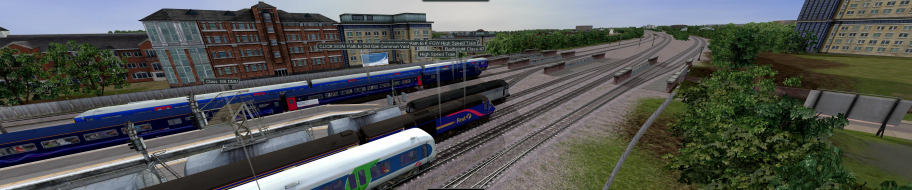
Widescreen Grade: A
Multi-monitor Grade: A

Read Full Detailed Report - Rail Simulator

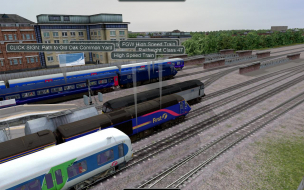
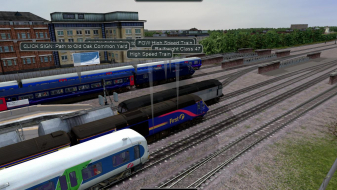
Rail Simulator combines an electric & steam train simmer with a powerful built-in editor you can access at any time during play. Take on scenarios or just explore the routes at will. Steam and electric train controls can be set to three levels of complexity, from Simple to Expert so that everyone can hop in and enjoy the ride.
(Up to patch Mk1, the game is Vert- with very limited resolution choices and 2D stretch)


Last edited by scavvenjahh on 22 May 2013, 17:11, edited 2 times in total.
Reason: Edit
The_cranky_hermit
Insiders
Insiders
Posts: 3010
Joined: 07 Nov 2005, 04:16

Rail Simulator (upgrade Mk2)

Post by The_cranky_hermit »

Zooming in amplifies the FOV's slight flaw, thus making the first-person view Hor+/Vert-.

Weirder than that, it looks like the left corner stays in roughly the same place, while a big chunk of horizontal FOV is gained from the right, and a big chunk is lost from the top. A very small amount is gained from the bottom and the left.

Grade: C+
CCE: 100%

Lack of 1280x768 is a consequential flaw.
User avatar
scavvenjahh
Editors
Editors
Posts: 3424
Joined: 06 Mar 2008, 17:20

Rail Simulator (upgrade Mk2)

Post by scavvenjahh »

Actually, I positioned the left corner of the cab's window in my monitor's left corner each time for easier comparison, sorry. The FOV changes on all sides. The zoom only works in first-person view, and acts as binoculars so you can move your "head" around freely. (As you can imagine, binocs are not that useful to a train driver anyway...)
dart.wider
Posts: 3
Joined: 23 Feb 2009, 00:32

Rail Simulator (upgrade Mk2)

Post by dart.wider »

nice shots
User avatar
skipclarke
Founder
Founder
Posts: 7358
Joined: 13 Oct 2003, 05:00

Rail Simulator (upgrade Mk2)

Post by skipclarke »

I love model railroads, and have had this one to DR for a while. Glad to see it done.
User avatar
scavvenjahh
Editors
Editors
Posts: 3424
Joined: 06 Mar 2008, 17:20

Rail Simulator (upgrade Mk2)

Post by scavvenjahh »

Nice nick ;)

Imageshack's multiuploader has been working so well lately, I couldn't resist...

[Admin Edit - Images moved to Gallery.]

Some rare clipping issues...

dart.wider
Posts: 3
Joined: 23 Feb 2009, 00:32

Rail Simulator (upgrade Mk2)

Post by dart.wider »

Thanks :D
After optimazation Rail Simulator became impressive. I'm using software triplehead SoftThб 3840x1024. That's my video
http://www.youtube.com/watch?v=hgLggv0jPbE
User avatar
scavvenjahh
Editors
Editors
Posts: 3424
Joined: 06 Mar 2008, 17:20

Rail Simulator (upgrade Mk2)

Post by scavvenjahh »

Interesting way to film surround action, makes it very vivid esp. in external views. That's very close to how it feels when you're actually gaming : focused on the center screen, with the freedom to look on the sides whenever sth catches your attention. Great stuff !

Post Reply

Who is online

Users browsing this forum: Google [Bot] and 8 guests