Fallout 3 was developed by Bethesda Game Studios. I don't want to set the world on fire. Fallout gets another lease on life under the ground in Washington DC.
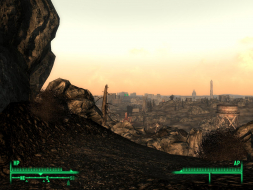
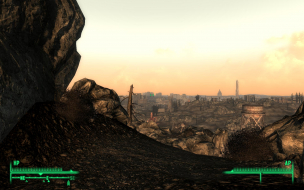
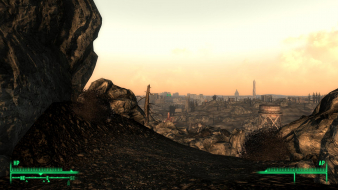
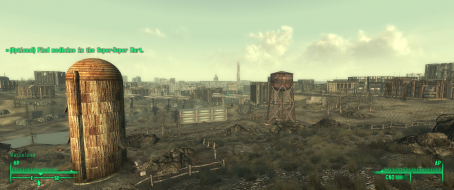
Rendered cut-scenes - View has some random placement but the pics are close enough to see the horizontal change.
There are some listed resolutions that are always anamorphic on my system but it is my belief that you should be able to get any display-native resolution fullscreen.
This is 1600x1000. The game bumps it up to 1600x1200 for my display and letterboxes. What happens when your display does not support a resolution higher than 1600x1000? My guess is fullscreen but if someone would confirm that would be great.
I also believe that this is a letterboxed 16:10 image.
Thanks Tanuki, i love it when games that you can get lost in forever and ever and ever have perfect widescreen support. Awesome. Look forward to playing this in a few weeks when uni's over.
Edit: argh! slight faults in minigames.... :( posted ^^ too soon to be true.
For those of you having problems with the computer terminals being off the screen, open up my documents/my games/fallout 3 and edit fallout.ini
edit fDefaultFOV=75.0000 to 150.0000 this changes the menus FOV not the game! so the pipboy, hacking terminals and lock picking screens appear how they should look.
This worked liked a charm for me at 3840x1024
edit - If you are just installing the game, I recall that fallout.ini did not appear until I ran the game once. And I hope this helps everyone! ^^
Maybe usefull if someone is looking for TH2G information
Can you check this info out, and see if it fixes the vert - problem? And if it does, we should make this fix part of our "official" solution, in which case, could you update the DR accordingly?
I love that it has options to play in any aspect ratio you want, regardless of your monitor. I can't seem to make up my mind between 1680x1050 with the sides cut off, or 16:9 letterbox... I keep switching between them when I play it, but I'm leaning towards letterbox as that was the original intended view.
Can you check this info out, and see if it fixes the vert - problem? And if it does, we should make this fix part of our "official" solution, in which case, could you update the DR accordingly?
I have tested this and every other view seems to be unchanged with the exception of the one listed flaw.
I used 5:4 as the baseline because that was the only aspect ratio that did not crop the character creation portrait.
Hopefully these issues are addressed in a game update.
I have tested this and every other view seems to be unchanged with the exception of the one listed flaw.
By that, do you mean
A: The character portrait is the only screen that would normally be vert -, but increasing the FOV fixes that at the cost of making it misaligned
B: There are multiple screens that would normally be vert -, and increasing the FOV fixes only the character portrait screen at the cost of making it misaligned
C: There are multiple screens that would normally be vert -, and increasing the FOV fixes all of them, but at the cost of making the character portrait screen misaligned
D: Something else
C: There are multiple screens that would normally be vert -, and increasing the FOV fixes all of them, but at the cost of making the character portrait screen misaligned
Sounds good to me.
-Character Creation Screen
-Special Book
-Lockpicking
-Computer Terminals
The last two are present throughout the game. The overlay pics in the HUD section are Vert - without the fov changes.
Of course the end result is that it's not done correctly.
My case in pointing it out is that if you use 4:3 as a default, then you are implying that 16:9 is wrong, when it's actually the correct one.
So, yes, the game must still be fixed, but if a third-party fixes it, they should fix it so 4:3 behaves like the 16:9 version, not the other way around. :)
Well, you have to consider that when they are creating these objects, they are not looking at them in the game specifically. They are looking at them in a modeler or editor and applying textures as necessary. Once they get the asset into the game, they position it and adjust it from there.
Either way I have to make an assumption since the behavior is different then anywhere else in the game.
-A game that is 16:9 default Hor + including menus decides to have a handful of screens Vert - cropped graphics.
-A game that is 16:9 default Hor + including menus mistakenly has some screens Vert - with cropped graphics.
I picked the second and assumed the graphics were meant to be seen. If someone thinks the first is more plausible then they do not need to do anything. 8)
The game was designed for 16:9, so the incorrect menus in 4:3 would be Vert+
I'm going to have a very hard time believing that they went to the trouble of drawing the bottom part of the Gene Projector with the intention of it being cropped off. Even if you assume the game is "designed for 16:9," that doesn't mean using 16:9 automatically makes everything correct.
They might not have designed it with the intention of it being cropped off. They design it, then put it in the game, and position it. If they feel it's better closer in, then they're going to move it closer. Lots of things are like that.
You have to realize with the 360 they're either designing for 1280x720 or 640x480. I don't know about you but I don't know many developers developing for 640x480. 99.9% are making the games for 720p.
All the menus, HUD, terminals, etc. were all designed for 16:9. If they happen to be vert+ in 4:3, then that's a mistake on the 4:3 part, not the 16:9 part.
The game was designed for 16:9, so the incorrect menus in 4:3 would be Vert+
I'm going to have a very hard time believing that they went to the trouble of drawing the bottom part of the Gene Projector with the intention of it being cropped off. Even if you assume the game is "designed for 16:9," that doesn't mean using 16:9 automatically makes everything correct.
Actually, they cut the top and bottom off in both 4:3 and 16:9. It's correct in both. So... you can continue to have a hard time believing it, or you can just accept the truth.