
the 4 pins in a cross like shape on the left are the analog part, that's so you can use those analog-dvi adapters with older svga screens,
dual link is on the right side only, if the middle pins are there/used it's dual link otherwise it's single
btw, don't buy belkin pureav blue series dvi cables, mine 'lost' some of it's pins, thankfully the analog/I don't need pins but still, shoddy quality.
Advise on 3 monitor solution
Advise on 3 monitor solution
no. Dual-Link DVI is Digital only iirc, but it is possible to transmit analogue signals via a Dual DVI-I cable.Right. The analogue signal can handle the same res at dual-link DVI, and both links are digital.
Advise on 3 monitor solution
Ok so some clarification then. The Digital Triplehead2Go uses a DVI connection, and a D-Sub15 connection to complete it's Dual link.
I didn't even think a D-Sub15 cable had enough paths for a DVI interface.
Ah whatever I'll research it later.
I didn't even think a D-Sub15 cable had enough paths for a DVI interface.
Ah whatever I'll research it later.
Advise on 3 monitor solution
Ok so some clarification then. The Digital Triplehead2Go uses a DVI connection, and a D-Sub15 connection to complete it's Dual link.No, that's not correct. The DVI input on the Digital TripleHead2Go is dual-link DVI-I. The unit is designed to accept input via DVI or via VGA, but not both at the same time. It is entirely possible to connect the unit via DVI only and get 3840x1024 output.
Advise on 3 monitor solution
Have you actually used it?
Dual link DVI requires, (counts), 2 links. The max res on a digital th2g with one DVi is 2400x600.
How do you use the dual link with the single DVI/ I'm not testing, I really want to know.
The card I used the digital th2g didnt have dual link so I couldn't use it. But you still need to DVI inputs, so please help bc I'm lost!
Dual link DVI requires, (counts), 2 links. The max res on a digital th2g with one DVi is 2400x600.
How do you use the dual link with the single DVI/ I'm not testing, I really want to know.
The card I used the digital th2g didnt have dual link so I couldn't use it. But you still need to DVI inputs, so please help bc I'm lost!
Advise on 3 monitor solution
nvidia 680i motherboard?
since it have 3 pci express slot
it might work with 2 card in sli with a third one?
it would be perfect for softth....
anyone has this board and could try this?
since it have 3 pci express slot
it might work with 2 card in sli with a third one?
it would be perfect for softth....
anyone has this board and could try this?
Advise on 3 monitor solution
Have you actually used it?I currently use a Digital TripleHead2Go.
Dual link DVI requires, (counts), 2 links.Yes, two links, hence the term "dual link". But both links are contained in the same connector. Look (from wikipedia):
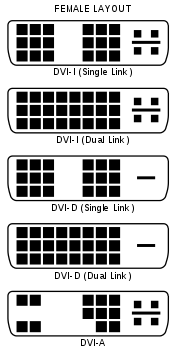
I = analogue & digital in the same signal
D = digital only
A = analogue only
The max res on a digital th2g with one DVi is 2400x600.The max res on the Digital TripleHead2Go with a single-link DVI connection is 2400x600. Higher resolutions require a dual-link DVI connection. It's still one connection.
How do you use the dual link with the single DVI/ I'm not testing, I really want to know.Again, dual-link DVI is contained in a single DVI connector. There are just more pins.
Is that less confusing?
Advise on 3 monitor solution
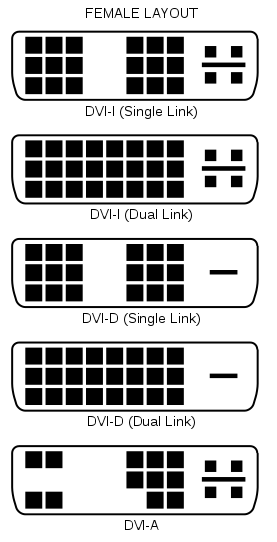
a little table:
NAME...................TYPE of SIGNAL
==========================================
DVI-A..................Analogue
DVI-D Single.......Digital (1920 × 1200 @ 60 Hz)
DVI-D Dual..........Digital (2560 × 1600 @ 60 Hz)
DVI-I Single........Digital (1920 × 1200 @ 60 Hz) OR analogue
DVI-I Dual...........Digital (2560 × 1600 @ 60 Hz) OR analogue
D-sub..................Analogue
Advise on 3 monitor solution
Sorry about the late reply - I've been quiet busy.
The only thing I've decided for now is to waith till January, before byuing anything. I might go with 3 5:4 monitors because of the simplicity and which ones it might be, doesn't really matter for now.
I also think I won't be using SLI/2 gfx cards - If I use up all my budget on this, then I really expect this to be top notch, but I honestly don't think that will be the case.
I'll be back again ones I have more spare time for my researching and stuff - but thats for all the replies, and you are most welcome to continiue with them. I'll keep following this thread with big interest.
The only thing I've decided for now is to waith till January, before byuing anything. I might go with 3 5:4 monitors because of the simplicity and which ones it might be, doesn't really matter for now.
I also think I won't be using SLI/2 gfx cards - If I use up all my budget on this, then I really expect this to be top notch, but I honestly don't think that will be the case.
I'll be back again ones I have more spare time for my researching and stuff - but thats for all the replies, and you are most welcome to continiue with them. I'll keep following this thread with big interest.
Advise on 3 monitor solution
Hey r4ptor, have you made any decisions?
just saw this thread, and I got curious about your decision, because I have the configuration you were considering.
I have the 3007wfp-hc with 2 2007fps on the side.
I am very happy with it. for work and for play.
My main games are race sims, so SoftTH works really well at 4960x1600. It is awsome. games like GTR2 and Race 07 are my favs.
Good luck and let us know what you decide.
Oh here are a couple of pics so you can see for yourself.
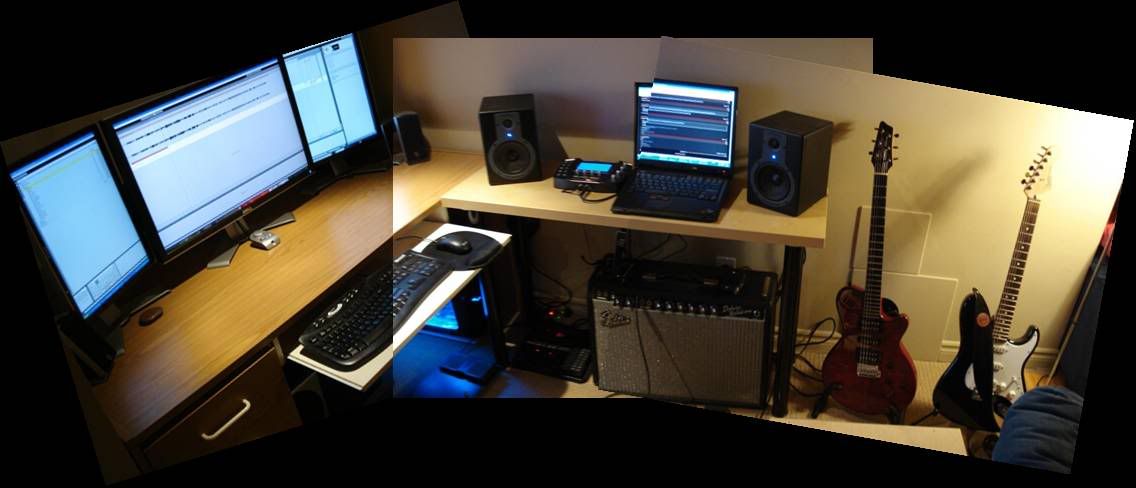
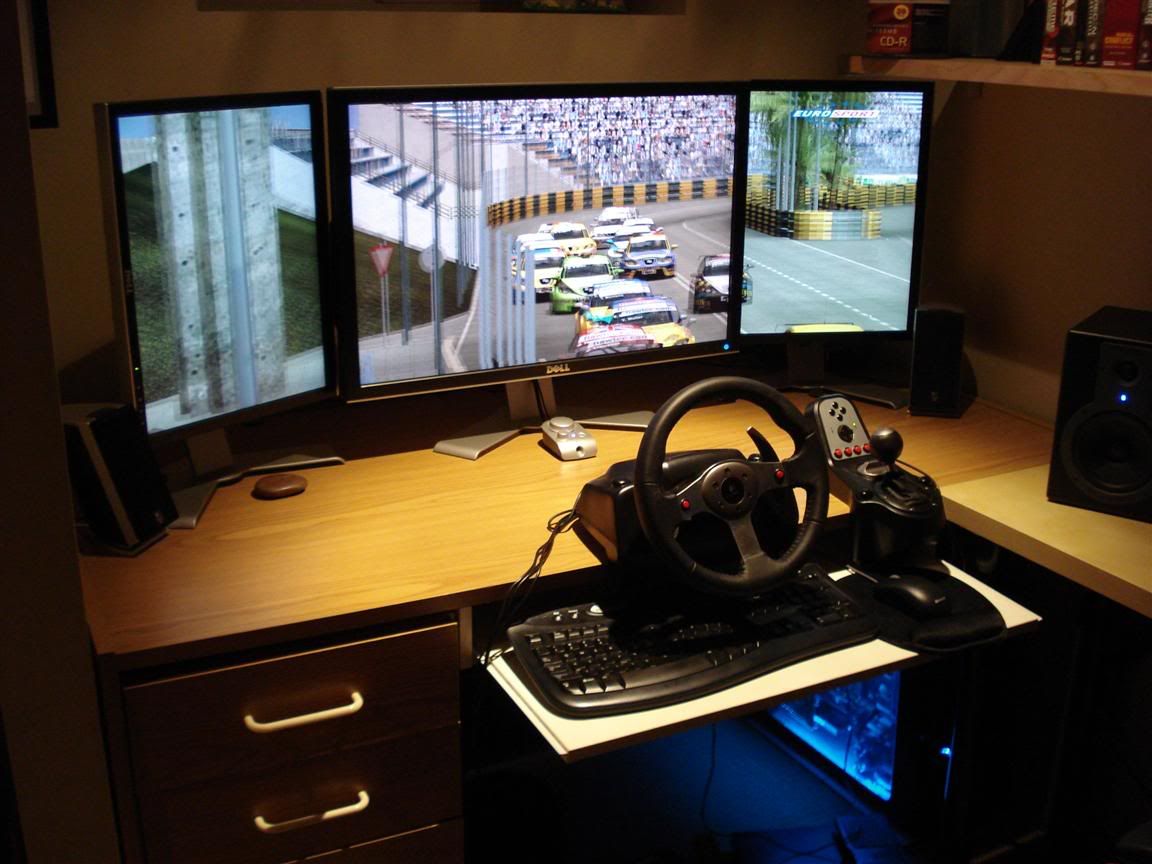
just saw this thread, and I got curious about your decision, because I have the configuration you were considering.
I have the 3007wfp-hc with 2 2007fps on the side.
I am very happy with it. for work and for play.
My main games are race sims, so SoftTH works really well at 4960x1600. It is awsome. games like GTR2 and Race 07 are my favs.
Good luck and let us know what you decide.
Oh here are a couple of pics so you can see for yourself.
Advise on 3 monitor solution
Wow.. how time can fly.. I've been quiet busy with work, but honestly, I've also taking all this monitor thing a bit easy, to avoid being spontaneous.
I just ordered the HP LP3065 today - I feel I made the right decision. The Dell 3007WFP seemed to be a bit outdated, and the new 3008WFP have, according to some reviews, slightly poor image quality in comparison with the HP monitor - and the new Dell is just a tad too expensive as well for my liking.
I'll stay with a single monitor for a while, probably add my CRT if I can - and see if I miss having more - I race too, and thats the biggest reason I looked into surround gaming solutions in the first place.
SpeedyVV: ty for the images - still looks awesome.
I just ordered the HP LP3065 today - I feel I made the right decision. The Dell 3007WFP seemed to be a bit outdated, and the new 3008WFP have, according to some reviews, slightly poor image quality in comparison with the HP monitor - and the new Dell is just a tad too expensive as well for my liking.
I'll stay with a single monitor for a while, probably add my CRT if I can - and see if I miss having more - I race too, and thats the biggest reason I looked into surround gaming solutions in the first place.
SpeedyVV: ty for the images - still looks awesome.
Advise on 3 monitor solution
hm.. got my LP3065. Size is... awesome.
But - I'm not sure if I'm too happy about the responce rate - it gets a tad blurry when there is some fast movement in games.
What good alternatives are there? Doesn't matter if screen size is smaller... again, I'm very picky about such things.
But - I'm not sure if I'm too happy about the responce rate - it gets a tad blurry when there is some fast movement in games.
What good alternatives are there? Doesn't matter if screen size is smaller... again, I'm very picky about such things.
Advise on 3 monitor solution
Response rate typically gets higher the bigger the panel, and to a certain degree you have to live with some amount of it. I would lean towards a 24" panel, or slightly larger.
http://www.newegg.com/Product/Product.aspx?Item=N82E16824016084
I like this one because of it's slightly larger physical dimensions, and it's still fast.
If only there was a way to join it with 2 16"ers. Really want to try the ATI Multiview on triple slots.
http://www.newegg.com/Product/Product.aspx?Item=N82E16824016084
I like this one because of it's slightly larger physical dimensions, and it's still fast.
If only there was a way to join it with 2 16"ers. Really want to try the ATI Multiview on triple slots.
Advise on 3 monitor solution
hmm does it have to be monitor? you can get a vizio 36" for 700 heck get 3 vizio and your done
Advise on 3 monitor solution
I'm getting more and more used to it, and I don't really notice it that much - the ghosting IS there, but I guess I'm just accepting the way things are.
avioni: Yes - it's not for gaming only. doesn't matter now anyways.
avioni: Yes - it's not for gaming only. doesn't matter now anyways.
Who is online
Users browsing this forum: No registered users and 4 guests