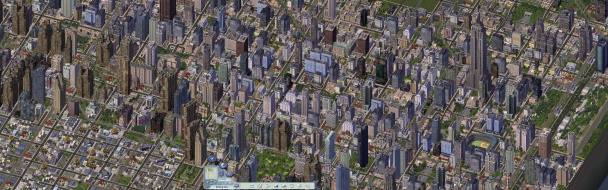
SimCity 4

Detailed breakdowns of how games react to widescreen, ultra-wide, 4k and multi-mon
Wogg
Posts: 11
Joined: 20 Dec 2003, 22:00

SimCity 4

Post by Wogg »


Widescreen Grade: B
Ultra-Widescreen Grade: Incomplete
Multi-monitor Grade: B
4k Grade: B

Read Full Detailed Report - SimCity 4

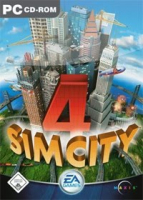
Developed by Maxis, Sim City 4 Deluxe continues the famous series of city simulations originally created by renowned game designer Will Wright. The deluxe version includes the expansion SimCity 4: Rush Hour. Players take over as mayor of a city which can be fictional or based upon a real-world counterpart. The player controls how the city grows using many methods that include building public facilities, zoning land, and manipulating budgets and taxes.
There are several in-game advisors who can help the novice player keep their city in the black. City buildings and homes change appearance over time depending on the wealth of the city and their location. As time passes more options are available for the player which include special civic buildings and revenue-generating facilities like military bases. Random disasters can befall a city or they can be triggered by the more evil among us. Build your sandbox empire and then make it crumble under your sadistic eye.


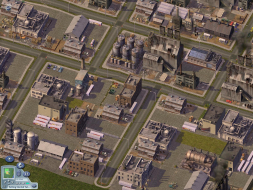
4:3


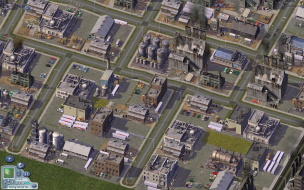
16:10


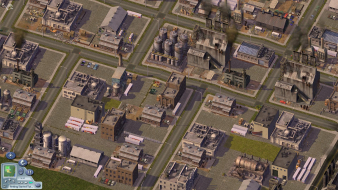
16:9


3x1

Last edited by Wogg on 08 Aug 2017, 10:38, edited 6 times in total.
Reason: Edit
vpance
Posts: 2
Joined: 21 Dec 2004, 00:03

SimCity 4 Deluxe: Detailed Report

Post by vpance »

There's a way to get this to run widescreen without replacing cfg's or anything. I tried the cfg and it didnt work anyways. All you need to do is edit the shortcut for SC4, and add:

-r{width}x{height}x{bitcolor} -w

The first parameter sets resolution, and -w means to run the game in windowed mode, which is the only way to get it to work. The other thing is that the height can't be something other than 600, 768, 1024, or 1200. The width doesn't seem to be as picky, and you can make that whatever you like.

So for example I have a 2005FPW, so ideally I'd like to run 1680x1050. The height of 1050 doesnt work, so I do -r1680x1024x32 instead. This isn't a standard resolution supported by the monitor, so I added it in the custom resolutions through the NV Control Panel (6800 ultra). Otherwise the game will not run. Adding resolutions with different cards will vary of course.

So the final shortcut for the game (for my example) should look
like:

"E:GamesSimcity 4AppsSimCity 4.exe" -intro:off -r1680x1024x32 -w

Hope this works for those interested. I didn't try any resolutions higher than 1680x1024.
krugi_at_hk
Posts: 1
Joined: 11 Jan 2005, 18:02

SimCity 4 Deluxe: Detailed Report

Post by krugi_at_hk »

Sadly non of the solutions work for me. :cry:

I'm using Sim City Rush Hour with latest patch on a Toshiba m30x-102
with 1280x800 but whatever i do the max solution remains 1024x786.

-I would be grateful for any help !
Plunk
Posts: 1
Joined: 17 Jan 2005, 03:01

SimCity 4 Deluxe: Detailed Report

Post by Plunk »

vpance's solution worked perfectly for me. I just had one pesky problem. The very bottom of the window was getting cut off. So, just for kicks I decided, "hey if -w works for windowed mode, maybe -f works for fullscreen."

I never thought it would work. It was just too simply really. But when I loaded up with the shortcut I created, there it was fullscreen at 1280x768! At least I think it worked. It doesn't look squished or anything, like it did at 1024x768. Heres some links to some picks. Let me know what you think.

http://img96.exs.cx/img96/6378/simcity41024x7685kw.jpg

http://img96.exs.cx/img96/6702/simcity41280x7688om.jpg

Also, here's my shortcut.

"C:Program FilesMaxisSimCityAppsSimCity 4.exe" -intro:off -r1280x768x32 -f"

This is running Rush Hour.
larz
Posts: 8
Joined: 03 Aug 2005, 16:12

SimCity 4 Deluxe: Detailed Report

Post by larz »

none of the solutions work for me, I'm stuck at 1280x1024 and cant seem to run anything wider.

trying to get it to work at 1680 x 1050 on meh dell 2005, mine won't run in windowed mode, only in full screen for some reason.

meh goes to update gfx drivers
cbreaker
Posts: 5
Joined: 28 Sep 2005, 02:48

SimCity 4 Deluxe: Detailed Report

Post by cbreaker »

First of all, the UniWS thing seems to only work with Sim City 4, no Rush Hour expansion. I ran it before I installed Rush Hour and it worked - I got 1920x1080 and all was good.

Then I installed Rush Hour, and no good. I cannot get it to work for the life of me. I tried both the shortcut trick and UniWS - UniWS doesn't recognize the file as being valid and the shortcut doesn't do anything.

I guess I'm SOL.. I'm betting that editing the cfg file would still work with Rush Hour but UniWS would need to be updated for this.
whitebloodcell
Posts: 4
Joined: 07 Jun 2005, 18:35

SimCity 4 Deluxe: Detailed Report

Post by whitebloodcell »

The shortcut edit works fine for Rush hour with me, just so you know. Not Fullscreen however, but once you hide the Taskbar it looks fine anyways, and then you have a huge Res!
cbreaker
Posts: 5
Joined: 28 Sep 2005, 02:48

SimCity 4 Deluxe: Detailed Report

Post by cbreaker »

As far as my searching has taken me, I do not believe there's any solution for Rush Hour, which is a shame because the game isn't nearly as interesting without the expansion and I can't bring myself to playing it all stretched out.
whitebloodcell
Posts: 4
Joined: 07 Jun 2005, 18:35

SimCity 4 Deluxe: Detailed Report

Post by whitebloodcell »

As above, this shortcut edit works great for me. Honestly, I'll post screenies if you want proof.
cbreaker
Posts: 5
Joined: 28 Sep 2005, 02:48

SimCity 4 Deluxe: Detailed Report

Post by cbreaker »

I don't need proof. It *does not* work for me. When I use the shortcut, the game will only run in 640x480.

Maybe you have a different version or revision, but I've tried both the version from the CD and the update from the Maxis site. Maybe you have a different video card, or maybe the resolution you're trying works and the one I need does not.
the_boy_known_as_tim
Posts: 1
Joined: 13 Apr 2006, 02:08

Solution: Sim City 4 Rush Hour

Post by the_boy_known_as_tim »

I have finally figured out how to get SC4 with the Rush Hour expansion pack to run on a custom resolution!

It is actually very simple, here is a step by step on what to do

1. Find the Rush Hour shortcut, right click it, and click properties

2. In the TARGET box, go to the very end of the text (Text should be the location of the game)

3. At the end of the target, PUT A SPACE!

4. Copy and paste the below code after the space, delete the words RESOLUTION, and put your monitors native resolution where the words were.

-CustomResolution:enabled -rRESOLUTIONxRESOLUTION

As an example, here is everything in my target box:

"C:Program FilesMaxisSimCity 4AppsSimCity 4.exe" -CustomResolution:enabled -r1680x1050 -introff

As requested by the mods, here are pictures compairing the game at 1280x1024 with the game at 1680x1050


Link to wide screen picture

Imageshack didn't allow my widescreen image (slightly too large) So I linked it to a second host.

Ghetto, I know, but better than nothing. :lol:
User avatar
Paddy the Wak
Editors
Editors
Posts: 3436
Joined: 27 Jul 2004, 17:42

SimCity 4 Deluxe: Detailed Report

Post by Paddy the Wak »

Thanks mate ... 8)
Any chance of some screenshots ?
One at 4:3 and one in widescreen ... from the same place in the game ?

Just edit your original post to add the screenshots ...

Thank you ... :D
jevon
Posts: 1
Joined: 20 Oct 2006, 02:49

Solution: Simcity 4 (Again)

Post by jevon »

Re: http://www.widescreengamingforum.com/node/

Apparently I don't have permissions to post in there, but here's my solution: I could get it running OK at 1280x768 (as it was suggested in that thread) but any higher resolutions weren't working.

There's now a fix thanks to http://www.simtropolis.com/forum/messageview.cfm?catid=147&threadid=79378&enterthread=y:

Basically add -CustomResolution:enabled to your shortcut. So my shortcut to SC4.EXE is:

"C:Gamessimcity 4AppsSimCity 4.exe" -CustomResolution:enabled -r1440x900x32 -f -intro:off
Tanuki
Posts: 2866
Joined: 07 Jul 2007, 23:55

SimCity 4 Deluxe: Detailed Report

Post by Tanuki »

==Game Information==


Sim City 4: Deluxe Edition


Developed by Maxis, Sim City 4 Deluxe continues the famous series of city simulations originally created by renowned game designer Will Wright. The deluxe version includes the expansion SimCity 4: Rush Hour.


Players take over as mayor of a city which can be fictional or based upon a real-world counterpart. The player controls how the city grows using many methods that include building public facilities, zoning land, and manipulating budgets and taxes. There are several in-game advisors who can help the novice player keep their city in the black.


City buildings and homes change appearance over time depending on the wealth of the city and their location. As time passes more options are available for the player which include special civic buildings and revenue-generating facilities like military bases. Random disasters can befall a city or they can be triggered by the more evil among us.


Build your sandbox empire and then make it crumble under your sadistic eye.


==Version==


Retail 1.0 Deluxe Edition.


==Method==


Right-click the shortcut to the executable file and select properties. Add the following line to the target field...

-CustomResolution:enabled -r****x****

..where **** is the custom resolution. This will add your desired custom resolution.


==Screen change==


Pixel based widescreen. You will get Hor + and Vert + depending on your resolution.


4:3 (1600x1200)


16:9 (1920x1080)


16:10 (1920x1200)


==Supported resolutions==


List of widescreen resolutions the game successfully ran at:


1280x720, 1280x768, 1280x800, 1440x900, 1680x1050, 1920x1080, 1920x1200.


List of widescreen resolutions that were not tested:


None.


==Singleplayer anomalies==


None.


==Multiplayer support==


No multiplayer in this game.


==Aspect ratio support==


4:3, 16:9, 15:9, and 16:10 are supported.


4:3 (1600x1200)


16:9 (1920x1080)


16:10 (1920x1200)


==HUD stretch==


No stretching.


4:3 (1600x1200)


16:9 (1920x1080)


16:10 (1920x1200)


==Cut-scenes==


Pre-rendered movies are windowboxed in that they keep the aspect ratio but do not scale.


4:3 (1600x1200)


16:9 (1920x1080)


16:10 (1920x1200)


==Grading==


C+


Major unresolved issues:


None.


Minor unresolved issues:


None.


Summary of widescreen-related flaws:


Windowboxed FMVs.


-----------------------------

The_cranky_hermit
Insiders
Insiders
Posts: 3010
Joined: 07 Nov 2005, 04:16

SimCity 4 Deluxe: Detailed Report

Post by The_cranky_hermit »

==Screen change==

For each screenshot, can you identify the resolution that is being used? Since the screen change is resolution-dependent, it's good to tell people what the resolution is.


==Cut-scenes==

FYI, this behavior is called "windowboxing."


==Grading==

Calculated grade: C+

Major unresolved issues: None
Minor unresolved issues: None

Summary of widescreen-related flaws:
Cmd line solution
Windowboxed FMV

Cranky's coverage estimate: 100%
Tanuki
Posts: 2866
Joined: 07 Jul 2007, 23:55

SimCity 4 Deluxe: Detailed Report

Post by Tanuki »

Updated for issues.
lilblackdemon
Posts: 7
Joined: 21 May 2006, 01:39

SimCity 4 Deluxe: Detailed Report

Post by lilblackdemon »

The opening FMV is windowboxed at 4:3 as well. It is played at a fixed resolution, always centered on the screen. It is not a widescreen anomaly (or at least widescreen-only).

800x600


1280x1024

The_cranky_hermit
Insiders
Insiders
Posts: 3010
Joined: 07 Nov 2005, 04:16

SimCity 4 Deluxe: Detailed Report

Post by The_cranky_hermit »

If the game is worse in any way in widescreen than it is in the default resolution, then we hold that against it.
lilblackdemon
Posts: 7
Joined: 21 May 2006, 01:39

SimCity 4 Deluxe: Detailed Report

Post by lilblackdemon »

So in this case it would not be a widescreen anomaly?

If so, would the grade increase (even though it still requires a command line solution?)
User avatar
Mergatroid
Posts: 185
Joined: 27 Feb 2007, 00:20

SimCity 4 Deluxe: Detailed Report

Post by Mergatroid »

The windowboxed fmv is always true, regardless of resolution or aspect ratio.

It always plays 800x600, centered on screen.
Post Reply

Who is online

Users browsing this forum: No registered users and 10 guests