Detailed breakdowns of how games react to widescreen, ultra-wide, 4k and multi-mon
Dem Pyros
Posts: 1060 Joined: 08 Dec 2006, 06:01
Post
by Dem Pyros 29 May 2007, 03:45
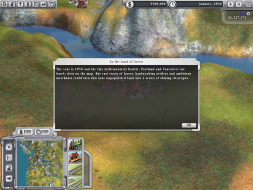
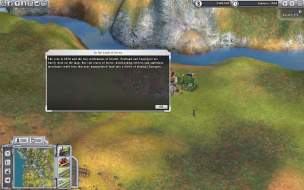
Widescreen Grade: C Multi-monitor Grade: C Read Full Detailed Report - Sid Meier's Railroads! Sid Meier's Railroads! is a business simulation game wich marks the return of the watershed title in simulation/strategy gaming that launched the popular "tycoon" genre, inspiring a new generation of games. Using new 3D graphics, you can build and manage your own railroad empire!
Last edited by
Dem Pyros on 24 May 2013, 20:56, edited 2 times in total.
Reason: Edit
The_cranky_hermit
Insiders
Posts: 3010 Joined: 07 Nov 2005, 04:16
Post
by The_cranky_hermit 30 May 2007, 00:49
==Method==
Dem Pyros
Posts: 1060 Joined: 08 Dec 2006, 06:01
Post
by Dem Pyros 30 May 2007, 03:10
==Method==
Method is Native (edited)
The anomalies don't affect gameplay at all. The second you click the mouse the popups go away.
I'll see if i can get cut-scene screenshots after my computer finishes encoding all these movies :?
The_cranky_hermit
Insiders
Posts: 3010 Joined: 07 Nov 2005, 04:16
Post
by The_cranky_hermit 30 May 2007, 03:20
==Grading==
skipclarke
Founder
Posts: 7358 Joined: 13 Oct 2003, 05:00
Post
by skipclarke 30 Mar 2008, 05:32
Going back through some old stuff. I tested the demo through 2560x1600.
Dem Pyros
Posts: 1060 Joined: 08 Dec 2006, 06:01
Post
by Dem Pyros 27 Apr 2009, 03:13
I re-shot all of the screenshots which Imageshack had delightedly decided to obliterate, plus added ones of the opening cut scenes.
The_cranky_hermit
Insiders
Posts: 3010 Joined: 07 Nov 2005, 04:16
Post
by The_cranky_hermit 27 Apr 2009, 03:33
I need to have each resolution confirmed individually. Just saying "I tested them all" is an easy way to overlook one.
Dem Pyros
Posts: 1060 Joined: 08 Dec 2006, 06:01
Post
by Dem Pyros 27 Apr 2009, 04:00
I need to have each resolution confirmed individually. Just saying "I tested them all" is an easy way to overlook one.
Would I not need a monitor that supports a resolution greater than 1440x900 for that though?
The_cranky_hermit
Insiders
Posts: 3010 Joined: 07 Nov 2005, 04:16
Post
by The_cranky_hermit 27 Apr 2009, 04:16
Try something like 1440x600. It's not the same AR as TH, but it's wide enough to demonstrate the effects of ultra-width for all intents and purposes I've seen so far.
Dem Pyros
Posts: 1060 Joined: 08 Dec 2006, 06:01
Post
by Dem Pyros 27 Apr 2009, 04:23
Try something like 1440x600. It's not the same AR as TH, but it's wide enough to demonstrate the effects of ultra-width for all intents and purposes I've seen so far. No dice, the game doesn't see it.
Dem Pyros
Posts: 1060 Joined: 08 Dec 2006, 06:01
Post
by Dem Pyros 27 Apr 2009, 05:18
1440x768, maybe?
We have winner!
1440x900 (16x10)
144x768 (16x8.53)
The_cranky_hermit
Insiders
Posts: 3010 Joined: 07 Nov 2005, 04:16
Post
by The_cranky_hermit 27 Apr 2009, 05:25
==Grading==
jeremy
Posts: 2 Joined: 11 Jul 2009, 02:05
Post
by jeremy 13 Jul 2009, 07:39
==Grading==
It runs fine at 1920x1080, I can't test the other resolutions though
Delphium
Administrators
Posts: 1789 Joined: 27 Dec 2009, 14:27
Post
by Delphium 10 May 2010, 20:48
By editing C:UsersuserDocumentsMy GamesSid Meier's Railroads!Settings.ini
To the following...
WindowWidth = 5760
WindowHeight = 1080
FullScreen = 0
Fully zoomed out...
Fully zoomed in...
Menu...
Train selection...
| | i7 4820k @4.4GHz Watercooled (Ivy Bridge-E) | 32GB @2133MHz 11-11-11-27 2T Quad-Channel (8x4GB) | AMD R9-Fury-X 4GB @1140/505MHz + EKWB Watercooled | | | | | | |
Quineloe
Posts: 2 Joined: 13 Feb 2019, 15:04
Post
by Quineloe 13 Feb 2019, 15:06
This runs in 2560x1080 native. Can generate screenshot tonight.
Attachments
2019-02-13 17_47_59-Sid Meier's Railroads!.png (4.8 MiB) Viewed 6774 times
Quineloe
Posts: 2 Joined: 13 Feb 2019, 15:04
Post
by Quineloe 13 Feb 2019, 18:48
how do I best put the other screenshot in here, it exceeds the 5mib
Users browsing this forum: No registered users and 11 guests