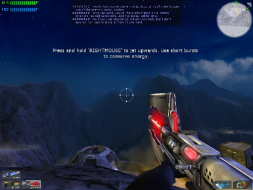
Tribes: Vengeance is the third game in the Tribes series, and the first to have a significant singleplayer mode. It is a sci-fi shooter with diverse character classes, expansive landscapes which can be traveled by foot, jetpack, or vehicle, and bases and base facilities to defend and/or infiltrate. The plot takes place hundreds of years before the previous Tribes games, and shows the events that take place prior to them through the eyes of six different characters over two generations.
OT Tribes oh what good memories....The first one was the best online shooter i ever played, too bad they dropped it when Tribes 2 came out...Still miss that game.... :cry:
Ahhh Tribes, I'm still an avid player, and the new owner of a widescreen monitor.
Another way to set up WS is to edit the "TribesGUIState.ini" file in the "Tribes VengeanceProgrambin" folder.
by default these lines are present:
ScreenResolutionChoices=640x480
ScreenResolutionChoices=800x600
ScreenResolutionChoices=1024x768
ScreenResolutionChoices=1280x1024
ScreenResolutionChoices=1600x1200
You can add any further resolutions you wish to use underneath these (i.e. ScreenResolutionChoices=1680x1050).
These choices then appear in the in-game graphics settings menu, just as all the others.
FOV changes are still advisable in addition to this. (without this, the game adjusts to widescreen by cropping top and bottom)
I've just reinstalled tribes vengeance and am using this to guide me into softth glory. One question I didn't find an answer for though, whats the fov setting for 3x1920x1080?
By the way, I've tested 1440x900, 1680x1050 and 1920x1080 and as far as I can tell they are identical to 1280x720 just smaller fonts for the debug text (using stat fps to show fps).
You can use the console commands fov and setres instead of editing the .ini too.
I've just reinstalled tribes vengeance and am using this to guide me into softth glory. One question I didn't find an answer for though, whats the fov setting for 3x1920x1080?
By the way, I've tested 1440x900, 1680x1050 and 1920x1080 and as far as I can tell they are identical to 1280x720 just smaller fonts for the debug text (using stat fps to show fps).
You can use the console commands fov and setres instead of editing the .ini too.
Don't have the exact numbers, but around 144 should it be.
Guess I was close, I adjusted it to 155 guestimating from the 85 for what I see on one monitor(~43deg) to proportionnaly what I see on 3.(~58deg). So the fov turned out to be roughly double my angle of view.
Of course since I don't have a 3rd monitor atm and am using my westy with picture-by-picture with 2 inputs it makes for a left-pulled smaller view.
But this is more proof of concept to see if it's worth replacing my 23" with something bigger and adding a right side.