Detailed breakdowns of how games react to widescreen, ultra-wide, 4k and multi-mon
geeman
Posts: 26 Joined: 11 Aug 2006, 19:08
Post
by geeman 27 Sep 2006, 22:31
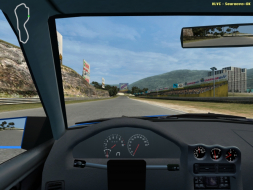
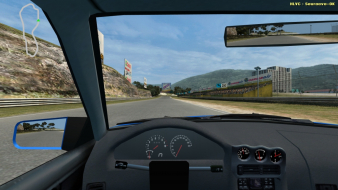
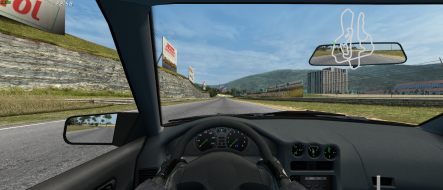
Widescreen Grade: A Ultra-Widescreen Grade: Incomplete Multi-monitor Grade: B 4k Grade: Incomplete Read Full Detailed Report - Live for Speed LFS S2 is a serious racing simulator. No arcade modes, no steering aids - YOU have to do the driving. You can race alone or against the AI, but the real fun is to be found online, in multiplayer mode.
Last edited by
geeman on 26 Feb 2018, 09:59, edited 5 times in total.
Reason: Edit
The_cranky_hermit
Insiders
Posts: 3010 Joined: 07 Nov 2005, 04:16
Post
by The_cranky_hermit 28 Sep 2006, 00:48
==Grading==
geeman
Posts: 26 Joined: 11 Aug 2006, 19:08
Post
by geeman 28 Sep 2006, 01:28
==Grading==
fixed.
Now we just need someone to test those resolutions, so this one can get the rating it deserves.
briank
Posts: 2 Joined: 11 Oct 2006, 15:19
Post
by briank 21 Oct 2006, 12:47
This game (sim) is incredible. Can't wait to run it WS.
skipclarke
Founder
Posts: 7358 Joined: 13 Oct 2003, 05:00
Post
by skipclarke 21 Oct 2006, 15:41
My the Surround comments, I'm guessing it natively supports Surround. It's not listed in the Matrox SGU.
scortech
Posts: 30 Joined: 22 Oct 2006, 00:36
Post
by scortech 30 Oct 2006, 01:51
In the cfg.ini txt file there is three options like this
geeman
Posts: 26 Joined: 11 Aug 2006, 19:08
Post
by geeman 30 Oct 2006, 14:09
In the cfg.ini txt file there is three options like this
Change the FOV in game. It's in the View section of the options.
scortech
Posts: 30 Joined: 22 Oct 2006, 00:36
Post
by scortech 31 Oct 2006, 00:32
Change the FOV in game. It's in the View section of the options.
Oh yeah.. :oops: thanks :wink:
Gu3st
Posts: 1 Joined: 17 Sep 2007, 05:30
Post
by Gu3st 17 Sep 2007, 05:32
An inaccuracy here, As of recent LFS versions, the FOV can be expanded up to 160 degrees.
geeman
Posts: 26 Joined: 11 Aug 2006, 19:08
Post
by geeman 20 Sep 2007, 13:24
An inaccuracy here, As of recent LFS versions, the FOV can be expanded up to 160 degrees. Edited. This report was based on a older version when 120 was the max.
Users browsing this forum: Bing [Bot] and 3 guests