XIII

Detailed breakdowns of how games react to widescreen, ultra-wide, 4k and multi-mon
Post Reply
The_cranky_hermit
Insiders
Insiders
Posts: 3010
Joined: 07 Nov 2005, 04:16

XIII

Post by The_cranky_hermit »


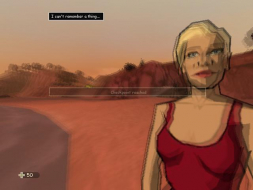
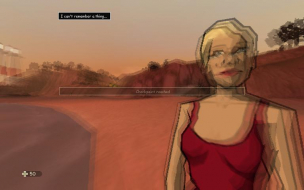
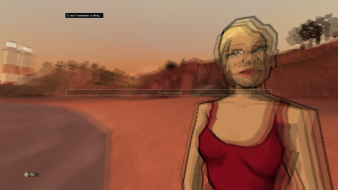
Widescreen Grade: B
Ultra-Widescreen Grade: Incomplete
Multi-monitor Grade: Incomplete
4k Grade: Incomplete

Read Full Detailed Report - XIII

XIII is an FPS developed and published by Ubisoft. Closely based on the Belgian comic book series of the same name, and featuring an extremely stylized comic book look and feel, you play as a man with superhuman combat skills and some limited ESP, as well as amnesia and a tattoo on his shoulder that says "XIII," and must discover your identity and past, while simulaneously being hunted by the FBI as a suspect assassin and by a group of contract killers for reasons unknown.


4:3


16:10


16:9


3x1

Last edited by The_cranky_hermit on 01 Mar 2014, 14:40, edited 3 times in total.
Reason: Edit
User avatar
skipclarke
Founder
Founder
Posts: 7358
Joined: 13 Oct 2003, 05:00

XIII

Post by skipclarke »

I have played the game at 1920x1200 and 2560x1600
NostromoXP
Posts: 1
Joined: 28 Nov 2007, 23:43

XIII

Post by NostromoXP »

Thanks for the info The_cranky_hermit.

I can confirm that XIII works fine at 1680x1050.
Simplex
Posts: 33
Joined: 31 Aug 2007, 00:32

XIII

Post by Simplex »

I can also confirm it works on 1680x1050, the only problem I have is that setting FSAA in ATI's CCC does not seem to have any effect in the game :/
dalponis
Posts: 3
Joined: 14 Dec 2010, 11:54

Re: XIII

Post by dalponis »

I have a problem with this method... The game goes into a refresh rate my monitor can't handle. How do I change it from the XIII.ini? I can't figure it out.
Tanuki
Posts: 2866
Joined: 07 Jul 2007, 23:55

Re: XIII

Post by Tanuki »

Try RefreshForce and see if the in game options specifies it.
dalponis
Posts: 3
Joined: 14 Dec 2010, 11:54

Re: XIII

Post by dalponis »

Yeah, Refreshforce didn't work for me. I had a program back for Worms Reloaded, but I can't remember the name of it.
Tanuki
Posts: 2866
Joined: 07 Jul 2007, 23:55

Re: XIII

Post by Tanuki »

You can also try RefreshLock and opening up the old NVIDIA CP with the refresh rate override.
dalponis
Posts: 3
Joined: 14 Dec 2010, 11:54

Re: XIII

Post by dalponis »

Refreshlock is a no go, and there's nothing in my NVIDIA control panel... Anyone know the code for the XIII.ini file to change the refresh rate?
lickm
Posts: 1
Joined: 13 Jan 2011, 18:35

Re: XIII

Post by lickm »

Refreshlock is a no go, and there's nothing in my NVIDIA control panel... Anyone know the code for the XIII.ini file to change the refresh rate?


hi there - you can take a look at insidexiii.eu / it's the community site.
i bet you will find an answer in the forum / there are some real geeks : D

would be nice to see you in the online mode since it seems to die out


btw
thanks to the threadstarter - im using 1680 x 945 but the sniper weapon takes half the screen now : /
solterio

Re: XIII

Post by solterio »

thank you very much
works fine in 1280x800
this is one of the best games ever produced
User avatar
Botan
Posts: 25
Joined: 26 Feb 2016, 07:54

Re: XIII

Post by Botan »

Just a heads up,
the game runs fine on 25060 x 1080 (21:9) but the weapon viewmodel is too big for some guns after I change the FOV to acceptable "110"
"100" FOV feels like MW2's "65" FOV on 21:9
Attachments
XIII_2016_04_10_00_32_33_416.jpg
XIII_2016_04_10_00_32_33_416.jpg (717.28 KiB) Viewed 1758 times
XIII_2016_04_10_00_31_46_966.jpg
XIII_2016_04_10_00_31_46_966.jpg (744.59 KiB) Viewed 1740 times

b3l13v3r
Posts: 1
Joined: 14 Jun 2017, 02:37

2017 | XIII in 4K here...

Post by b3l13v3r »

So even in 2017 this game plays really well in 4K with the ini changes. :rockout:
Attachments
Screenshot-(8).png
Screenshot-(8).png (2.73 MiB) Viewed 1658 times
Post Reply

Who is online

Users browsing this forum: No registered users and 14 guests