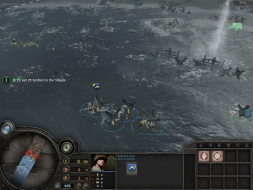
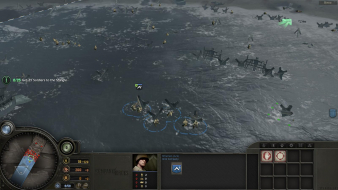
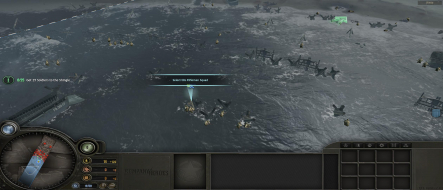
Company of Heroes is WW2 Real Time Strategy game from the development team behind Warhammer 40,000: Dawn of War and Homeworld. It attempts to combine riveting, accessible real-time strategy gameplay with the cinematic sensibilities of World War II movies. The game supports multiplayer games for two to eight players via LAN or internet.
Two subsequent standalone expansion packs (Opposing Fronts and Tales of Valor) are available, and once installed can be accessed through the same in-game menu.
havent even heard of this game but it looks really good.
tis strange that you cant take screenshots though... =|
I can not take screenshots only of lower resolutions, because my monitor upscales them to fit the screen, and in Vista RC1 there is no 1:1 option available in Forceware driver.
This game will rock! It will probalby be the game of the year, as PCgamer gave it, accordingly to its multiplayer beta impressions, 9.3 or 9.6 mark (edit: PCgamer gave it 9.6), which outperformes even Half Life 2 or Oblivion. So it will be THAT good. It is going to be out in few days, and you can allready grab singleplayer (optimized) demo (1.8GB) for yourself. The demo is actually VERY VERY good. Howgh.
I can not take screenshots only of lower resolutions, because my monitor upscales them to fit the screen,
Why does it matter what your monitor does? FRAPS's screenshots work the same no matter what your monitor settings are. It even works if your monitor is unplugged. Seriously, try taking a snapshot at 1024x768, see what happens. I am fairly certain that the resulting screenshot is based on the pixels the game directly outputs, not based on the pixels that reach your eyes.
Unfortnatelly, my monitor and Vista RC1 forceware drivers does not allow me to take pictures in 4:3 resolution, so this screenshot comes from internet, and it shows CoH in Multiplayer Beta (so that interface looks little bit different). I hope it does not matter.
I'm afraid it matters a lot. Without any 4:3 vs 16:10 comparison shots, the report just isn't useful. The only information here that is immediately useful is that widescreen resolutions are supported natively, and you don't need a report to get that across.
I'd revise this paragraph. It doesn't make a whole lot of sense.
==Supported resolutions==
I assume that your system does not support 1440x900, 1920x1080, or 1920x1200. If my assumption is correct, please list them as "untested." If your system DOES support any of them, list the ones your system supports as "failed."
==Singleplayer anomalies==
You need to note that this is a demo, and the full version may or may not have anomalies.
==Multiplayer support==
You can say that it's reasonable to assume that the full version will be hor +, since singleplayer is natively hor +.
==Aspect ratio support==
Please show comparison shots of 1280x720 vs. 1280x800 or 1680x1050. This is necessary to demonstrate aspect ratio support.
==HUD stretch==
Please state here that the HUD does not stretch. Readers won't have to scroll up to check if they don't want to that way.
One thing to note is that all the widescreen modes are optimized for 16:9 resolutions. You can see in the 16:10 screenshot that the HUD is slightly squished (most noticeably with the minimap circle in the lower left corner). This doesn't occur with 16:9 resolutions. It didn't bother me enough to investigate a possible solution.
I have created a new resolution with PowerStrip (1680x945) and now I can play COH using all the width of my Dell 2007WFP (1680x1050) and without the UI compresion (only two thin black bars on the top and bottom).
I can confirm, that the full version has a native WS support. Although, the game started @ 1024x768, but you can select 1440x900 (widescreen), without any strech. The ingame movies are 16:9, so there are black bars, but its normal.
Sorry for posting to such an old thread; is there a UI scaler for CoH? I'm currently playing at 3840x1024 using TripleH2Go. I've used the search function on forums, but was unsuccessful in finding a solution, any suggestions?
ok sorry for bringing up a thread like this but i just purchased it and everytime it finishes installing it trys to load and my monitor goes black saying it does not support the resolution and my native is 1680x1050 and is there a way to force it?? just to start it up for the first time?