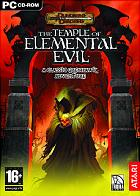
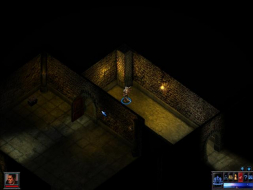
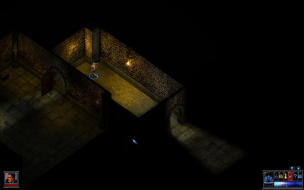
The Temple of Elemental Evil is a D&D RPG from Troika Games and Atari. It is a re-creation of the classic tabletop RPG module with the same name, updated with D&D 3.5 rules. You lead a party of adventurers to the world from an ancient evil force embodied by a mysterious temple.
The Temple of Elemental Evil is a D&D RPG from Troika Games and Atari. It is a re-creation of the classic tabletop RPG module with the same name, updated with D&D 3.5 rules. You lead a party of adventurers to the world from an ancient evil force embodied by a mysterious temple.
Screenshots of full-version features that aren't in the demo would be most useful, especially if they reveal any anomalies. Or if you can confirm that there aren't any.
The game tends to crap out when the resolution gets to high. Characters invisible in the tutorial and smaller game screens tend to flicker and duplicate images.
I will test which resolutions work OK and which are a headache. Sigh.
Perhaps it is a driver issue, or a vista issue, but I cannot get this to work.
In version 1.0 the game will simply crash when it is loading assets if I change the resolution in the config file.
In version 2.0, the game will run at the custom resolution, but all of my characters are invisible. If I revert the cfg back to something like 800x600, the characters become visble again.
In version 3.0, same thing happens as version 2.0.
Bummer, because I really wanted to revisit this game.
What resolution are you trying to use? I have not tested all but the higher resolutions have the invisible character problem.
It may be Vista. I will try and get working resolutions posted for XP in a day or so. That way you can try and locate the problem.
This is what I use for the game version.
1-Patch #1
2-Patch #2
3-Circle of Eight Mod Pack Final 5.0
4-Circle of Eight Mod Pack Upgrade (Latest version)
Ther Circle of Eight Mod Pack already has the third patch installed with additional fixes and enhancements. Maybe it would help with some of your problems.
The native max resolution is 1280x1024 so anything above this and things get wiggy.
Good Stuff at 1280x800
There is flickering and double images that display above the game native max. These occur on smaller maps and happen based on mouse position and if a cut-scene is moving the screen. They do not show on screenshots but you can see the lack of data for displaying. You can still play with these issues.
1440x900
1680x1050
When the resolution is high enough characters go invisible. You cannot play like this. Confirmed invisible is 1920x1080 and 1920x1200.
I left it in 4:3. :) My native res is 1920x1200 so the hell with it.
The flickering can be annoying on the small maps but most of the game does not have the problem. I would be difficult to give an encompassing answer due to the subjective nature of the question. Some people might detest any disruption of their experience while others may not have a problem.
If I had to wager a guess I would say play the higher resolutions if you do not have scaling or cannot get enough screen coverage with 1280x800 or lower. The HUDs and other 2-D elements get small fast so many may not have a choice but to go small.
No need to thank me for throwing dirt in the water. 8)
Then let's say resolutions up to 1680x1050 are supported, but treat the problems they cause as "minor singleplayer anomalies," and say resolutions above 1680x1050 are not supported. Would you say that's the best way to handle it? If so,
==Grading==
Calculated grade: B
Major unresolved issues: None
Minor unresolved issues: None
Summary of widescreen-related flaws:
.ini solution
1920x1080 and 1920x1200 unsupported
1440x900 and 1680x1050 cause minor problems
At 1680x1050 the intro cinematics in the retail version will not play. Audio is there but the screen is blacked out.
Lowering the resolution via the ToEE.cfg file allows the cinematics to play normally.
As I haven't played further into the game I don't know if all FMV's in the game will display this fault.
At 1680x1050 the intro cinematics in the retail version will not play. Audio is there but the screen is blacked out.
Lowering the resolution via the ToEE.cfg file allows the cinematics to play normally.
As I haven't played further into the game I don't know if all FMV's in the game will display this fault.