
The solution is only half right. Well, it is for me. If I try the solution, I get an error message and the game crashes to desktop.
Here's the original thread where the current solution was discovered by malaugh and screenshotted by Gabbo:
http://www.widescreengamingforum.com/forum/viewtopic.php?p=18392&highlight=lives+forever#18392
I did some more hunting and Paradigm Shifter actually hit on the other half of the solution back in 2/05 with this post:
http://www.widescreengamingforum.com/forum/viewtopic.php?p=3599&highlight=lives+forever#3599
He remembered the engine of the game was the same as AvP2 and the file "autoexec.cfg" would need to be altered.
In the solution's thread, malaugh said to edit "display.cfg". Gabbo then provided screens to prove this worked, however in my situation, I had to edit BOTH "autoexec.cfg" and "display.cfg".
Before I found this forum, I was playing at the highest resolution the game provided "1152x864" and using Monitor Scaling and the "Fit" adjustment on my Dell 2005FPW to get the game to fill up my 1680x1050 screen.
I took a couple of screenshots comparing the monitor scaling and the editing of the 2 game files. It's a noticable improvement graphically, but only in examination. You'd not care during gameplay unless you had eagle eyes. However, the HUD is a very noticable improvement. In scaling it was stretched, but in the 2 game file editing it remained it's original size.
I don't know if Gabbo just forgot to mention the autoexec.cfg was also edited, or perhaps a half-solution worked on his Dell 2405FPW, but just isn't a compatible fix for my 2005FPW.
Oh and the two settings in each game file are the same. You need to edit the "autoexec.cfg" and "display.cfg" like this (for 2005FPW)
"screenwidth" "1680"
"screenheight" "1050"
No One Lives Forever 2 Solution is Not Correct
-
Duke of Crydee
- Posts: 7
- Joined: 07 May 2006, 18:29
-
Duke of Crydee
- Posts: 7
- Joined: 07 May 2006, 18:29
No One Lives Forever 2 Solution is Not Correct
UPDATE:
Editing the 2 game files to force the game to display in a widescreen resolution worked for me through almost half of the game. Then I came upon a piece of intelligence that was cut off at the bottom of the screen.
Maybe other games can be "unlocked" via editing of game files to output to widescreen, but forcing a 4:3 designed game to do so seems to not work. It just doesn't stretch properly.
The only way to overcome this is to use your display drivers to either do Display Card scaling or Monitor Scaling, and have your monitor's internal scaling settings set to "Fill"
Editing the 2 game files to force the game to display in a widescreen resolution worked for me through almost half of the game. Then I came upon a piece of intelligence that was cut off at the bottom of the screen.
Maybe other games can be "unlocked" via editing of game files to output to widescreen, but forcing a 4:3 designed game to do so seems to not work. It just doesn't stretch properly.
The only way to overcome this is to use your display drivers to either do Display Card scaling or Monitor Scaling, and have your monitor's internal scaling settings set to "Fill"
-
skipclarke

- Founder

- Posts: 7358
- Joined: 13 Oct 2003, 05:00
No One Lives Forever 2 Solution is Not Correct
I agree the MGL is not correct
I just got NOLF 2
& did this for 1920 X 1200 -- L2335 OSD scaling set One to One
Autoexec.cfg
"screenwidth" "1920"
"screenheight" "1200"
"pvmodelfov" "74" ( the default was 65)
Display.cfg
"screenwidth" "1920"
"screenheight" "1200"
Game is VERY good - no stretching
I just got NOLF 2
& did this for 1920 X 1200 -- L2335 OSD scaling set One to One
Autoexec.cfg
"screenwidth" "1920"
"screenheight" "1200"
"pvmodelfov" "74" ( the default was 65)
Display.cfg
"screenwidth" "1920"
"screenheight" "1200"
Game is VERY good - no stretching
-
Duke of Crydee
- Posts: 7
- Joined: 07 May 2006, 18:29
No One Lives Forever 2 Solution is Not Correct
"pvmodelfov" "74" ( the default was 65)
What's that setting for?
I finished NOLF2 this afternoon. Great game. Damn shame they don't make more.
Playing the prequel to NOLF2 now. Contract J.A.C.K. Not even close to NOLF, but it's ok.
I'm still doing Monitor Scaling from 1152x864 to 1680x1050. It keeps everything in proportion. The slight stretch is really not noticable since I have no concept of what the 4:3 is supposed to be! :) It just feels so much better to have it full screen.
-
skipclarke
- Founder
- Posts: 7358
- Joined: 13 Oct 2003, 05:00
No One Lives Forever 2 Solution is Not Correct
FOV is the Field Of View - an absolutely necessary change when doing .cfg hacks if the came does not do it auto - which NOLF does not do
We have a couple of FOV calculators on this site & explanations of them.
NOTE:
1) 74 as a value is almost perfect (a bit of the bottome gets cut off) but I will fine tune it.
2) The cfg will not accept decimal values (which the FOV calculator gives) or the game won't load (crashes on start up).
We have a couple of FOV calculators on this site & explanations of them.
NOTE:
1) 74 as a value is almost perfect (a bit of the bottome gets cut off) but I will fine tune it.
2) The cfg will not accept decimal values (which the FOV calculator gives) or the game won't load (crashes on start up).
-
skipclarke
- Founder
- Posts: 7358
- Joined: 13 Oct 2003, 05:00
No One Lives Forever 2 Solution is Not Correct
here are some screenies - taken with a camera - I can't find the ingame screen capture??
in game photos with both .cfg's hacked & FOV 74


original ingame movie with max ingame resolution selected

.cgf hack to 1920 X 1200 FOV 74

in game photos with both .cfg's hacked & FOV 74


original ingame movie with max ingame resolution selected

.cgf hack to 1920 X 1200 FOV 74

-
Duke of Crydee
- Posts: 7
- Joined: 07 May 2006, 18:29
No One Lives Forever 2 Solution is Not Correct
here are some screenies - taken with a camera - I can't find the ingame screen capture??
Thanks for the screen man! I really appreciate the knowledge on that setting. Saving this post for the future...which I hopefully won't have to use for long as they start to support more widescreen resolutions! :)
I have no idea where the in-game cap is. However when I start Contract JACK, based on the same engine I believe, the initial pop-up window that you see that has the "Play" button? Click "Options".
In Contract JACK, the Advanced Options menu (the 1st one) has "Enable Screenshots" unchecked. If you check it you should be set...provided you can figure out how to then take one! Or, you can download Fraps, but I don't think the screencaps go up that high w/ that.
Oh and don't buy or waste your time w/ Contract JACK. It's a pile of dogshit. After 3 levels I'm cheat coding my way through the thing. Wolfenstein 3D (the original) had more personality.
-
BongoTrumman
- Editors

- Posts: 641
- Joined: 04 Aug 2005, 10:51
No One Lives Forever 2 Solution is Not Correct
Or, you can download Fraps, but I don't think the screencaps go up that high w/ that.
No problem with fraps.
-
Duke of Crydee
- Posts: 7
- Joined: 07 May 2006, 18:29
No One Lives Forever 2 Solution is Not Correct
[quote]Or, you can download Fraps, but I don't think the screencaps go up that high w/ that.
No problem with fraps.
My bad. I was thinking of the movie capabilities if you purchase it. That has a limit of 1152x864.
-
BongoTrumman
- Editors
- Posts: 641
- Joined: 04 Aug 2005, 10:51
No One Lives Forever 2 Solution is Not Correct
Okay no problem :D
Haven´t tried the limit on the movies yet so thanks for the heads up :D
Haven´t tried the limit on the movies yet so thanks for the heads up :D
No One Lives Forever 2 Solution is Not Correct
Thank you Dougofthenorth :D
I've been wanting to give this game another go. Busy installing it as I type :P
Still one of my all time favourites :lol:
I've been wanting to give this game another go. Busy installing it as I type :P
Still one of my all time favourites :lol:
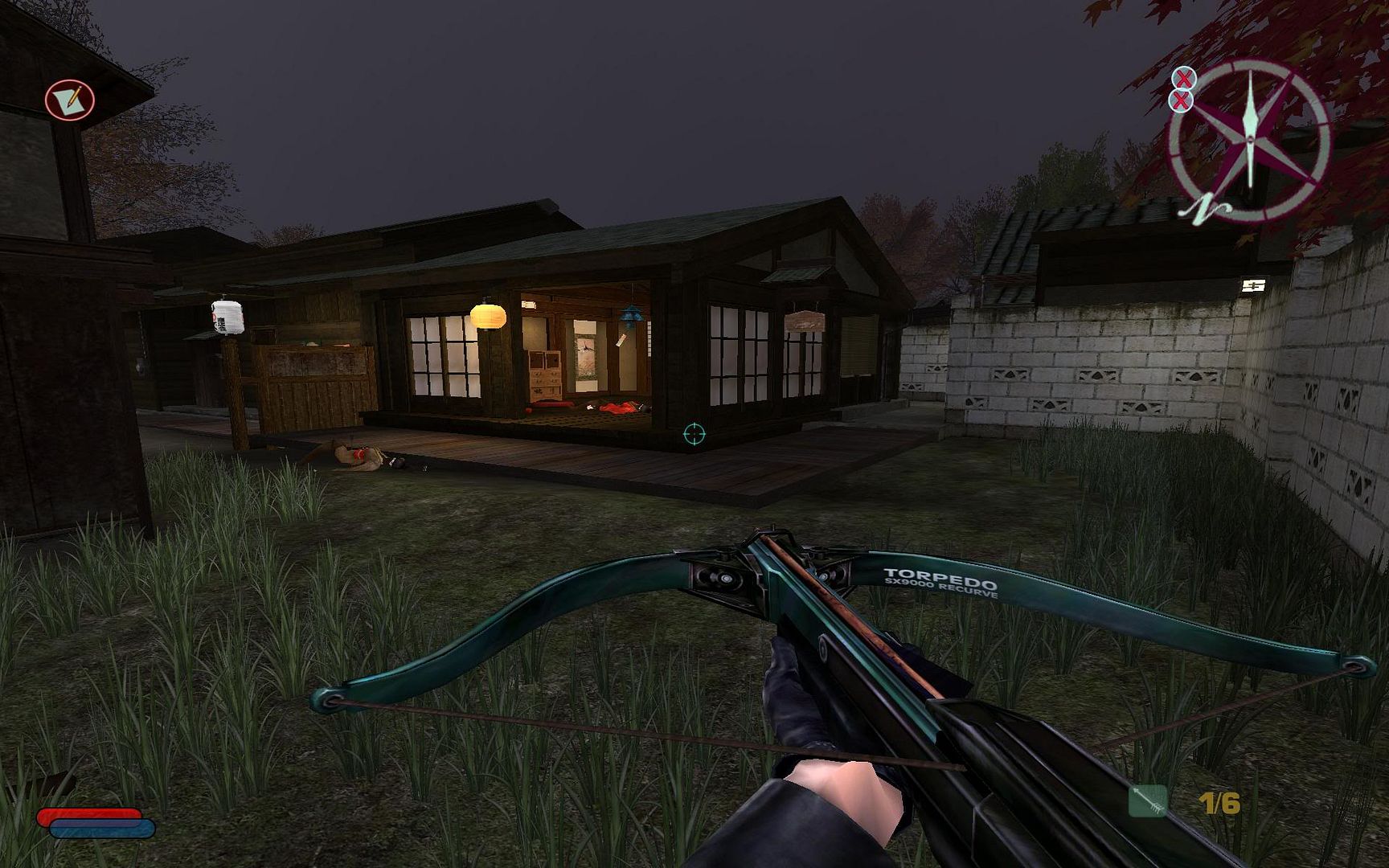
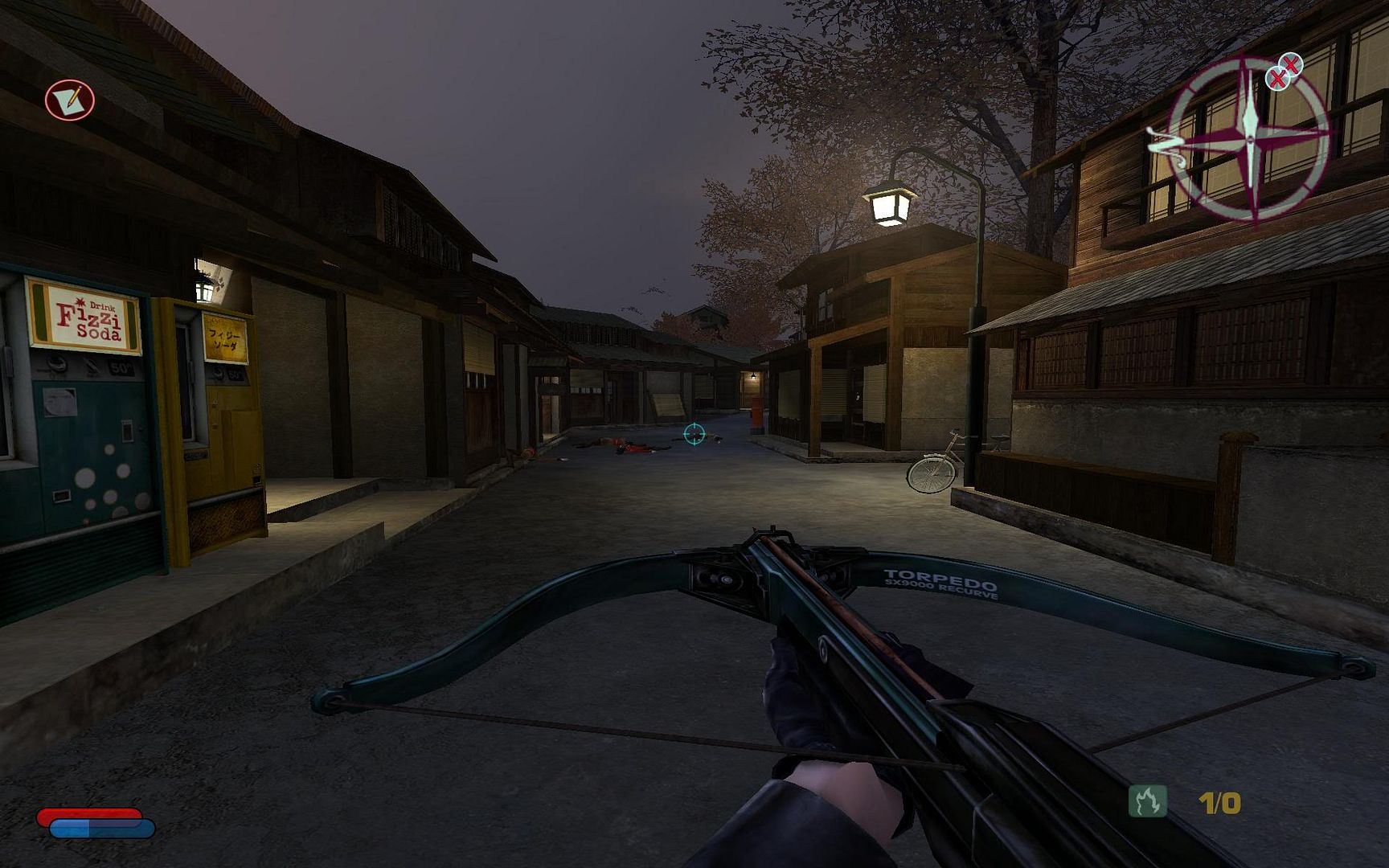
No One Lives Forever 2 Solution is Not Correct
I really like this series, but I cannot stand the AI "search" bug. This still happens regardless of which version of the game you are running and apparently hardware isn't the problem as I have experienced the problem on every system configuration I have ever had. I recently reinstalled the game (to take the screenies) AND to see if the bug was gone. It's not.
Do you notice how your framerate will suddenly dip to choppy levels for no apparent reason? This is because when any NPC is in a "searching state", it will kill your performance. This game is all about sneaking around and using gadgets to trick your adversaries, so this bug pops up too often to be enjoyable. You can test it yourself on the very first level. At the very start of the first level, you talk to your Japanese contact (standing next to the car). All you need to do is take out your taser-tool and give him a little shock into unconsiousness. He should fall to the ground asleep. Now if you click on him to wake him up, he goes through the A.I. routine that "searches the area" by looking around. At this point you will notice that your framerates are taking a dive. This will happen anytime NPCs are looking for you.
This ruined the game for me. While the game is still playable during these fits, it still ruined the game for me as it would break the immersion factor and keep reminding me that the game was coded so poorly.
I remember posting this on the official NOLF2 forums way back when, and others noticed the same thing. We waited and waited for a patch to fix it and it never came.
Do you notice how your framerate will suddenly dip to choppy levels for no apparent reason? This is because when any NPC is in a "searching state", it will kill your performance. This game is all about sneaking around and using gadgets to trick your adversaries, so this bug pops up too often to be enjoyable. You can test it yourself on the very first level. At the very start of the first level, you talk to your Japanese contact (standing next to the car). All you need to do is take out your taser-tool and give him a little shock into unconsiousness. He should fall to the ground asleep. Now if you click on him to wake him up, he goes through the A.I. routine that "searches the area" by looking around. At this point you will notice that your framerates are taking a dive. This will happen anytime NPCs are looking for you.
This ruined the game for me. While the game is still playable during these fits, it still ruined the game for me as it would break the immersion factor and keep reminding me that the game was coded so poorly.
I remember posting this on the official NOLF2 forums way back when, and others noticed the same thing. We waited and waited for a patch to fix it and it never came.
-
The_cranky_hermit
- Insiders

- Posts: 3010
- Joined: 07 Nov 2005, 04:16
No One Lives Forever 2 Solution is Not Correct
Game is VERY good - no stretching
The screenshots in the solution thread demonstrate that it definitely IS stretched, though interestingly, the compass is not (but everything else is).
Re: No One Lives Forever 2 Solution is Not Correct
I don't know if Gabbo just forgot to mention the autoexec.cfg was also edited, or perhaps a half-solution worked on his Dell 2405FPW, but just isn't a compatible fix for my 2005FPW.
Oh and the two settings in each game file are the same. You need to edit the "autoexec.cfg" and "display.cfg" like this (for 2005FPW)
"screenwidth" "1680"
"screenheight" "1050"
Hmmm... I don't have this installed anymore, but I swear I just did the display.cfg. I don't remember having to resort to the other post and the other configuration file. I just know that it worked but was stretched. I would reinstall to confirm if I still actually wanted to play the game... but because of the bug mentioned above, I don't.
No One Lives Forever 2 Solution is Not Correct
I agree the MGL is not correct
I just got NOLF 2
& did this for 1920 X 1200 -- L2335 OSD scaling set One to One
Autoexec.cfg
"screenwidth" "1920"
"screenheight" "1200"
"pvmodelfov" "74" ( the default was 65)
Display.cfg
"screenwidth" "1920"
"screenheight" "1200"
Game is VERY good - no stretching
ok... i am going to have to see if this is all correct. If it works without stretching, it has to do with the "pvmodelfov" setting in the autoexec.cfg. This is the file I don't believe that I editted as I was going off of the other NOLF2 solution.
I am beginning to think that everyone is half-right and together we are fully-right... if that were a word/term.
-
Duke of Crydee
- Posts: 7
- Joined: 07 May 2006, 18:29
No One Lives Forever 2 Solution is Not Correct
I really like this series, but I cannot stand the AI "search" bug.
I never experienced anything like this. I played the game all last week and finished it. I enjoyed it and never thought I was getting a degradation in quality at any point. Weird.
-
Duke of Crydee
- Posts: 7
- Joined: 07 May 2006, 18:29
Re: No One Lives Forever 2 Solution is Not Correct
Hmmm... I don't have this installed anymore, but I swear I just did the display.cfg. I don't remember having to resort to the other post and the other configuration file.
All I can say is that just doing one crashed my game. Maybe it was because of using the patched version of the game? It does seem odd to me though that it would work at all for you with just 1 file edited. Considering the exact same display settings are in both files. So if they don't match, I can't imagine the game working.
No One Lives Forever 2 Solution is Not Correct
Did anyone consider the "pvmodelaspect" variable in the NOLF2 autoexec? It is 1.2 standard which I assume is close to 4:3 (1.333). I changed it to 1.6 (16:10) and things look great but I don't know what difference it made. I could be wrong and that aspect means something else entirely. Anyone know?
I was going to do screenshots to compare but PRT SCR doesn't seem to do it.
Greg
I was going to do screenshots to compare but PRT SCR doesn't seem to do it.
Greg
-
StingingVelvet

- Posts: 1506
- Joined: 09 Aug 2006, 14:17
No One Lives Forever 2 Solution is Not Correct
I really like this series, but I cannot stand the AI "search" bug. This still happens regardless of which version of the game you are running and apparently hardware isn't the problem as I have experienced the problem on every system configuration I have ever had. I recently reinstalled the game (to take the screenies) AND to see if the bug was gone. It's not.
Do you notice how your framerate will suddenly dip to choppy levels for no apparent reason? This is because when any NPC is in a "searching state", it will kill your performance. This game is all about sneaking around and using gadgets to trick your adversaries, so this bug pops up too often to be enjoyable. You can test it yourself on the very first level. At the very start of the first level, you talk to your Japanese contact (standing next to the car). All you need to do is take out your taser-tool and give him a little shock into unconsiousness. He should fall to the ground asleep. Now if you click on him to wake him up, he goes through the A.I. routine that "searches the area" by looking around. At this point you will notice that your framerates are taking a dive. This will happen anytime NPCs are looking for you.
This ruined the game for me. While the game is still playable during these fits, it still ruined the game for me as it would break the immersion factor and keep reminding me that the game was coded so poorly.
I remember posting this on the official NOLF2 forums way back when, and others noticed the same thing. We waited and waited for a patch to fix it and it never came.
Didn't have that in 2002... just installed the game tonight and don't have it now either. Yes, I tested it.
Sorry for the bump, but I just reinstalled and checked for widescreen info and saw this.
Who is online
Users browsing this forum: No registered users and 17 guests