Brothers in Arms: Road to Hill 30

Detailed breakdowns of how games react to widescreen, ultra-wide, 4k and multi-mon
Post Reply
User avatar
czarman
Insiders
Insiders
Posts: 685
Joined: 11 Dec 2008, 23:51
Location: Germany

Brothers in Arms: Road to Hill 30

Post by czarman »


Widescreen Grade: B
Ultra-Widescreen Grade: B
Multi-monitor Grade: C
4k Grade: Incomplete

Read Full Detailed Report - Brothers in Arms: Road to Hill 30

Brothers in Arms: Road to Hill 30 is a WWII themed FPS/Strategy game hybrid from Gearbox Software and Ubisoft. You are assigned fire teams, assault teams, and/or tanks to command, and must utilize them effectively in order to accomplish your tasks.


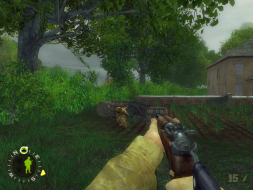
4:3


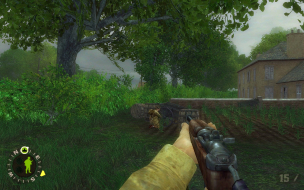
16:10


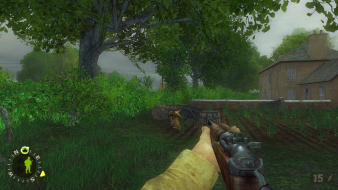
16:9


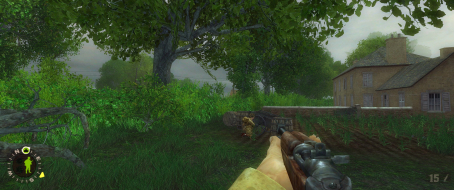
21:9


3x1

Last edited by czarman on 13 Aug 2016, 01:03, edited 5 times in total.
Reason: Edit
CZARMAN aka 彼得爸爸
Sweetz
Posts: 287
Joined: 03 Mar 2007, 06:34

Brothers in Arms: Detailed Report

Post by Sweetz »

There's another issue here, might not be major but it's really bugging me. The FOV change does not affect the player's in-view weapon/hand.

For example (resized from original res for forum):
1024x768 FOV=63 (default)


1360x768 FOV=80


The gun is very obviously vert-, while the rest of the image is not. No matter what FOV I set, it does not affect the gun, so it must have it's own FOV or something. If anyone knows how to fix this I'd much appreciate it, widescreen makes the gun look way to close to the player.

---------------------------

PS The_cranky_hermit, you don't need to jump through hoops to get the FOV to stick. The game keeps profile specific *.ini files, it's just a matter of locating them. Don't edit defuser.ini or user.ini in the game directory, go to:

"C:Documents and Settings[WindowsUserName]Application DataGearbox SoftwareBrothers In Arms[ProfileName]"

If you edit the user.ini there it will stick (as well as be specific to the given profile)

hip63
Posts: 1
Joined: 07 May 2007, 14:37

Brothers in Arms: Detailed Report

Post by hip63 »

***Update*** (from a noob) :hide

The above was posted about the demo version of Brothers In Arms: Road to Hill 30 but it appears that the retail version of the game (v1.11 if your patched) has full widescreen support as well as the sequel Brother In Arms: Earned in Blood v1.0. I was able to dial up to 1680x1050 resolution (Max of my Dell 2007WFP) with no issues. HUD seems fine as well. Hell you guys may even want give the gold award as I find no issues at all. They seem to have perfect support as far as I can tell :rockout

Not suprising considering they are based on the Unreal Engine :D

Yeah sure, they are getting a little old now but still they are great looking and playing games.

hip63 :P

hey not bad for a first post from a noob!

P.S. - Brother In Arms: Earned in Blood contains STARFORCE, if you don't want SF loaded with that game (few would blame you), PM me for the method to run it with out SF.
The_cranky_hermit
Insiders
Insiders
Posts: 3010
Joined: 07 Nov 2005, 04:16

Brothers in Arms: Detailed Report

Post by The_cranky_hermit »

Yes, I know that widescreen resolutions are supported natively. If you had read the solution, you'd see that it's for manually increasing the FOV, not for setting the resolution. The last part of the solution even says set your resolution to a widescreen one from the menu. Unless the patch causes the game to adjust the FOV automatically (which is something that no pre-2006 Unreal engine game has ever done), then the patch doesn't "updated" anything in terms of widescreen solution.
Post Reply

Who is online

Users browsing this forum: No registered users and 8 guests