No problem about putting it in the wrong section ... we all have to learn ... :wink:
This is why it wouldn't let you add to the existing thread ... http://www.widescreengamingforum.com/node/
so in future just post in the Solutions Disscussion section ... thanks ... :D
I have added your findings to the solution thread as it clearly of use ... :D
You don't need anything but the original DXWrap file ( I copied mine into a different location).
I have adjusted my overscan to almost nothing.
I now run at 1168x646....
I should be getting a new TFT tomorrow, and I play 2k6 a lot however I'm not sure I follow the instructions.
Pls could someone tell me exactly how to add 2560 x 1600 as an option?
I tried using the excel 'DEC2HEX' function on the rez given in the thread but came up with a completely different hex result. If someon could walk me through what to do with that wrapper file, that would be awesome :)
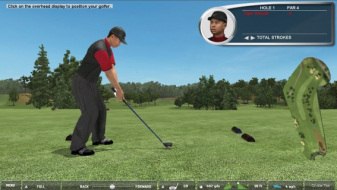
Have any of you noticed that the menu screens aren't right? If I select one of the menus from the bar at the bottom while in the game, the text is bigger and I can't close the menu.
The scoreboards aren't the right size and even the Main Menu screen of the game isn't correct. The only screen that is in 1680 x 1050 is the playing screen with the graphics.
Did I do something wrong? Anyone else have this issue?
Have any of you noticed that the menu screens aren't right? If I select one of the menus from the bar at the bottom while in the game, the text is bigger and I can't close the menu.
The scoreboards aren't the right size and even the Main Menu screen of the game isn't correct. The only screen that is in 1680 x 1050 is the playing screen with the graphics.
Did I do something wrong? Anyone else have this issue?
i just got this game yesterday. i have a sony 55kdf. i ran the patcher for '04 as indicated above. i have the same issues with menu's and cut screens. i can only get a picture when playing. i have my rez set at 1200x692 using an ati 9700tx. i have an s-vid out on my card that i have to switch to in order to navigate the menu's and then back to dvi/hdmi to play. is there anyway to get all menu's/cutscreens to play at the same resolution?
why can´t you change the res with UniWS while trying to get the 1360/768 resolution for tiger woods 06?? It just won´t allow me to change res... Worked for prince of persia...