

Post your "Command Centre" Pictures Here
Post your "Command Centre" Pictures Here
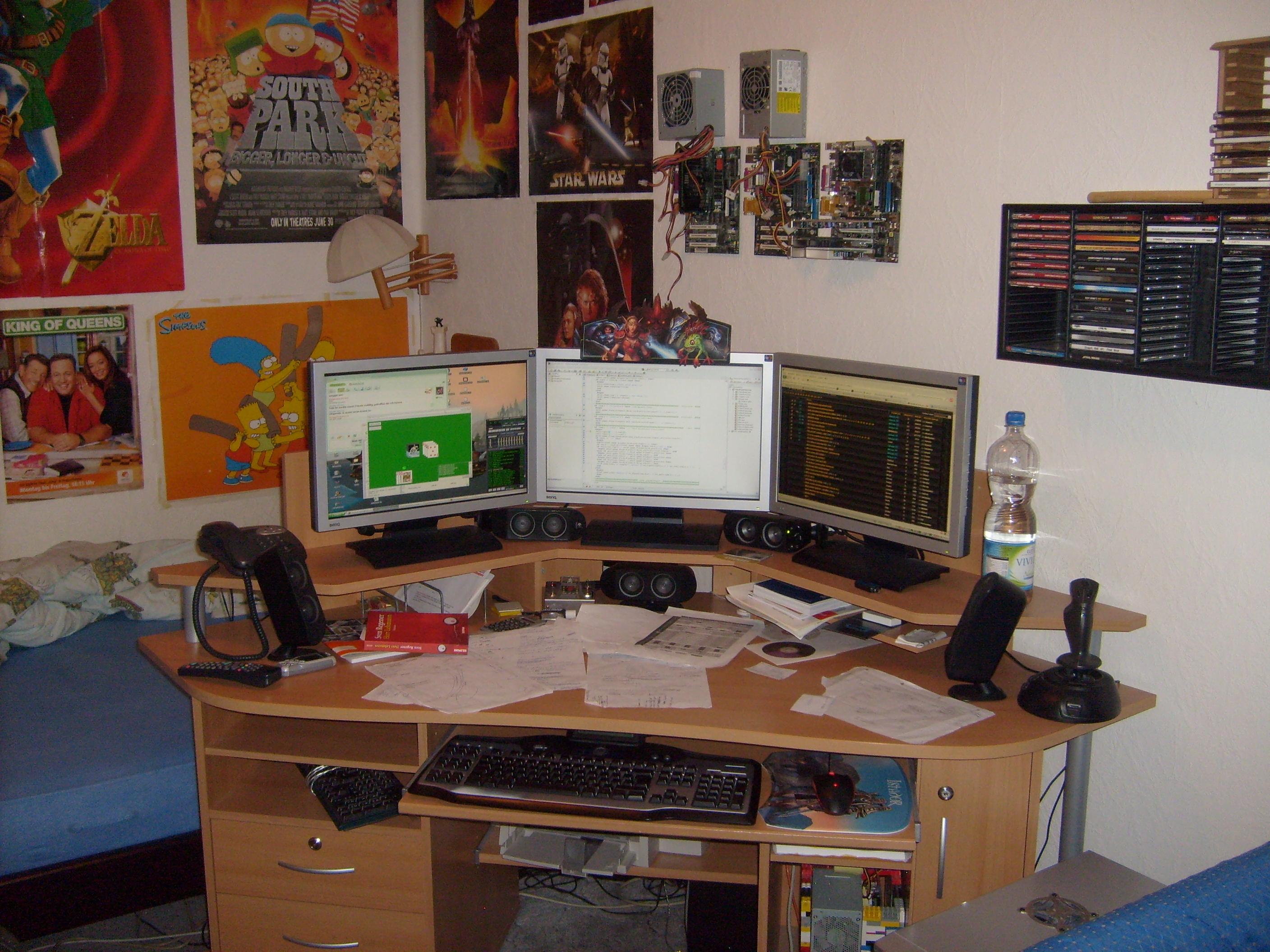
Can I jump in the triplehead fun with a messy setup? :lol:

Post your "Command Centre" Pictures Here
that...is ackward to look at! lol...different monitor heights are not friendly to my eyes. Still very cool. is that a sony widescreen tube?
Post your "Command Centre" Pictures Here
Yeah, a Sony GDM-W900. It sits turned off now because of the heat and power it takes. Got it used sometime in 2003 or 04 and it's still going strong.
Post your "Command Centre" Pictures Here
most people put their monitors closer together for less distance between them in gaming. Do you use th2g for gaming?
Yes, i use it for gaming.
The pic is a bit old, made directly after install the last monitor (feb 08), now the monitors stand direct together.
A newer picture made today:
-
Ranger3669
- Posts: 1
- Joined: 06 Nov 2008, 08:50
Post your "Command Centre" Pictures Here
Here is my setup  [img]http://img248.imageshack.us/img248/8778/picture021ej0.th.jpg" alt="" />
[/img][img]http://img248.imageshack.us/img248/8778/picture021ej0.th.jpg" alt="" />

[/img]
[/img]

[/img]

Post your "Command Centre" Pictures Here
Here's mine...
Waiting for my 30" to come and take the centre from the 24"!!
Wahoo

Waiting for my 30" to come and take the centre from the 24"!!
Wahoo
-
g00seberry

- Editors

- Posts: 1317
- Joined: 24 Sep 2006, 16:57
Post your "Command Centre" Pictures Here
What's the Antec Skeleton like??
Is there any chance you visit overclockers.co.uk? :P
I have the same wallpaper on my other screen :lol:
Is there any chance you visit overclockers.co.uk? :P
I have the same wallpaper on my other screen :lol:
Post your "Command Centre" Pictures Here
Here's mine...
Waiting for my 30" to come and take the centre from the 24"!!
Wahoo
Which....machine is your main...do explain the guts of these...
wonderful cases btw: I like the TJ07.
Post your "Command Centre" Pictures Here
The Antec Skeleton is a bit of a strange one, I use it to test stuff out and hold my main rigs internals when I'm playing with the case. It's okay apart from the heatsink struggling to fit under the main fan on the top!
My other rigs are:
My main one (the Green TJ07) on the right
My photography rig (the Lian Li PC777 aka Snail) 2nd from right
My Server (The coolermaster Stacker) on the far left
My firewall/folding machine (the Coolermaster ATC110) 2nd from Left
Machines internals are:
Main: QX9650 | 8GB Ram | 2.15TB HD | 2x8800GTX's
Server: Q6600 | 4GB Ram | 4.5TB HD | 9600GT
Photography: AMD Athlon x2 4800+ | 2GB Ram | 2TB HD | 2x7800GT's
Firewall: AMD Athlon 1400+ | 1GB Ram | 250GB HD | 6800GT
I hate to ever throw anything away if it is still working, so anything I upgrade gets put to use somewhere else! The rest of the house if filled with PC's as well - you should see our Electricity Bill! :shock:
I only turn things on when I need them though (apart from the Server).
'ez - I'm always shopping at Overclockers, but haven't been on the Forum for a while. That might be where I have seen your name before???
My other rigs are:
My main one (the Green TJ07) on the right
My photography rig (the Lian Li PC777 aka Snail) 2nd from right
My Server (The coolermaster Stacker) on the far left
My firewall/folding machine (the Coolermaster ATC110) 2nd from Left
Machines internals are:
Main: QX9650 | 8GB Ram | 2.15TB HD | 2x8800GTX's
Server: Q6600 | 4GB Ram | 4.5TB HD | 9600GT
Photography: AMD Athlon x2 4800+ | 2GB Ram | 2TB HD | 2x7800GT's
Firewall: AMD Athlon 1400+ | 1GB Ram | 250GB HD | 6800GT
I hate to ever throw anything away if it is still working, so anything I upgrade gets put to use somewhere else! The rest of the house if filled with PC's as well - you should see our Electricity Bill! :shock:
I only turn things on when I need them though (apart from the Server).
'ez - I'm always shopping at Overclockers, but haven't been on the Forum for a while. That might be where I have seen your name before???
Post your "Command Centre" Pictures Here
holy crap. You have like 8TB's!

Post your "Command Centre" Pictures Here
Firewall: AMD Athlon 1400+ | 1GB Ram | 250GB HD | 6800GT
Your Firewall would probably pull 4x the FPS that my 14 year old little brother gets in various games.
Overall im jealous.
Post your "Command Centre" Pictures Here
holy crap. You have like 8TB's!
Yeah, mostly video editing and photography stuff. All the photos I take are in RAW format and take up quite a lot of space (when I fill up my memory cards!).
You can see my spare hard drives and the hot swap caddy towards the top right. I think there is another TB and a bit there!
Hard drives are so cheap these days and I like to back everything up in case of hardware failure, earthquake, meteor crashing to earth... Better to be safe than sorry!!! :wink:
Post your "Command Centre" Pictures Here
I'm new here, so I figured I'd show my setup. The basic form is there, I just need to clean it up, such as align the lcd's and whatnot. I need to put a little support under the stands for the left and right screens as well, since they're both leaning in a little bit. My TH2G should be here between then 29th and 31st. (2 Day shipping, WOOOOOO!!!!!) Needless to say, I'm excited. I've been waiting for this for about 4 months.

My setup is currently:
Asus M2N-E SLI
Athlon 64 5400+ (6400+ if my sister would get off her lazy butt and order the rest of my x-mas presents)
2gigs of G.Skill DDR-800 (hopefully more. Again, x-mas presents)
1.5T across 3 500gig Seagates
X-FI
8800GTX
Asus DRW-2014L1T
3 Westinghouse 22" - 2 LCM-22w2 / 1 LCM-22w3
And yes, that's a Tonberry in the picture.

My setup is currently:
Asus M2N-E SLI
Athlon 64 5400+ (6400+ if my sister would get off her lazy butt and order the rest of my x-mas presents)
2gigs of G.Skill DDR-800 (hopefully more. Again, x-mas presents)
1.5T across 3 500gig Seagates
X-FI
8800GTX
Asus DRW-2014L1T
3 Westinghouse 22" - 2 LCM-22w2 / 1 LCM-22w3
And yes, that's a Tonberry in the picture.
-
anthonylei
- Posts: 33
- Joined: 03 Feb 2006, 15:31
Post your "Command Centre" Pictures Here
ok... here is my latest photo of my computer room
Normal mode


Working mode

Gaming mode - mainly CS:S

modedit: I edited the links so that the pics are visible. Spaces don't work in links. Ctrlsteef
Normal mode
Working mode
Gaming mode - mainly CS:S
modedit: I edited the links so that the pics are visible. Spaces don't work in links. Ctrlsteef
Post your "Command Centre" Pictures Here
I have the same desktop as you! That is a cool image (http://www.interfacelift.com) I think???
Nice setup, especially like the picture in the background - kinda funky! Where did you get that from?
Nice setup, especially like the picture in the background - kinda funky! Where did you get that from?

Post your "Command Centre" Pictures Here
I think I spy a VX revolution in the work pic. I must say it is a very comfortable notebook mouse except for the annoyance of the dongle being inserted, but it is better than dealing with lag from bluetooth power saving, or a ultra tiny mouse with a small reciever (read: vx nano)
-
MobsterOO7

- Insiders

- Posts: 1055
- Joined: 19 Sep 2006, 16:25
- Location: Ruckersville, Virginia
Post your "Command Centre" Pictures Here
I think I spy a MX revolution in the work pic. I must say it is a very comfortable notebook mouse except for the annoyance of the dongle being inserted, but it is better than dealing with lag from bluetooth power saving, or a ultra tiny mouse with a small reciever (read: vx nano)
EVGA GeForce GTX 970 SC ACX 2.0 3.5GB | 3 X LG Flatron 24EA53VQ in Nvidia Surround | Optoma HD20
Post your "Command Centre" Pictures Here
[quote]I think I spy a MX revolution in the work pic. I must say it is a very comfortable notebook mouse except for the annoyance of the dongle being inserted, but it is better than dealing with lag from bluetooth power saving, or a ultra tiny mouse with a small reciever (read: vx nano)
Third pic, two mice side by side, and a laptop out.
MX and VX methinks
-
anthonylei
- Posts: 33
- Joined: 03 Feb 2006, 15:31
Post your "Command Centre" Pictures Here
I have the same desktop as you! That is a cool image (http://www.interfacelift.com) I think???
Nice setup, especially like the picture in the background - kinda funky! Where did you get that from?
cant remember where I got the background from... but i think it is quite a popular one.
you mean the painting? got it from Hong Kong.... shipping cost is pretty expensive.
I think I spy a VX revolution in the work pic. I must say it is a very comfortable notebook mouse except for the annoyance of the dongle being inserted, but it is better than dealing with lag from bluetooth power saving, or a ultra tiny mouse with a small reciever (read: vx nano)
The VX is on every picture but sitting on the charger. Never though of getting a BT mouse.... have to go into sleeping mode to extend the battery life.
Post your "Command Centre" Pictures Here
Then:
And now:

Speakers are a bigger version of previous set
JVC RX700 Headphones
VX Revolution Mouse
Home-stained boards on ikea desk frame.
Ikea halogen lamp and random picture frame in upper left.
Also a random school woodshop project, cleaning cloth, coaster set from korea and giant binder clip
Some nights I game on a 225BW on another computer.
Pen tablet is nearby i just need to get around to using it.
GA if you see this, we need to see your rig already!
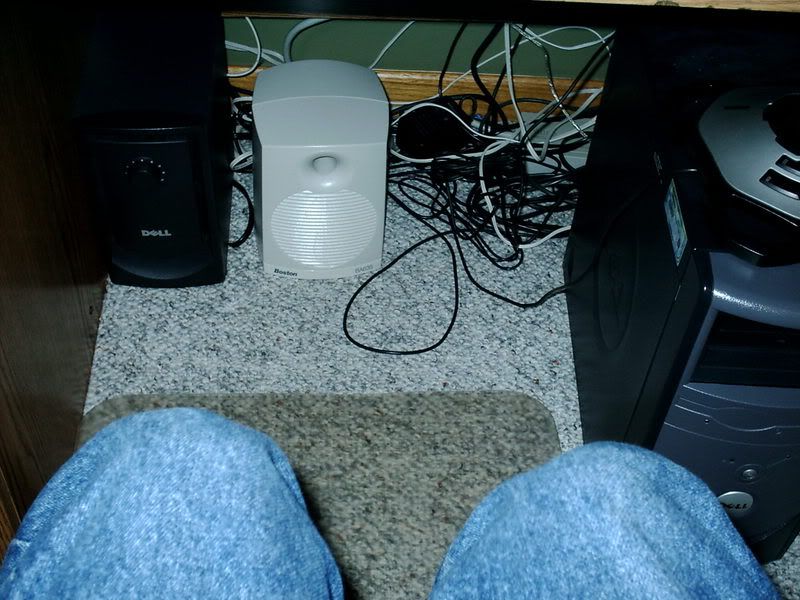
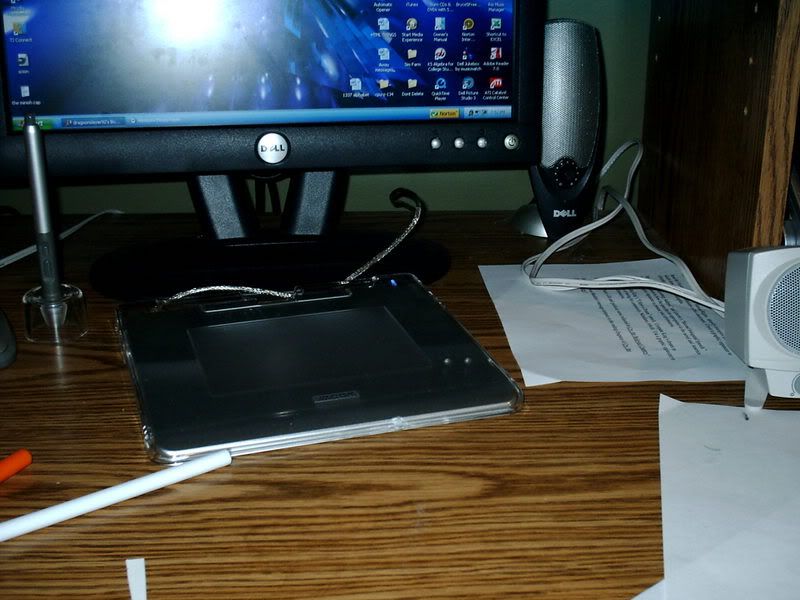
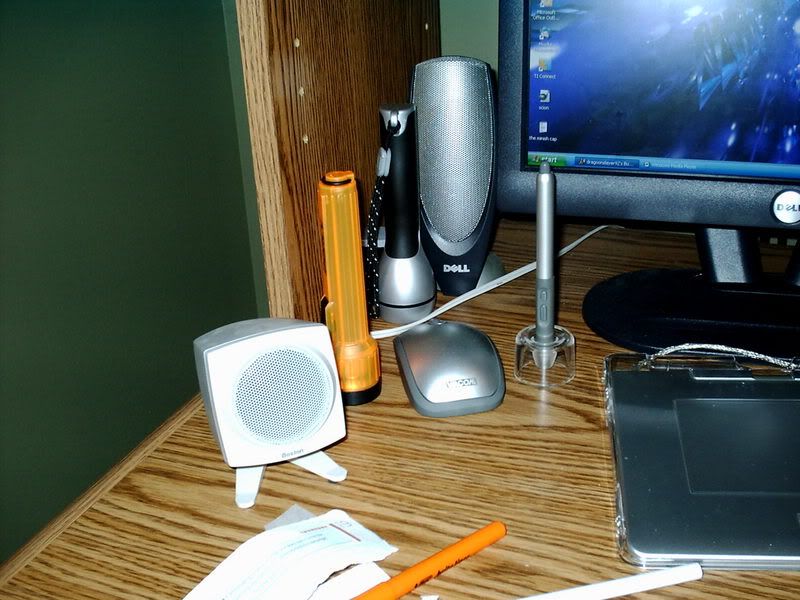
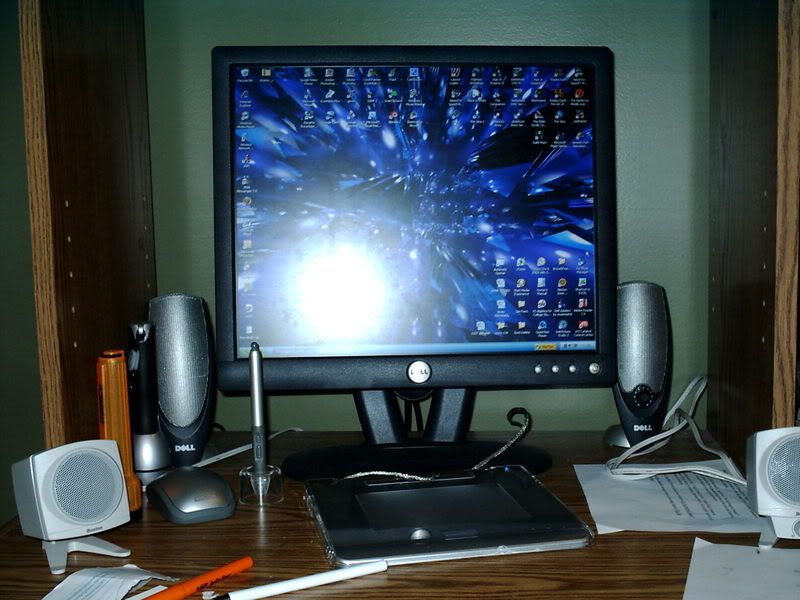
And now:
Speakers are a bigger version of previous set
JVC RX700 Headphones
VX Revolution Mouse
Home-stained boards on ikea desk frame.
Ikea halogen lamp and random picture frame in upper left.
Also a random school woodshop project, cleaning cloth, coaster set from korea and giant binder clip
Some nights I game on a 225BW on another computer.
Pen tablet is nearby i just need to get around to using it.
GA if you see this, we need to see your rig already!
Who is online
Users browsing this forum: No registered users and 2 guests