
Post your "Command Centre" Pictures Here
-
FramerateUK

- Posts: 330
- Joined: 08 Dec 2005, 01:19
Post your "Command Centre" Pictures Here
Damn, all these people with clean and tidy desks, makes me feel kinda ashamed of the mess on mine :)
-
Paradigm Shifter

- Editors

- Posts: 5706
- Joined: 14 Oct 2003, 13:52
Post your "Command Centre" Pictures Here
I know the feeling... ;)
-
skipclarke

- Founder

- Posts: 7358
- Joined: 13 Oct 2003, 05:00
-
FramerateUK
- Posts: 330
- Joined: 08 Dec 2005, 01:19
Post your "Command Centre" Pictures Here
Ill take a photo of mine again as soon as i move into my new place, it'll be clean for the first week at least then! ;)
Post your "Command Centre" Pictures Here
here's my original setup
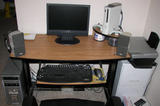
the i decided to change it around a bit
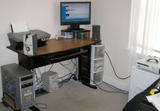
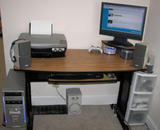
which do you like better?

the i decided to change it around a bit


which do you like better?
-
BongoTrumman
- Editors
- Posts: 641
- Joined: 04 Aug 2005, 10:51
Post your "Command Centre" Pictures Here
Morabu, the first one. But that's my opinion. I can't stand turning my head to surf, game or whatever.
-
JohnnyWakko
- Posts: 616
- Joined: 06 Jun 2006, 08:56
Post your "Command Centre" Pictures Here
Morabu
I like the first one for sure. Except I like the later set of draws, way more spunky yeah baby! 8)
I like the first one for sure. Except I like the later set of draws, way more spunky yeah baby! 8)
moboP8P67-M-PRO-V3 cpuI5-2500K-3.3GHZ ramOCZ8GB gpu260GTX hddOCZ-VERTEX II-SSD psuNEOHE550W hudBENQ20"
-
skipclarke
- Founder
- Posts: 7358
- Joined: 13 Oct 2003, 05:00
Post your "Command Centre" Pictures Here
Corner screens (hence their speakers) mess up the soundfield.
Post your "Command Centre" Pictures Here
yeah i know doug
i plan on getting a new set here in a few days for my b-day anyway
the i will mount them accordingly, don't know if i am going to keep the new setup or revert back to the old way......:(
i plan on getting a new set here in a few days for my b-day anyway
the i will mount them accordingly, don't know if i am going to keep the new setup or revert back to the old way......:(
-
skipclarke
- Founder
- Posts: 7358
- Joined: 13 Oct 2003, 05:00
Post your "Command Centre" Pictures Here
Hey then ....

[I had to take this kissing smile out. I kept thinking Doug was trying to kiss me. /shudder. :shock: ]
[I had to take this kissing smile out. I kept thinking Doug was trying to kiss me. /shudder. :shock: ]
-
skipclarke
- Founder
- Posts: 7358
- Joined: 13 Oct 2003, 05:00
Post your "Command Centre" Pictures Here
Here was mine I posted in another thread:
In case anyone was ever wondering, this is where all the magic happens...

The panorama stitcher wasn't perfect, but you get the idea.
Here's the new Command Center:

Left -> Right:
Wall: Monsters Inc. print, Belkin Pre-N Router, Sennheiser PX 100 headphones, Taylor 310CE Acoustic, Ovation Deacon, Danelectro 12-string, autographed pictured (that I took) of the Christ Duarte Group
Desk: D&D Player's Handbook 3.5, Gateway M285-E (I'm working on an article on tablet gaming), Logitech Z-680 (control, fronts, center; with MacPro connected via optical cable), Dell 3007WFP, Line6 TonePort UX2, David Crowder Band songbook, M-Audio Nova Mic (w/ stand and pop filter), Sony HDR-HC3 1080i HDV Cam, 2-line crap phone, work laptop, MS Trackball Explorer Optical, mini fan, picture of daughter, Franklin-Covey notebook folio, wallet
Floor: Crappy chair, shredder, wire waste basket, file folders, Z-680 sub, MacPro (see sig), OfficeJet 7310, Desk Apprentice (under printer).
Unseen: 80% of the cables (attached to underside of desk), 2x APC 500W UPS.
I custom-made the desk and printer stand. The Guinness wall hanging is now in the garage (kid kept playing with it).
Post your "Command Centre" Pictures Here
Now THAT'S some serious hardware mate. :D
Can you please please make some closeups of that Mac Pro :P
I have to wait 4 more weeks for mine to arrive so i need something to help me wait. :lol:
Can you please please make some closeups of that Mac Pro :P
I have to wait 4 more weeks for mine to arrive so i need something to help me wait. :lol:
-
JohnnyWakko
- Posts: 616
- Joined: 06 Jun 2006, 08:56
Post your "Command Centre" Pictures Here
Very sexy!
moboP8P67-M-PRO-V3 cpuI5-2500K-3.3GHZ ramOCZ8GB gpu260GTX hddOCZ-VERTEX II-SSD psuNEOHE550W hudBENQ20"
-
skipclarke
- Founder
- Posts: 7358
- Joined: 13 Oct 2003, 05:00
Post your "Command Centre" Pictures Here
Thanks. And wait until I finish building everything else in my sig. :wink:
-
Paradigm Shifter
- Editors
- Posts: 5706
- Joined: 14 Oct 2003, 13:52
Post your "Command Centre" Pictures Here
Nice.
/me must get round to taking pics of my own setup... :)
/me must get round to taking pics of my own setup... :)
Post your "Command Centre" Pictures Here
http://irc-galleria.net/view.php?nick=Cyborg^&image_id=42332931
Here's the command centre with a larger widescreen, and in the second picture the main computer display (NEC):
http://irc-galleria.net/view.php?nick=Cyborg^&image_id=34475729
Both are in the same small room :P
Here's the command centre with a larger widescreen, and in the second picture the main computer display (NEC):
http://irc-galleria.net/view.php?nick=Cyborg^&image_id=34475729
Both are in the same small room :P
Post your "Command Centre" Pictures Here
Here's mine.

and at night


and at night

Post your "Command Centre" Pictures Here
Okay then, finally an updated version of my command centre including my Mac Pro. :P
Sorry for the bad photo quality but the only camera i have available at the moment is my phone. :)
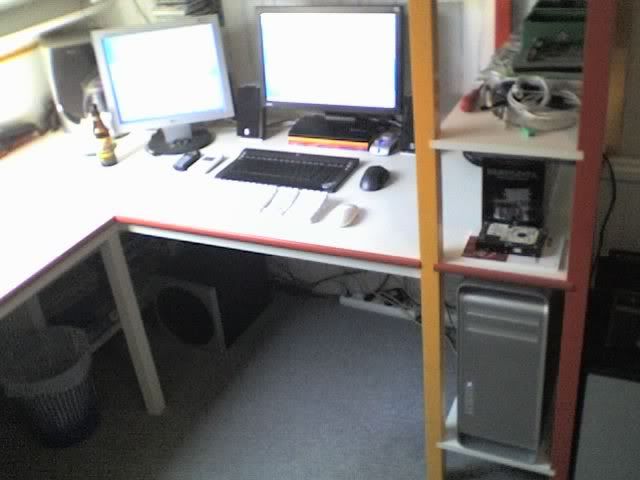
Overview, changed since the previous pic of my centre is the second monitor and the Mac Pro + Keyboard and Mighty mouse.
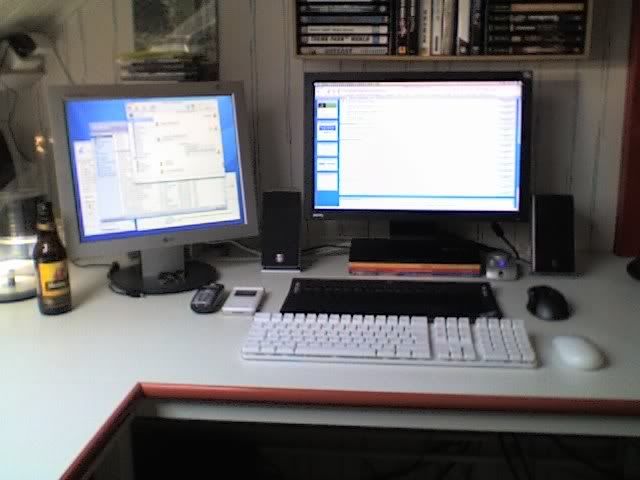
The beer you see in this pic is a Hertog Jan, the best beer in the world if you ask me.
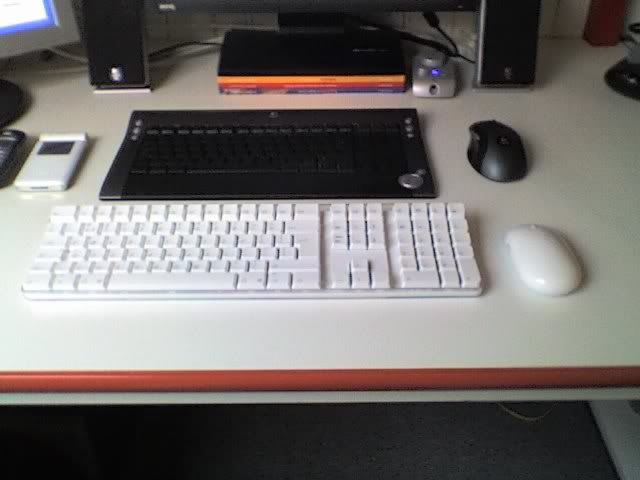
Two keyboard/mouse combos, one for my Mac Pro, the other for my server. Planning on using some sort of remote desktop sollution for that in the future.
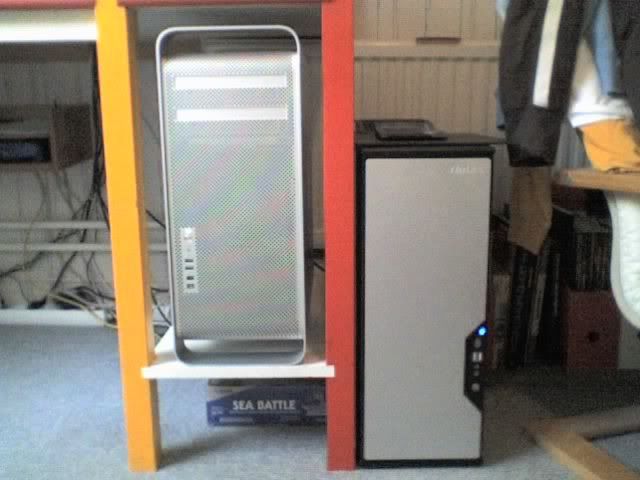
Mac Pro and server. And yes, that is an oldskool boardgame of Sea Battle. :D

Inside of my beautiful Mac Pro :P
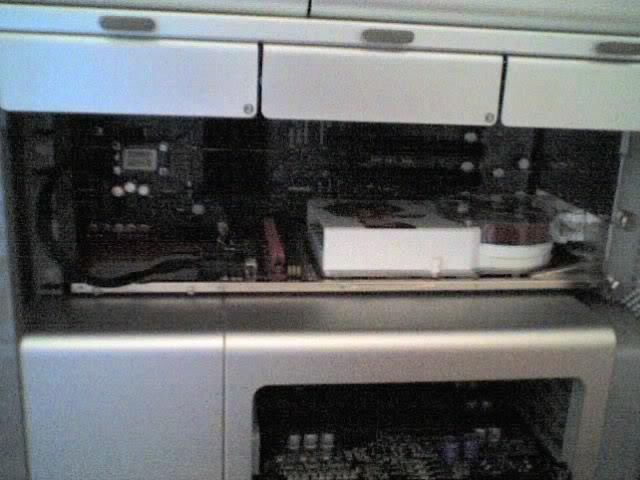
The graphical power of this baby, an Ati X1900.
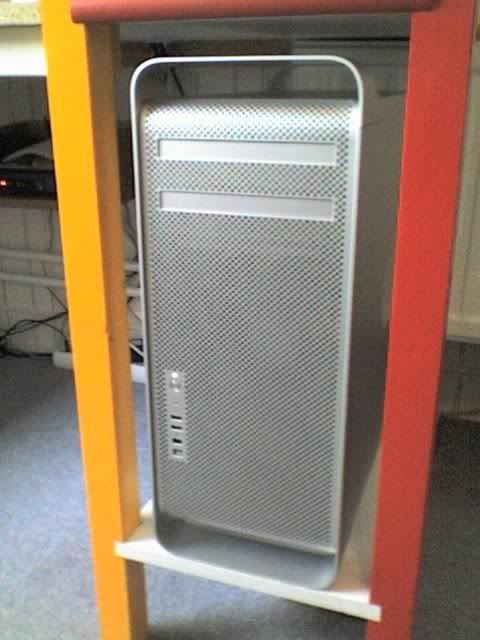
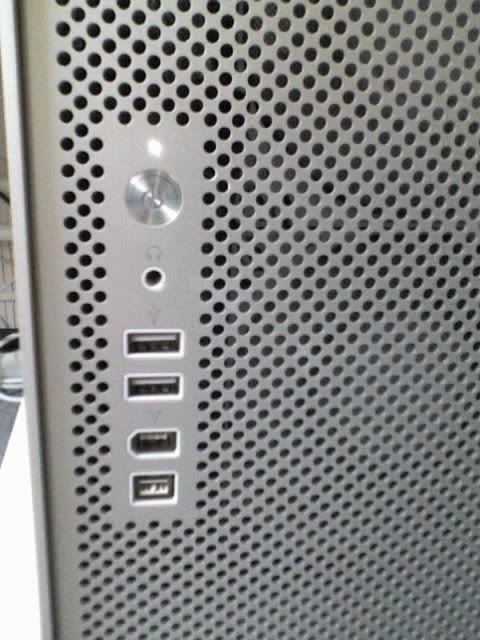
Front of the Mac Pro and a closeup of the connections on the front of the case. 1 x audio out, 2 x usb, 1 x Firewire 400 and 1 x Firewire 800.
Sorry for the bad photo quality but the only camera i have available at the moment is my phone. :)
Overview, changed since the previous pic of my centre is the second monitor and the Mac Pro + Keyboard and Mighty mouse.
The beer you see in this pic is a Hertog Jan, the best beer in the world if you ask me.
Two keyboard/mouse combos, one for my Mac Pro, the other for my server. Planning on using some sort of remote desktop sollution for that in the future.
Mac Pro and server. And yes, that is an oldskool boardgame of Sea Battle. :D
Inside of my beautiful Mac Pro :P
The graphical power of this baby, an Ati X1900.
Front of the Mac Pro and a closeup of the connections on the front of the case. 1 x audio out, 2 x usb, 1 x Firewire 400 and 1 x Firewire 800.
-
Angry Bear
- Posts: 8
- Joined: 14 Jul 2006, 19:55
Post your "Command Centre" Pictures Here
Really cool setup ctrlsteef 8)
-
Paddy the Wak

- Editors
- Posts: 3436
- Joined: 27 Jul 2004, 17:42
Post your "Command Centre" Pictures Here
Yeah ... lovely jubbly mate ... :D
What's the PC keyboard ?
What's the PC keyboard ?
Who is online
Users browsing this forum: No registered users and 2 guests