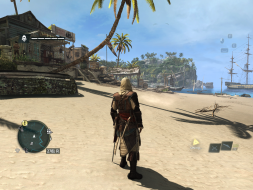
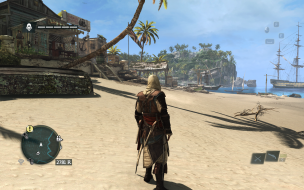
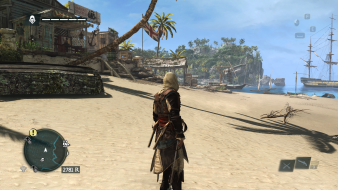
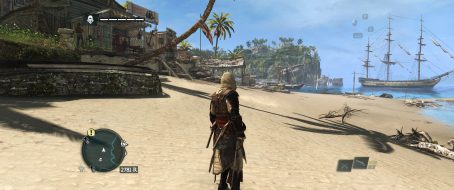
Assassin's Creed IV: Black Flag is the sixth major installment in the series. While it introduces a new historical protagonist, its modern-day story continues the overarching plot, particularly the arc that started in Assassin's Creed III. Most of the familiar elements from the previous installments return, including free-form movement, the possibility to climb on buildings, a mission-based system with main and secondary quests, weapon management, collecting, etc. Besides a few tweaks, combat system largely remains unchanged as well.
The game's world is larger than in any of the previous games, and is available for exploration in a seamless fashion, without transitions or loading between ship navigation, swimming, and exploring the land. Much of the Caribbean Sea can be physically explored, including three full-fledged cities (Havana, Kingston, and Nassau) as well as smaller settlements and uninhabited islands. The protagonist can now hunt animals, fish, and uncover treasure maps. Early in the game Edward gains access to the Jackdaw, a ship that can be outfitted, upgraded, and used in naval battles. It is also possible to recruit crew members for the ship.
I am using your replacement EXE for this game to make the 21:9 work but I have a problem. I have googled around and cannot find anybody else who has the same issue. In the top left corner of my screen it looks like there is a reflection of my screen of everything in the gamespace. I can see a second everything in the top left of the screen. If you have a fix for this it would be greatly appreciated!
Self admitted noob on the PC gaming side of things.
When I download the file, there is no EXE file to use. Am I missing a step? I have tried the Flawless Widescreen plugin, it plays in 2560x1080, but the icons for way-points and over characters are distorted. They don't appear directly over where you want to go and move strangely as you pan the camera. I wanted to give this fix a try. Any help is appreciated.
hatmcgat wrote:Self admitted noob on the PC gaming side of things.
When I download the file, there is no EXE file to use. Am I missing a step? I have tried the Flawless Widescreen plugin, it plays in 2560x1080, but the icons for way-points and over characters are distorted. They don't appear directly over where you want to go and move strangely as you pan the camera. I wanted to give this fix a try. Any help is appreciated.
hatmcgat wrote:Self admitted noob on the PC gaming side of things.
When I download the file, there is no EXE file to use. Am I missing a step? I have tried the Flawless Widescreen plugin, it plays in 2560x1080, but the icons for way-points and over characters are distorted. They don't appear directly over where you want to go and move strangely as you pan the camera. I wanted to give this fix a try. Any help is appreciated.
Thanks! That's what I had assumed, but I didn't see a prompt to unzip the file. I'll give that a try when I get home. Really loving Syndicate in 21:9 and can't wait to revisit one of my favorites in the new aspect ratio!
I'm using the 21:9 version of AC4BFSP.exe and I cannot change weapons in that exe. When I change back to the original exe, I can change my weapons. Plz help. I use 2560x1080
Hello -- I was able to unzip the file and swap out the exe files for the 21:9 fix however the game freezes about 1-2 minutes into the game. If I revert back to the original exe files the game does not freeze. Is this a known problem?