Back to the Future: The Game

Detailed breakdowns of how games react to widescreen, ultra-wide, 4k and multi-mon
Post Reply
Svenator
Posts: 15
Joined: 08 Oct 2011, 16:54

Back to the Future: The Game

Post by Svenator »


Widescreen Grade: A
Multi-monitor Grade: B

Read Full Detailed Report - Back to the Future: The Game

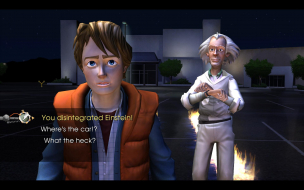
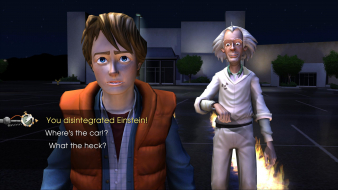
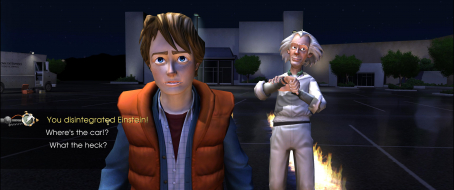
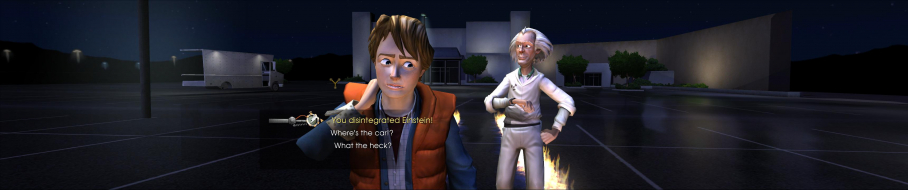
Back to the Future: The Game is a graphic adventure video game based on the Back to the Future film franchise. The game was developed by Telltale Games as part of a licensing deal with Universal Pictures. Bob Gale, co-creator, co-writer and co-producer of the film trilogy, assisted Telltale in writing the game's story, while both the original actors Michael J. Fox and Christopher Lloyd have allowed the developers to use their likenesses in the game for the lead characters Marty McFly and Doc Brown, respectively. Lloyd also provides the voice for Doc, while new talent AJ LoCascio plays the role of Marty; Fox later appeared to voice two cameo roles in the final episode. The game is split up into five episodes available on multiple gaming platforms.



User avatar
czarman
Insiders
Insiders
Posts: 685
Joined: 11 Dec 2008, 23:51
Location: Germany

Back to the Future: The Game

Post by czarman »


Widescreen Grade: A
Ultra-Widescreen Grade: C
Multi-monitor Grade: C
4k Grade: Incomplete

Read Full Detailed Report - Back to the Future: The Game

Back to the Future: The Game is a graphic adventure video game based on the Back to the Future film franchise. The game was developed by Telltale Games as part of a licensing deal with Universal Pictures. Bob Gale, co-creator, co-writer and co-producer of the film trilogy, assisted Telltale in writing the game's story, while both the original actors Michael J. Fox and Christopher Lloyd have allowed the developers to use their likenesses in the game for the lead characters Marty McFly and Doc Brown, respectively. Lloyd also provides the voice for Doc, while new talent AJ LoCascio plays the role of Marty; Fox later appeared to voice two cameo roles in the final episode. The game is split up into five episodes available on multiple gaming platforms.

4:3


16:10


16:9


21:9


3x1

Last edited by czarman on 16 Apr 2016, 17:31, edited 2 times in total.
Reason: Edit
CZARMAN aka 彼得爸爸
Svenator
Posts: 15
Joined: 08 Oct 2011, 16:54

I should add the resolutions

Post by Svenator »

I should add the resolutions i tested,

the language flags were not present when the widescreen menu shot was taken, because the widescreen shot was taken from the first part of the game and the others from the second part. (which had multiple language support.) Beats me why they didn't add that to the first part as well.
User avatar
czarman
Insiders
Insiders
Posts: 685
Joined: 11 Dec 2008, 23:51
Location: Germany

Re: Back to the Future: The Game

Post by czarman »

New HOR+ Solution added - updated DR.
CZARMAN aka 彼得爸爸
elmime
Posts: 2
Joined: 08 Nov 2016, 00:31

Re: Back to the Future: The Game

Post by elmime »

Hi.

Im triyng to play this game with 21:9 monitor. The game let me choose the 21:9 resolution in option menu but the game show black bars.

I install Cheat Engine and i tried to follow this instructions:
"Ultra-Widescreen (21:9) Specific Solution & Issues
The Game is strict 16:9 so black bars on the sides - use the CheatEngine Hack to get HOR+ - see Attachment.
Start the Game, Alt Tab and start the CheatEngine Aspect Ratio Fix, go back to Game and press F1."

...but i didnt find how to change aspect ratio. Can anybody help me?
User avatar
czarman
Insiders
Insiders
Posts: 685
Joined: 11 Dec 2008, 23:51
Location: Germany

Re: Back to the Future: The Game

Post by czarman »

@elmime - See this Post from scavvenjahh: --> http://www.wsgf.org/forums/viewtopic.php?f=61&t=30400

1) Cheat Engine is an app that needs to be installed for Cheat Table (CT) files to work. Once CE is installed, double-click the CT file to load it.
2) Now you need to launch the game (windowed). Then back to the CE window, click the flashing "computer search" button to select a process. Find the one ending with -killteam.exe, Open it and click Yes on the next pop-up window.
3) The CT is loaded, the process is hooked, time to maximize the game using Borderless Gaming.
4) That's it ! Press F2 to activate the aspect ratio fix. You need to do all this every time you play, but it's matter of seconds really.
CZARMAN aka 彼得爸爸
elmime
Posts: 2
Joined: 08 Nov 2016, 00:31

Re: Back to the Future: The Game

Post by elmime »

Thanks so much!
I did not see the file in the main page. Now it is very clear.
Post Reply

Who is online

Users browsing this forum: Google [Bot] and 10 guests