King's Quest: The Complete Collection

Detailed breakdowns of how games react to widescreen, ultra-wide, 4k and multi-mon
Post Reply
User avatar
czarman
Insiders
Insiders
Posts: 685
Joined: 11 Dec 2008, 23:51
Location: Germany

King's Quest: The Complete Collection

Post by czarman »


Widescreen Grade: A
Ultra-Widescreen Grade: C
Multi-monitor Grade: C
4k Grade: Incomplete

Read Full Detailed Report - King's Quest: The Complete Collection

King's Quest: The Complete Collection is a five-part episodic adventure series and a reboot/re-imagining of the classic King's Quest adventure franchise.


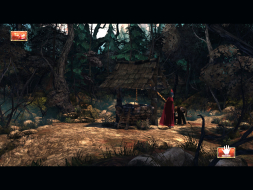
4:3


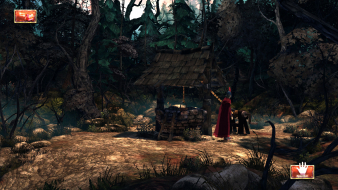
16:10


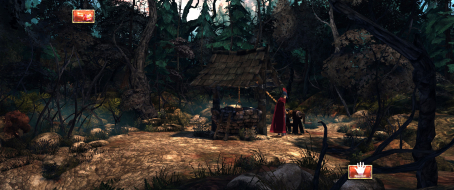
16:9


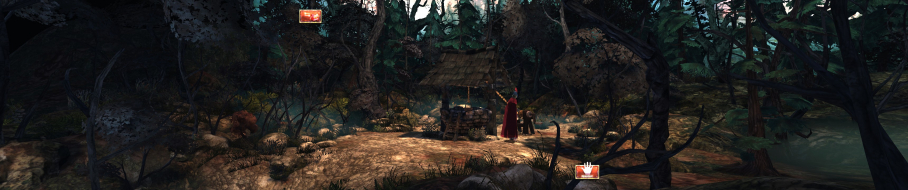
21:9


3x1

CZARMAN aka 彼得爸爸
idk31
Posts: 7
Joined: 30 Sep 2016, 05:39

Re: King's Quest: The Complete Collection

Post by idk31 »

The addition to the .ini file to change the FOV must now be placed under [GrahamsGame.GppPlayerInput] to work.
Syraxis
Posts: 1
Joined: 05 Jan 2017, 15:29

Re: King's Quest: The Complete Collection

Post by Syraxis »

I still have issues using the 21:9 fix at 3440x1440.

The edited hex values work, but the FOV setting doesn't always work as intended. I took some comparison screenshots.

http://imgur.com/a/njJVb

Sets 001, 006 and 007 are perfect, whereas sets 002, 003, 004 and 005 have a wrong FOV. All screenshots were taken with the same hex and FOV fix.

Is there any way to fix this?
Brynwall
Posts: 3
Joined: 28 Mar 2017, 05:43

Re: King's Quest: The Complete Collection

Post by Brynwall »

I have the same problem as Syraxis. Is there any fix to this?
Brynwall
Posts: 3
Joined: 28 Mar 2017, 05:43

Re: King's Quest: The Complete Collection

Post by Brynwall »

Would it be possible to play with the FOV and instead of 65 use a different number? I don't want to fuck it up by messing around with it too much...
User avatar
czarman
Insiders
Insiders
Posts: 685
Joined: 11 Dec 2008, 23:51
Location: Germany

Re: King's Quest: The Complete Collection

Post by czarman »

Off course you can add more FOV Values:

Bindings=(Name="F1",Command="FOV 65",Control=False,Shift=False,Alt=False,bIgnoreCtrl=False,bIgnoreShift=False,bIgnoreAlt=False)
Bindings=(Name="F2",Command="FOV 70",Control=False,Shift=False,Alt=False,bIgnoreCtrl=False,bIgnoreShift=False,bIgnoreAlt=False)
Bindings=(Name="F3",Command="FOV 75",Control=False,Shift=False,Alt=False,bIgnoreCtrl=False,bIgnoreShift=False,bIgnoreAlt=False)
Bindings=(Name="F4",Command="FOV 80",Control=False,Shift=False,Alt=False,bIgnoreCtrl=False,bIgnoreShift=False,bIgnoreAlt=False)
Bindings=(Name="F5",Command="FOV 85",Control=False,Shift=False,Alt=False,bIgnoreCtrl=False,bIgnoreShift=False,bIgnoreAlt=False)
Bindings=(Name="F6",Command="FOV 90",Control=False,Shift=False,Alt=False,bIgnoreCtrl=False,bIgnoreShift=False,bIgnoreAlt=False)
Bindings=(Name="F7",Command="FOV 95",Control=False,Shift=False,Alt=False,bIgnoreCtrl=False,bIgnoreShift=False,bIgnoreAlt=False)
CZARMAN aka 彼得爸爸
Brynwall
Posts: 3
Joined: 28 Mar 2017, 05:43

Re: King's Quest: The Complete Collection

Post by Brynwall »

Awesome, thank you!!! I was going to try that, but didn't know what numbers to use (if I should go up or down).
DJCyRo
Posts: 6
Joined: 05 Jan 2016, 21:52

Re: King's Quest: The Complete Collection

Post by DJCyRo »

I know this is an old game, but just fired it up. Trying to get NVidia surround to work. Game lets me set a resolution of 5760x1080, but i only see graphics on middle monitor.

I don't seem to have a GrahamsGame.upk file. I do have a GrahamsGame_LOC_INT.upk.

I have a GrahamsGame.u file too.

Any help would be appreciated.
Post Reply

Who is online

Users browsing this forum: No registered users and 6 guests