World of Tanks

Detailed breakdowns of how games react to widescreen, ultra-wide, 4k and multi-mon
Post Reply
fuzioninfinity
Insiders
Insiders
Posts: 162
Joined: 18 Oct 2008, 03:58

World of Tanks

Post by fuzioninfinity »


Widescreen Grade: A
Ultra-Widescreen Grade: Incomplete
Multi-monitor Grade: B
4k Grade: Incomplete

Read Full Detailed Report - World of Tanks

World of Tanks is a free-to-play World War II based tank MMO. You are a permanent resident of your tank and engage in various tank on tank battles in upgradeable WWII era tanks.


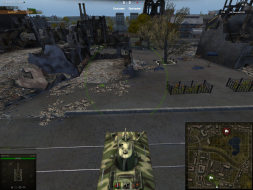
4:3


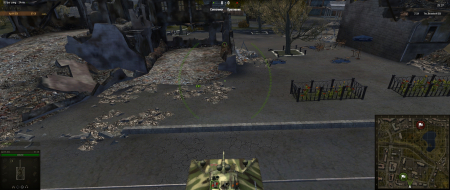
16:10


16:9


21:9


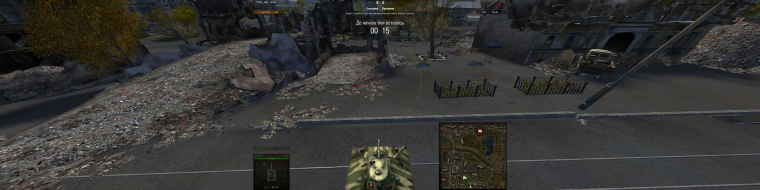
3x1

Last edited by fuzioninfinity on 21 May 2014, 11:35, edited 4 times in total.
Reason: Edit
The_cranky_hermit
Insiders
Insiders
Posts: 3010
Joined: 07 Nov 2005, 04:16

Re: World of Tanks

Post by The_cranky_hermit »

We should wait for the full version to come out before confirming the game has no issues.

Grade: C
Potential grade: Certified

Major outstanding DR omissions:
Will the full game have any issues?

CCE: 78%
vasyan
Posts: 2
Joined: 19 May 2014, 07:53

Re: World of Tanks

Post by vasyan »

why is it silver, when interface is on central monitor?
User avatar
scavvenjahh
Editors
Editors
Posts: 3424
Joined: 06 Mar 2008, 17:20

Re: World of Tanks

Post by scavvenjahh »

Probably because the game has received many patch updates since the DR was posted... If you have more up-to-date comparison screenshots to upload, don't be shy ;)
User avatar
Skid
Administrators
Administrators
Posts: 1031
Joined: 02 Nov 2009, 12:14
Location: Lincoln, UK
Contact:

Re: World of Tanks

Post by Skid »

I've changed the Multi-Monitor HUD flag to Optimized, since it's now centred, the game is still marked a B because accourding to the DR it requires an .ini edit to get working on a multi-monitor system. If this is not the case any more, please edit the "Multi-Monitor Support" -> "Multi-Monitor Method" and "Eyefinity / Surround Specific Solution & Issues" fields with the correct current information.
: ) Skid : )
My Multi-Monitor Focused YouTube Channel: http://www.youtube.com/c/SkidIncGaming
My Twitch channel which I've been known to stream on from time to time: http://www.twitch.tv/SkidInc
"Imagination is the only weapon in the war against reality."
AlexM75
Posts: 1
Joined: 13 Mar 2015, 20:57

Re: World of Tanks

Post by AlexM75 »

Hi all!
After a lot of thought and research, I decided to go for 21:9 1440p screen. My biggest worry was WOT since i play it A LOT. Yes, the game offers you the native resolution but not the correct aspect ratio, 19:10 at best. I googled a bit and found a solution and it works perfectly! Just search for the file named "preferences.xml" and edit it in notepad. Scroll down and look for aspect ratio in text - change the setting to 2.333333 (21 divided by 9), save it and start the game.
p.s.
location: C:\Users\"your computer name"\AppData\Roaming\Wargaming.net\WorldOfTanks
Wahngrok
Posts: 1
Joined: 03 Nov 2015, 15:03

Re: World of Tanks

Post by Wahngrok »

Finally they added an automatic detection of the aspect ratio in full-screen mode. So 21:9 now works nativly.
RomanKory
Posts: 49
Joined: 19 Aug 2008, 21:46

Re: World of Tanks

Post by RomanKory »

What are the recommended FOV setting for 3840x1024. The game has 70-120, with 95 as default.
Also has option for Dynamic FOV. You can set min FOV for when zoomed in, and max FOV for when zoomed out.

Xapuyc
Posts: 7
Joined: 01 Oct 2016, 15:31

Re: World of Tanks

Post by Xapuyc »

I use NVidea surround and edit ini as descripted this. I get Incorrect crosshair, see screenshot.
Sorry for my english.
Image
Post Reply

Who is online

Users browsing this forum: No registered users and 6 guests