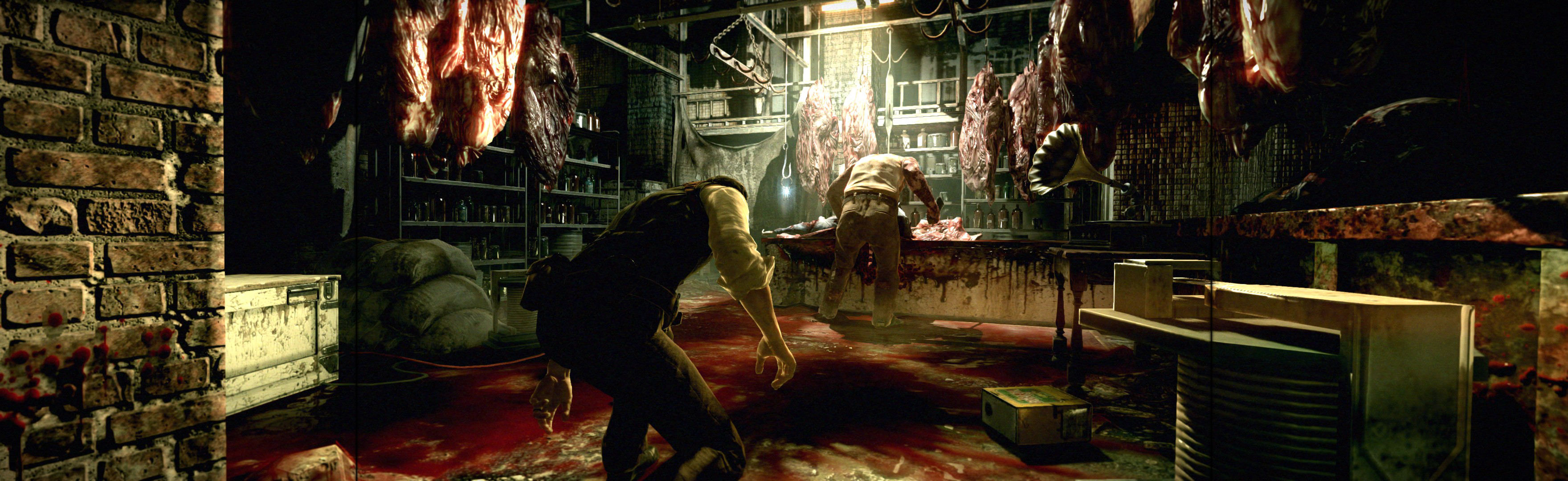
The Evil Within

Topics about game solutions, and success or failure in getting them to work.
User avatar
Rifte
Posts: 25
Joined: 04 Oct 2014, 15:31

Re: The Evil Within

Post by Rifte »

21_9 PC Gamer wrote:Massive thanks to HaYDen he has now fixed the plugin so its working again!


HaYDeN.....legends.....good work buddy and thankyou

bloodgual
Posts: 7
Joined: 10 Mar 2015, 16:10

Re: The Evil Within

Post by bloodgual »

i meant to come here sooner and say thanks but i am here now to report a trouble.

was working fine prior 2 days ago, then i updated the plugin stupidly with out first backing up my files or updating my archive of flawlesswidescreen with the plugin i had working included and now i have an error
Configure function call for the attached process failed, retrying in 33 seconds...

Last Error:
Could not find LetterBoxFix2 injection point, The Evil Within may have updated to a version that is no longer supported.

Try restarting The Evil Within or selecting a different version and re-enable the fix.


i tried doing an extensive google search for an older plugin and i get similar errors with an older one
Could not find BloomFix injection point, The Evil Within may have updated to a version that is no longer supported.

Try restarting The Evil Within or selecting a different version and re-enable the fix.


if some kind person that was wise enough to avoid the very latest plugin update the one prior to FWS_plugin.fws version 2.1.85 rev 4 going live and can post a link so i can download what i need to run the older plugin, would be much appreciated.

i cannot play this with any other version out there on the web that are floating around because they all crash otherwise i would have the option of switching out and using a different version of evilwithin.exe but i cannot. i crash with every one i tried except the one i am using now which is the ALi213 files. dont hate i did not steal this game i am simply using the exe as a workaround for the crashing.

-PS to the maker of flawlesswidescreen, would be great if there was a rollback option for when updated plugins get pushed live and break something, that those users can rollback to the version they had when everything was working. thanks

21_9 PC Gamer
Posts: 30
Joined: 15 Feb 2015, 23:11

Re: The Evil Within

Post by 21_9 PC Gamer »

bloodgual wrote:i meant to come here sooner and say thanks but i am here now to report a trouble.

was working fine prior 2 days ago, then i updated the plugin stupidly with out first backing up my files or updating my archive of flawlesswidescreen with the plugin i had working included and now i have an error
Configure function call for the attached process failed, retrying in 33 seconds...

Last Error:
Could not find LetterBoxFix2 injection point, The Evil Within may have updated to a version that is no longer supported.

Try restarting The Evil Within or selecting a different version and re-enable the fix.


i tried doing an extensive google search for an older plugin and i get similar errors with an older one
Could not find BloomFix injection point, The Evil Within may have updated to a version that is no longer supported.

Try restarting The Evil Within or selecting a different version and re-enable the fix.


if some kind person that was wise enough to avoid the very latest plugin update the one prior to FWS_plugin.fws version 2.1.85 rev 4 going live and can post a link so i can download what i need to run the older plugin, would be much appreciated.

i cannot play this with any other version out there on the web that are floating around because they all crash otherwise i would have the option of switching out and using a different version of evilwithin.exe but i cannot. i crash with every one i tried except the one i am using now which is the ALi213 files. dont hate i did not steal this game i am simply using the exe as a workaround for the crashing.

-PS to the maker of flawlesswidescreen, would be great if there was a rollback option for when updated plugins get pushed live and break something, that those users can rollback to the version they had when everything was working. thanks

Latest plugin works fine with the new patch you need to go to Steam & update the game its 2 patches totalling 10.1Gb as the DLC # 1 came out today.
bloodgual
Posts: 7
Joined: 10 Mar 2015, 16:10

Re: The Evil Within

Post by bloodgual »

so, it works for you therfore theres no problem and i am just dreaming or no on the plugin before last update?

i am not about to download any DLC or update, i am lucky it plays without crashing as is, im just asking for the plugin before this last update, which i know worked. if that is not something that can be provided then just say so.
BuckoA51
Posts: 4
Joined: 09 Mar 2015, 17:11

Re: The Evil Within

Post by BuckoA51 »

Doesn't work for me, I just get this error message over and over

c_HackTool - Failed to open process, error code = 5.

I only just got the game, so I don't know if it is an update that broke it or what.
21_9 PC Gamer
Posts: 30
Joined: 15 Feb 2015, 23:11

Re: The Evil Within

Post by 21_9 PC Gamer »

As I said before if you legit own the game Steam will patch it twice then the latest FWS works just fine as it should! Steam auto patches nowadays there is no way to disable that anymore so I can only assume if it does not patch you either:

1: Do not own the game legit.
2: You cannot connect to Steam online to get the patch(s).
User avatar
Funkengreuven
I Donated
I Donated
Posts: 92
Joined: 30 May 2012, 03:56

Re: The Evil Within

Post by Funkengreuven »

Does the DLC break the current fix if you install it? I can't figure out reading the posts if it does or not. I am able to play it fine in 21:9 now with latest Steam patch and FWS. I want to get the DLC, but not if its going to break the fix. Anyone know for sure?
| i7 3930K | 16GB Mushkin Redline 2133MHz | ASUS Rampage IV Formula | EVGA 2080ti SC ULTRA | EVGA Supernova 1200W PS | 2x Samsung EVO 500GB SSD RAID 0 | 2x IBM 520 SSD 240GB | Rosewill Blackhawk | 3x Acer Predator G-Sync 144MHz @ 7680x1440 |
21_9 PC Gamer
Posts: 30
Joined: 15 Feb 2015, 23:11

Re: The Evil Within

Post by 21_9 PC Gamer »

Funkengreuven wrote:Does the DLC break the current fix if you install it? I can't figure out reading the posts if it does or not. I am able to play it fine in 21:9 now with latest Steam patch and FWS. I want to get the DLC, but not if its going to break the fix. Anyone know for sure?
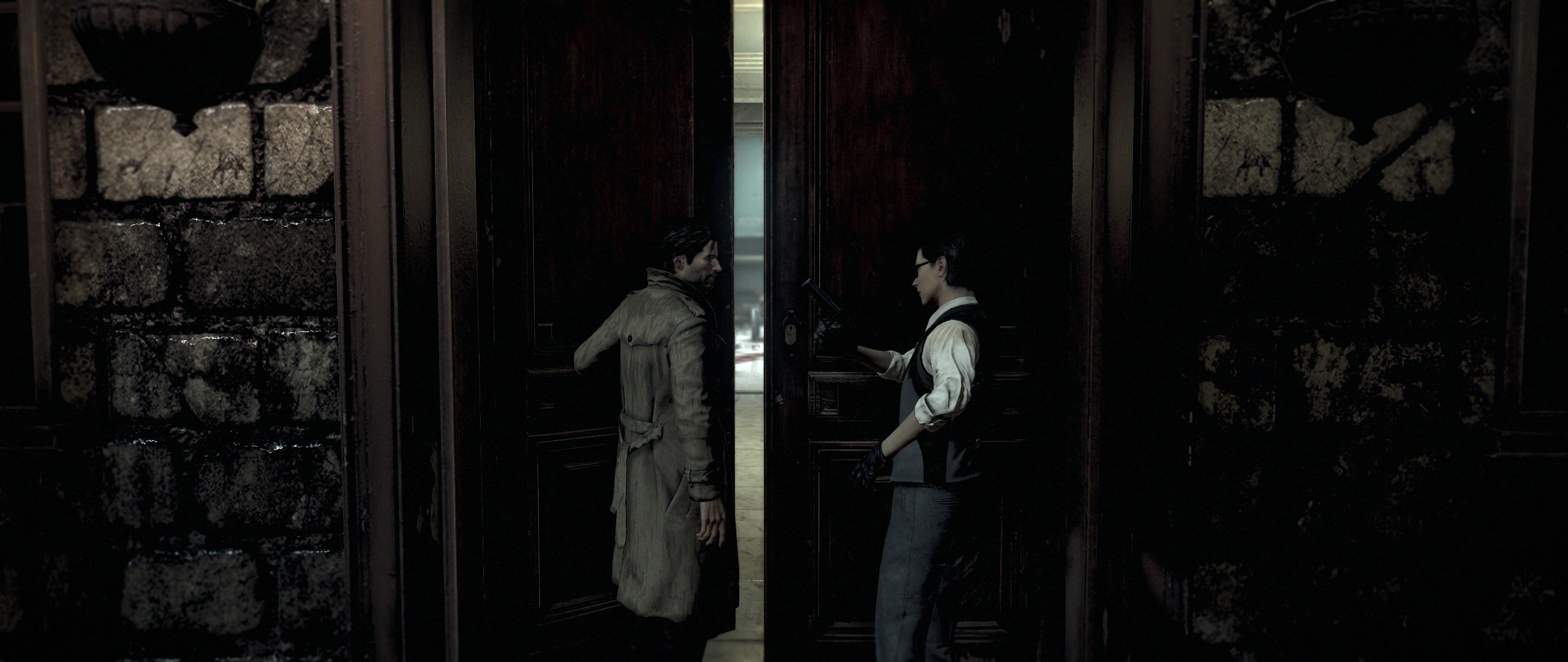
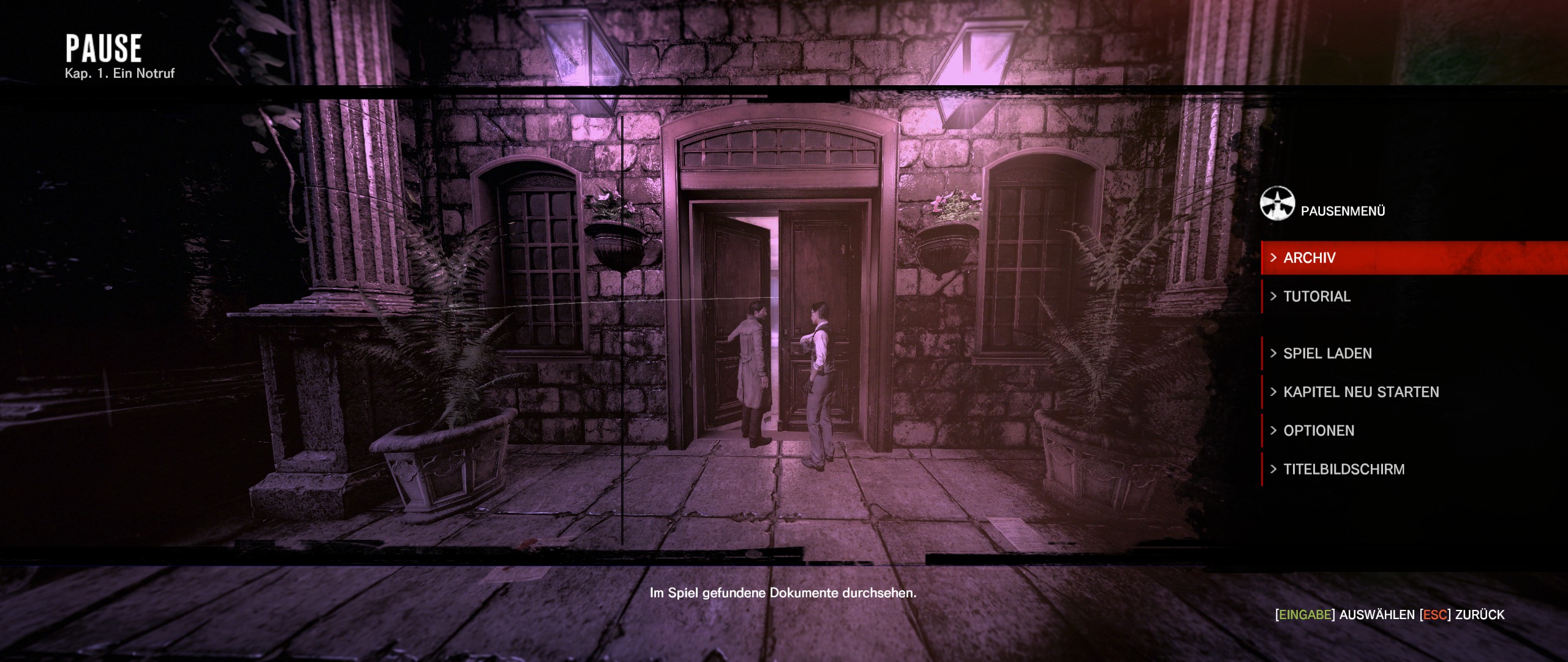
DLC works 100% with latest fix I own the season pass it all looks good to me in 21:9. Here are some screenshots I took of it in 21:9 a few days ago:
Spoiler:
Image

Spoiler:
Image

Spoiler:
Image

Spoiler:
Image

Spoiler:
Image

Spoiler:
Image

Spoiler:
Image
djfritz_1999
Posts: 1
Joined: 23 Mar 2015, 13:44

Re: The Evil Within

Post by djfritz_1999 »

Hi Guys,

I believe I can clear up the confusion here. The current plugin for The Evil Within doesn't work if you are running the original unpatched version of the game (cracked or retail, DLC or no). You will get an error regarding the LetterBox2 injection point or similar. If you have the steam version of the game, you are likely not having the issue as the game is being kept up to date, DLC or no.

If you are running the game by installing from an ISO image or BluRay disc, you will need to obtain the latest patch by going to the Bethesda website and downloading it there. If you are running a cracked version, you will need to apply the update, then obtain a crack for the current version of the game. You do not need to have the DLC to update to the latest version. There are update files for both the DLC and the base game.
Jackkend76
Posts: 1
Joined: 15 May 2015, 02:18

Re: The Evil Within

Post by Jackkend76 »

I too am having a problem. I'm trying to run 5760x1080 res. The game is fully updated, Flawless Widescreen is fully updated. When the game starts I get sounds but no display until it has you press any key to proceed. Then I only get a picture on the main center screen. I can arrow through options but cannot see them. The mouse is constrained to the center screen. Any thoughts?
User avatar
Oran1
Posts: 3
Joined: 15 May 2015, 19:54
Location: Gibraltar
Contact:

Re: The Evil Within

Post by Oran1 »

I played this some time ago and i can tell you it isn't that good even story wise it gets boring pretty fast -_- or maybe it was just me.
dark3zz
Posts: 10
Joined: 20 Oct 2015, 15:09

Re: The Evil Within

Post by dark3zz »

too bad. the game is on sale. but i am sick of that fov....

widescreenfixer wont work anymore with The Evil Within. If i hit Escape, it works, but ingame, the camera moves and its unplayable......


any ideas how to fix the FOV ?


flawless widescreen:


working when i hit escape
Image


ingame - horrible
Image
imusrt
Insiders
Insiders
Posts: 291
Joined: 21 Oct 2014, 23:33

Re: The Evil Within

Post by imusrt »

dark3zz, you can fix it. The problem is you are 21:9, you need to enforce your resolution on FWS (same as Manual PLP).

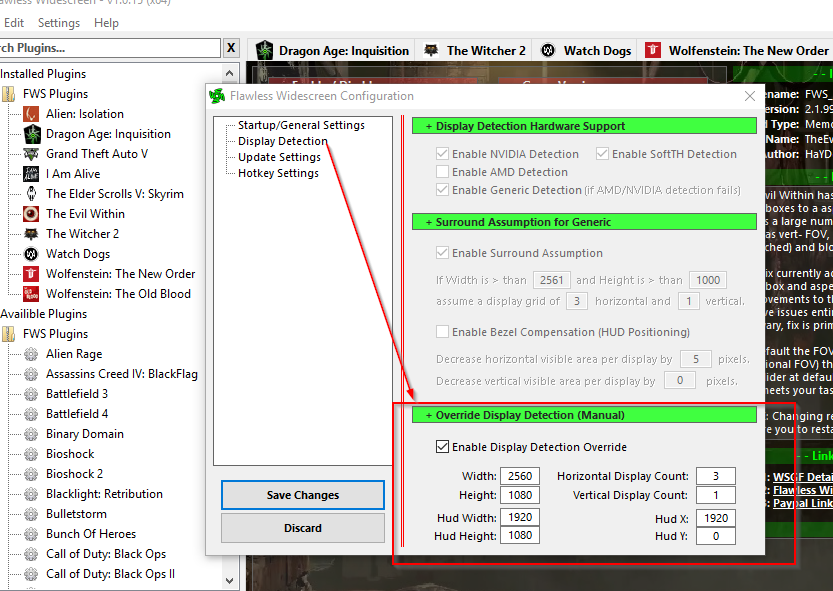
In FWS, go to menu Settings, Configuration, Display Detection. Checkmark Enable Detection Override; enter Width & Height (fullscreen), HUD W&H (fake center's size* ), HUDX (fake side width *), HUDY zero. And you have 3 monitors, not one. Save Changes.

* Note that to get this working you need to pretend you have PLP:
- Your fake center: 1920x1080
- Your fake sides width: 320 (which is 2560 minus 1920, divided by 2)
- You have 3 fake montors (not 1).
(fake values will make good HUD & spread game properly)
(all this assuming your normal resolution is 2560x1080)

Image
Details: http://www.wsgf.org/blog/imusrt/2015/09/18/evil-within-dlc-manual-plp-instructions-2014

If you like the game, recommend DLC: The Executioner. Great fun, OP 1st person melee slaughter & minimal sneaking.
dark3zz
Posts: 10
Joined: 20 Oct 2015, 15:09

Re: The Evil Within

Post by dark3zz »

hei imusrt, that helped alot, thank you so much !

i didnt recognized that i can force my resolution with the tool :)

i hope it is right this way ? looks much better ingame now


Image

and i deactivated the Letterbox Fix in the Plugin
imusrt
Insiders
Insiders
Posts: 291
Joined: 21 Oct 2014, 23:33

Re: The Evil Within

Post by imusrt »

dark3zz, that looks right. Glad it worked. DLC will work same, & many other games. So worth attempting when a problem. But won't work for all games. Depends on what FWS is actively doing in its fix, which varies by game.
User avatar
HaYDeN
Insiders
Insiders
Posts: 761
Joined: 14 Feb 2010, 13:39

Re: The Evil Within

Post by HaYDeN »

imusrt wrote:dark3zz, that looks right. Glad it worked. DLC will work same, & many other games. So worth attempting when a problem. But won't work for all games. Depends on what FWS is actively doing in its fix, which varies by game.


Thanks for propagating the knowledge imusrt, I'm not sure why more people don't realize this is possible, I have tried to point it out a few times previously.

Support for PLP and constraining automatically to 16:9 is behavior that probably needs to be present by default, that is the chief problem with the majority of games in that they are designed only for 16:9.
Resident Jester - Flawless Widescreen - Widescreen gaming the way it should be.
[Steam Profile]

Want to keep Flawless Widescreen alive? Donate Here
User avatar
HaYDeN
Insiders
Insiders
Posts: 761
Joined: 14 Feb 2010, 13:39

Re: The Evil Within

Post by HaYDeN »

Perhaps this is helpful:

Image

Altho I've never tested 3:2 display stack, although I've tried to support it from the beginning :P
Last edited by HaYDeN on 25 Dec 2015, 07:15, edited 1 time in total.
Resident Jester - Flawless Widescreen - Widescreen gaming the way it should be.
[Steam Profile]

Want to keep Flawless Widescreen alive? Donate Here
User avatar
HaYDeN
Insiders
Insiders
Posts: 761
Joined: 14 Feb 2010, 13:39

Re: The Evil Within

Post by HaYDeN »

And for 21:9 (2560x1080) when a 16:9 HUD is desired (1920x1080):

Image

However - it's correct to note that sometimes the implementation doesn't always lend itself well to this specific solution.
Resident Jester - Flawless Widescreen - Widescreen gaming the way it should be.
[Steam Profile]

Want to keep Flawless Widescreen alive? Donate Here
imusrt
Insiders
Insiders
Posts: 291
Joined: 21 Oct 2014, 23:33

Re: The Evil Within

Post by imusrt »

Wouldn't 21:9 also need "Horizontal Display Count: 3" ? (for fake PLP)
Also your idea for FWS improvement sounds great. Current fake-PLP workaround is not obvious, for those with 21:9. And over time we will see people using more varied resolutions.

Related FWS improvement (which is likely too low priority & annoying dev):
for manual (non-Eyefinity) MM spread, FWS could work better if it had an option to "always enforce resolution" (default or override), on every game it supports.
Last edited by imusrt on 26 Dec 2015, 00:18, edited 1 time in total.
dark3zz
Posts: 10
Joined: 20 Oct 2015, 15:09

Re: The Evil Within

Post by dark3zz »

hei, Hayden and imusret, you are two great guys, thanks for helping here...

- does this fix work also for every game like Blacklist ? that game is the only one which i dont have a solution yet.......
Post Reply

Who is online

Users browsing this forum: Bing [Bot], Semrush [Bot] and 8 guests