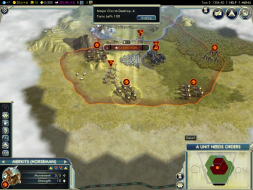
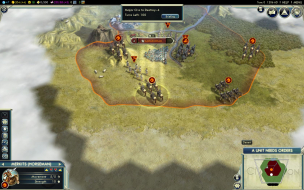
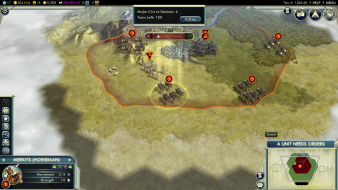
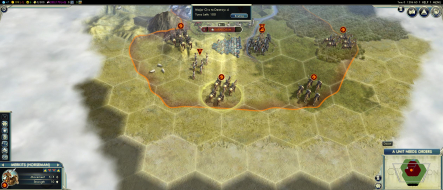
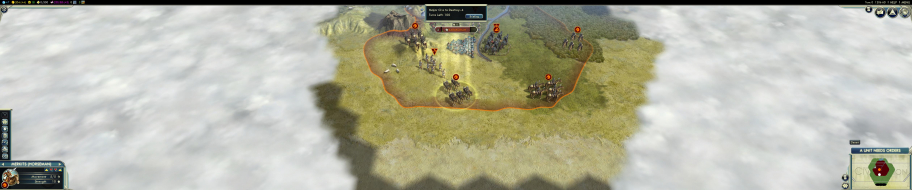
Civilization V is a turn-based 4X game developed by Fireaxis and released on Sept 21, 2010. Much like previous Civilization titles, the aim is to create a civilization to face all challenges.
The player may opt for a strategic military campaign or a peaceful one based on diplomacy. The game starts in prehistoric times and moves towards modern-day technologies as the game continues. The player must build cities as well as units with which to interact with the terrain and other civilizations.
Before updates about a year ago I could play in 3d surround @5100 x 900 with i5 2500k and 2x gtx570's and get about 15fps when fully zoomed and most settings maxed. Most of settings wouldn't help fps but at normal zoom i'd get about 45fps so that was all good. and it never crashed!! not even on my old pentium4! But then the update happened. When i'd go to zoom out (even on a fresh game) it would last about 5 secconds before freezing and the only to get out was ctrl alt delete, start task manager and hit 'close program' in the error window titled 'civ v has stopped working'. Now ive upgraded to i73820 and 3x gtx670's and performance is the same and freezing problem remains. I've got the gods and kings expansion and that doesn't help either. I haven't tried to roll back to a previous version and the problem could actually be caused by nvidia driver updates. Really dissapointing because the game ran so well before and now it is unplayable. If anyone is playing this game in surround and having success i'd sure like to know!! Also what happened to the detailed reports for so many games on WSGF that I used to look at? It seems they have just dissapeared!
win7 64bit 6120x1080 res 16gb ram 2gb vram (usage at about 1700meg before crash) Civ v on Steam with all updates and expansion nvidia 314.22
dinglesniff wrote:I have 2 titans and 3 30" monitors I loaded up the game and it goes nowhere just a black screen.
2560 x 1600 in non surround mode works does anyone know how to make this work?
I'm having the exact same issue. Also occurring with Sid Meier's Railroads! (even if set to windowed mode via .ini).
There has to be a fix available. I'm trying to contact nVidia and 2K support... but no responses yet.
Figured it out. Delete all of the opening video files (eg Civ5_Opening_Movie_en_US.wmv) from the root folder of the game. Now launches with no problems.
dinglesniff wrote:I have 2 titans and 3 30" monitors I loaded up the game and it goes nowhere just a black screen.
2560 x 1600 in non surround mode works does anyone know how to make this work?
I'm having the exact same issue. Also occurring with Sid Meier's Railroads! (even if set to windowed mode via .ini).
There has to be a fix available. I'm trying to contact nVidia and 2K support... but no responses yet.
Figured it out. Delete all of the opening video files (eg Civ5_Opening_Movie_en_US.wmv) from the root folder of the game. Now launches with no problems.
I have 2 Titans and 3 U2713HM (2560x1440) and I just tried that but it didn't work for me
DjFIL wrote: Figured it out. Delete all of the opening video files (eg Civ5_Opening_Movie_en_US.wmv) from the root folder of the game. Now launches with no problems.
I have 2 Titans and 3 U2713HM (2560x1440) and I just tried that but it didn't work for me
Getting the same issue with 1 Titan and 3 VG248QE (1920 x 1080). Tried deleting the videos also.
spydercanopus wrote:This is gorgeous, but... I don't think it deserves an A because the HUD is too wide set.
Any way to keep the HUD on the center screen? Having it all the way to the left is a huge pain to play.
Its not rated A for Multi-Monitor though, only B rating. Widescreen only should be A rated, HUD should be to the far sides on a single monitor. I believe its a fair rating.
| i7 6850K Broadwell-e @4.2Ghz | DDR4 32GB @3200Mhz| 2x Msi 1080 X | Asus X99 Deluxe II /H110i/AX1200iw | | 3x Dell P2314H @ 5760x1080 + Philips 43" 4K IPS BDM4350UC Monitor + Oculus Rift CV1 | | 1*Samsung EVO 960 500GB NVMe x4 gen.3 | 2x Intel SSD SATA III Raid 0 | 2x Intel SSD SATA III Raid 0 | 2x 2TB SSHD Seagate SATA III Raid 0 | | Logitech G810 - G502 - G240 - G27 - G940 - | TrackIR 5 Pro | Saitek RHINO X55 HOTAS | Xbox One Elite Gpad | Asus Vulcan Pro | Asus Xonar U7 | Sony STR-DE495P External Surround Home Cinema Reciever |