


Divinity: Dragon Commander (Triple Monitors / Eyefinity / Su

Comments on blog posts from WSGF members
Post Reply
User avatar
Skid
Administrators
Administrators
Posts: 1031
Joined: 02 Nov 2009, 12:14
Location: Lincoln, UK
Contact:

Divinity: Dragon Commander (Triple Monitors / Eyefinity / Su

Post by Skid »


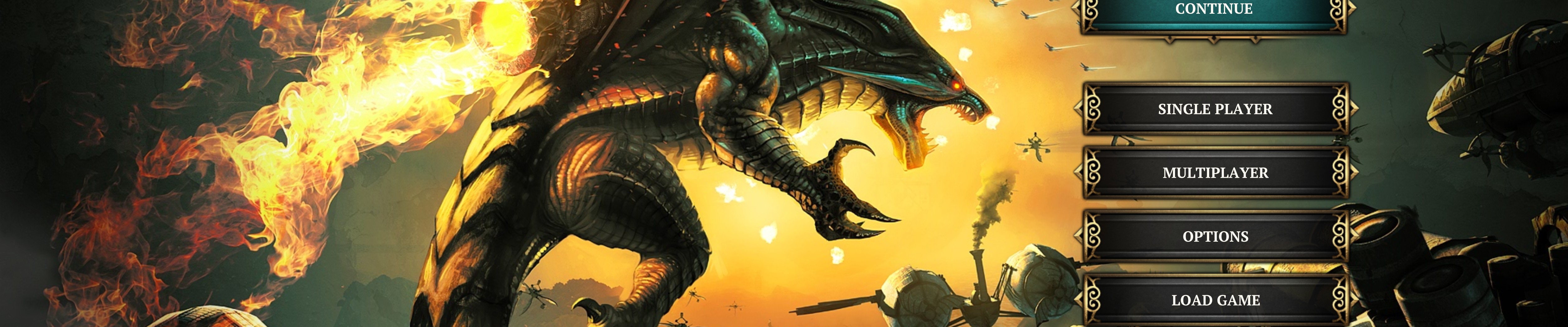
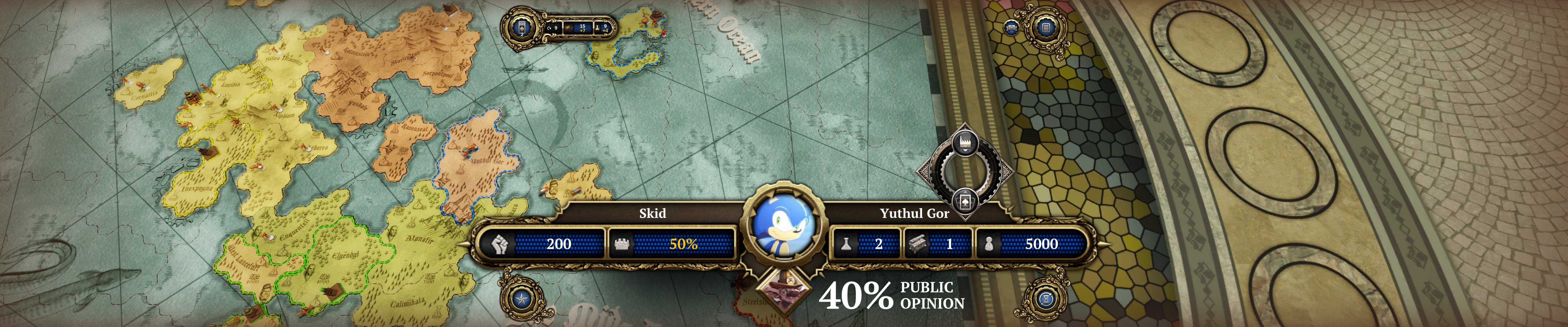
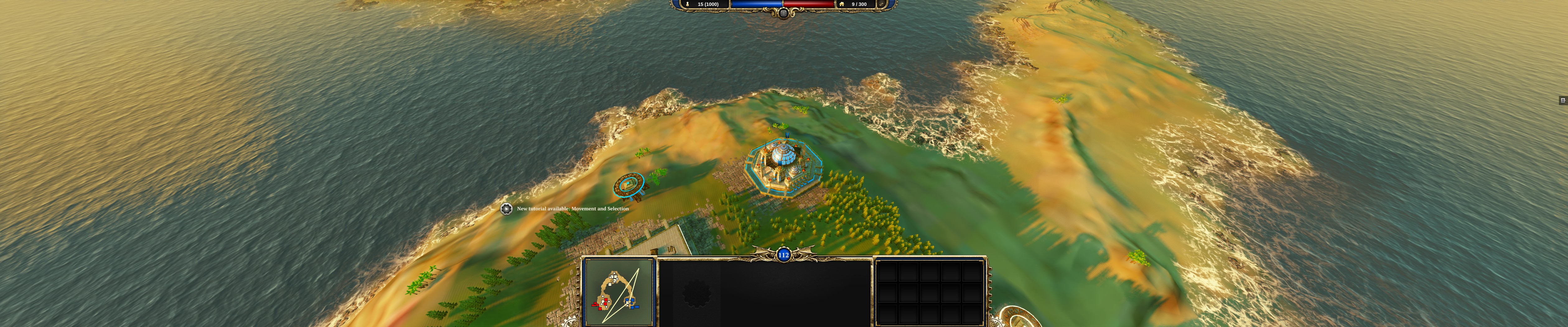
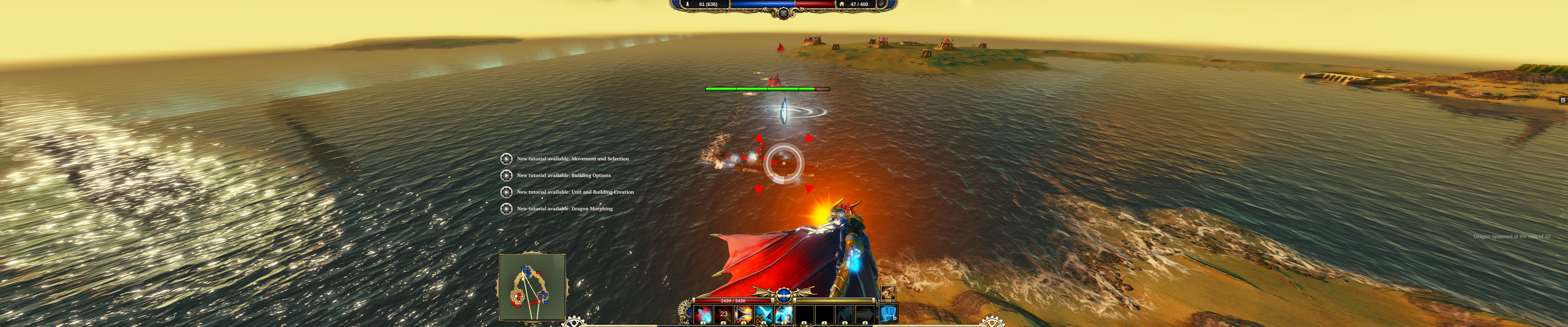
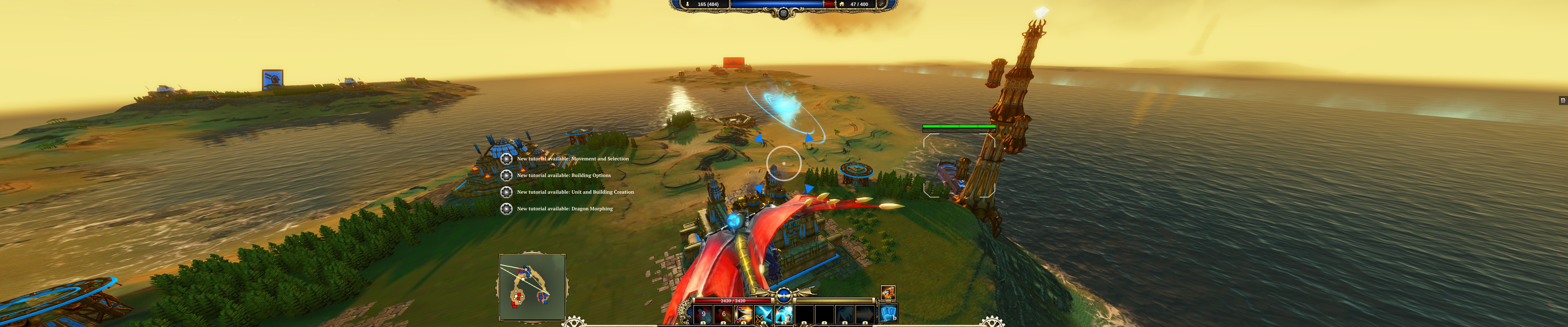
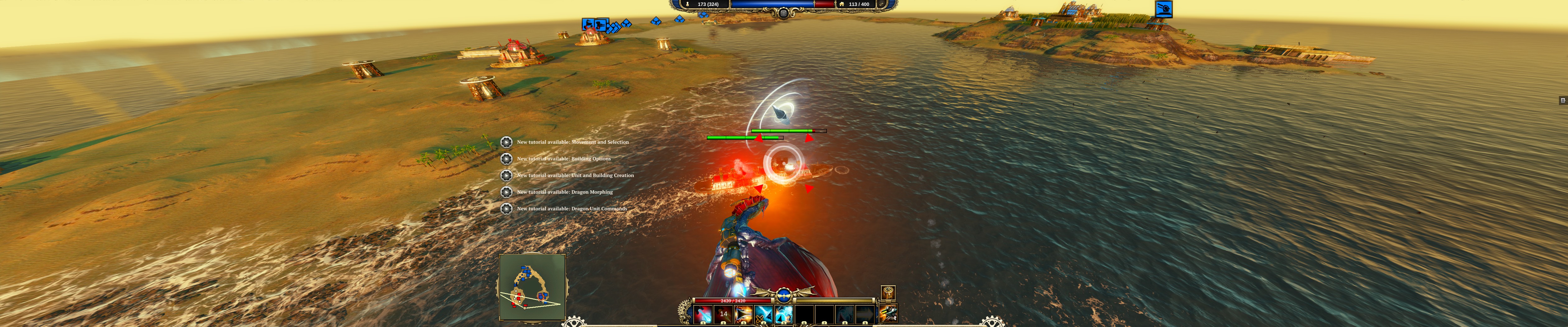
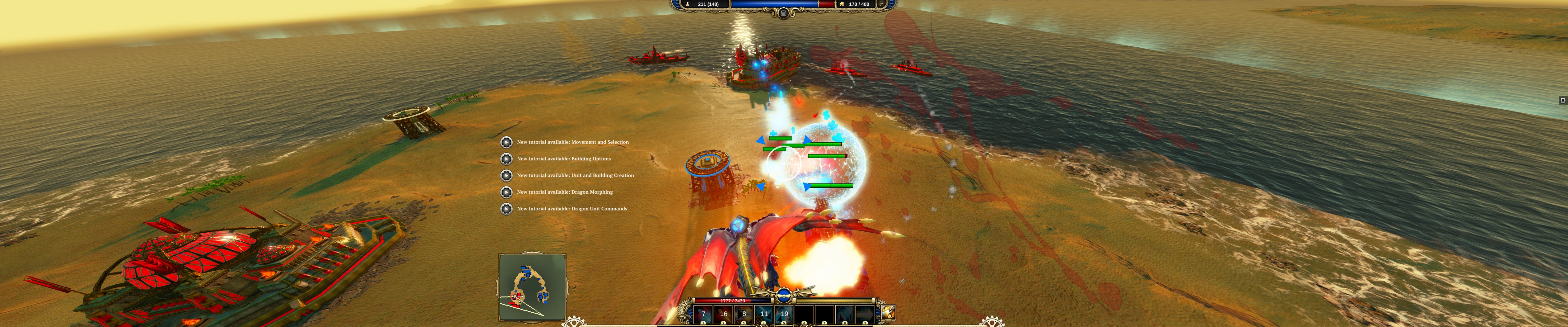
Divinity: Dragon Commander is a strategy game that implements many different elements, from moving your forces around a turn based strategic view, to morphing into a dragon with a jetpack in the real-time tactical battles, to managing your empires and trying to keep the 5 factions councillors happy via the games political systems. The game has a ton of dialogue that is well delivered and helps deliver the story as well as add depth to the characters you'll have to detail with in the political section of the game. The game is a mixed bag in terms of multi-monitor support, some of the UI is fine and centred to a 16:9 aspect ratio, others are scaled and stretched making them very large and cutting the top and bottom off them. The games 3D all renders horizontal plus, and inspite of some of the issues with the UI it can still be used so the game isn't completely broken because of it.

The video itself is part analysis, part walkthough and part waffle, feel free to like or dislike my video and comment are always welcome too.


Direct Video Link: Divinity: Dragon Commander (Triple Monitors / Eyefinity / Surround) [~4K]
Channel Link: /n11skid


While this video can be watched on any screen it has been encoded to look best on a multi-monitor system, so if your running such a system, then select original quality from the drop down box and watch in fullscreen.








: ) Skid : )
My Multi-Monitor Focused YouTube Channel: http://www.youtube.com/c/SkidIncGaming
My Twitch channel which I've been known to stream on from time to time: http://www.twitch.tv/SkidInc
"Imagination is the only weapon in the war against reality."
Toothless Spoon
Insiders
Insiders
Posts: 516
Joined: 01 Sep 2010, 11:38

Re: Divinity: Dragon Commander (Triple Monitors / Eyefinity

Post by Toothless Spoon »

I've played this and it's great to see a strategy have almost flawless multimonitor support and a centre HUD in game! The problem are the zoomed menus, which make it very hard to select anything, but if hayden, or helifax get their hands on a copy, I can't imagine it would be hard to fix.
起死回生 (kishi kaisei) Wake from death and return to life..
User avatar
desertsnake54
Posts: 1
Joined: 14 May 2012, 16:43

Re: Divinity: Dragon Commander (Triple Monitors / Eyefinity

Post by desertsnake54 »

Sorry Guys, I must have missed it but I can't figure out how to get above 1920 x 1200 in Dragon Commander. Been using 5720 x 1200 for some time but when I start DC my only option is 1920 x 1200 at max. What have I missed? The video above is what sold me on buying DC on STEAM.
My system,
EVGA x58 E748,
i7 980x.
24 GB ram.
2 x HD 7970 GE
HELP!
Thanks, troy.
Toothless Spoon
Insiders
Insiders
Posts: 516
Joined: 01 Sep 2010, 11:38

Re: Divinity: Dragon Commander (Triple Monitors / Eyefinity

Post by Toothless Spoon »

desertsnake54 wrote:Sorry Guys, I must have missed it but I can't figure out how to get above 1920 x 1200 in Dragon Commander. Been using 5720 x 1200 for some time but when I start DC my only option is 1920 x 1200 at max. What have I missed? The video above is what sold me on buying DC on STEAM.
My system,
EVGA x58 E748,
i7 980x.
24 GB ram.
2 x HD 7970 GE
HELP!
Thanks, troy.


I believe when I load up it uses your desktop resolution - but I believe there is an .ini file you can edit to try and force the resolution. The problem is the menu's though are vert-.
起死回生 (kishi kaisei) Wake from death and return to life..
Foe_West
Posts: 2
Joined: 12 Jul 2013, 22:44

Re: Divinity: Dragon Commander (Triple Monitors / Eyefinity

Post by Foe_West »

I also cannot find a way to get this game running at a multimonitor resolution, I have a amd radeon 7770 running 3840 by 1024 eyefinity, dragon commander only lists resolutions up to 1280 by 1024 and I found no .ini file that would let me change the resolution manually.
Toothless Spoon
Insiders
Insiders
Posts: 516
Joined: 01 Sep 2010, 11:38

Re: Divinity: Dragon Commander (Triple Monitors / Eyefinity

Post by Toothless Spoon »

Foe_West wrote:I also cannot find a way to get this game running at a multimonitor resolution, I have a amd radeon 7770 running 3840 by 1024 eyefinity, dragon commander only lists resolutions up to 1280 by 1024 and I found no .ini file that would let me change the resolution manually.


You must not be looking too hard:

Go to ...Documents\Larian Studios\Dragon Commander\graphicSettings.Isx and open with notepad/notepad++

Look down toward the end you'll see:

<node id="ConfigEntry">
<attribute id="MapKey" value="ScreenHeight" type="22" />
<attribute id="Type" value="0" type="5" />
<attribute id="Value" value="1080" type="4" /> <--------------Change this value
</node>
<node id="ConfigEntry">
<attribute id="MapKey" value="ScreenWidth" type="22" />
<attribute id="Type" value="0" type="5" />
<attribute id="Value" value="5760" type="4" /> <----------------- Change this value

I just went into the game and it lets me choose my resolution - I have Nvidia - which may be the problem you kids are having.
起死回生 (kishi kaisei) Wake from death and return to life..
Foe_West
Posts: 2
Joined: 12 Jul 2013, 22:44

Re: Divinity: Dragon Commander (Triple Monitors / Eyefinity

Post by Foe_West »

Thank you I had to mess around with fake full-screen but this worked.
Post Reply

Who is online

Users browsing this forum: No registered users and 1 guest