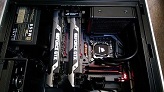
Using flawless widescreen using the setting stated above I can run it across all three monitors, but for some reason ALT + Enter is not maximizing the game. Does anybody know why this is?
Here is a photo of how it is stuck:
Here is a link so you can view it at the proper resolution: http://img4.imageshack.us/img4/8517/91953420.jpg
Alt-Enter works for me.... I'll review the way it is launched at some stage.
Using flawless widescreen using the setting stated above I can run it across all three monitors, but for some reason ALT + Enter is not maximizing the game. Does anybody know why this is?
Here is a photo of how it is stuck:
Here is a link so you can view it at the proper resolution: http://img4.imageshack.us/img4/8517/91953420.jpg
I have the same situation as you-alt +enter does not work for me as well. BTW it does for other games eg. BF3.
@ Slinky, on what screen do you hit alt + enter and it works? Also what drivers are you on?
@ HaYDeN, thank you.
Silverstone FT05 * Asus Maximus VII Formula* I7 4970k * Corsair H80i * 8GB Corsair Vengeance Pro* 2 x EVGA 980ti ACX superclocked * Crucial M4 256GB * Silverstone ST85F-GS 850W* Corsair SP2500 * 3 x 1 Samsung S27A950D's 1 x AOC 24" 1080p something..
Alt-enter doesn't work for me either when I run in dx9, but is fine in dx11, however 3d vision doesn't work in dx11 so would be really useful to find a way to maximise the screen in dx9.
I all, I've been trying to get this running with the latest Steam version of the game and neither Widescreen Fixer nor Flawless Widescreen appear to detect the current steam version of the game.
If you force Steam 1.3 in either then a new resolution appears in the game something like 1440x900x605040x1050x60800x600x60 which appears to be a combination of 3 resolutions together presumably because the memory hack is inserting the new resolution at the incorrect location in memory.
1. Download and install the latest version of L.A. Noire in steam.
2. Startup your chosen widescreen correction utility.
3. Enable the L.A. Noire fix, select latest steam version in the version dropdown
4. Startup L.A. Noire launcher and set the Comman Line option '--windowed' under options
5. Launch game
6. Click options --> video in the title screen
7. Cycle through resolutions.
If you select this resolution, all three screens you are presented with a blank screen until you alt-F4.
Tabbing out to view the widescreen utility window indicates that the fix is NOT enabled.
Will there be a fix for this, or would I be better off giving up and *GASP* playing on a single screen?
Either way thanks to all those who work on these widescreen fixes, this is the first game I have encountered for which there is a fix and it has ceased to function. So sincerely, thank you to all volunteers for making our widescreen gaming lives so much simpler!
I get the same behavior under Flawless Widescreen with version 1.3.1.1 of LA Noire from Steam. With the fix enabled and starting up LA Noire with the --windowed parameter, I can go to the resolution options and see an additional choice of resolution with a bunch of resolutions strung together in one big string. But, when I select it, I just get black on all three monitors. So far, I ended up just playing the first couple of cases single-screen.
I am having the same problems as markilleruk .... I guess I'm just gonna hold off on playing this game until there is a fix. I really wanted to be able to have it run at 60 fps on triple wide.
HaYDeN wrote:Using flawless widescreen using the setting stated above I can run it across all three monitors, but for some reason ALT + Enter is not maximizing the game. Does anybody know why this is?
Alt-Enter works for me.... I'll review the way it is launched at some stage.
start the game in dx11, Alt-Enter isn't even needed for me...the game starts in full screen. dx9 however, the game isn't in full screen mode and the Alt-Enter doesn't work.
as mentioned, 3D vision only works correctly with dx9. would you please take some time to look into this issue?
I might be a little late on that one... But, you know, Pile of Shame...
So, I finally decided to play L.A. Noire... Turns out the fixes available for the game won't work for me or at all. Flawless Widescreen adds a resolution to the game... But instead of the configured 2560x1080 resolution, 2560x1440 is added... WideSreenFixer adds a strange string to the resolution list just as described above.... Selecting this one and I get a black screen.
So anybody actually got L.A. Noire working in 21:9?
Hi All, (my first post on WSGS) I came on here to pop my cherry and say that I got this game on steam for $15 on sale about a year ago and I'm so upset that it doesn't work in triple screen properly. Anyhow the steam version is automatically updated to the newest version when downloaded so I'm pretty much SOL from what I gather.
I use Nvidia surround in a portrait array, I'm running 3240x1920 @ 120hz.
So far the widescreen fixer is not adding any resoltuion and it's only helping to uncap 30fps and bumping me to 60.
The only way I can even get the game to launch is by going into Landscape mode and running the game but it's only displaying on one monitor.
I've searched the web like crazy and can't find a fix.
Anytime I try to go portrait I get a error saying "LanLauncher has stopped working" By trial and error I realized SLi is fine to keep enabled, even triple screen works in landscape as far as launching the game, but once I go portrait that error pops up every time.
Editing the preferences file does nothing, and if I make the preferences file read only I get an exception error.
Bottom line, I think it may be best to download a old version of this game via BitTorrent and play that way. I bought a legal copy so I feel it's within my right to do so.
Any way to avoid this or am I actually SOL to run this in portrait nv surround? Did the older version work in portrait triple monitor as far as anyone knows?
Its working for me --> Use Flawless Widescreen for proper Widescreen: I updated screens for 21:9, 3x16:9 and 4K --> http://www.wsgf.org/dr/la-noire/en
Fix is a little clunky at the moment, you need to launch the game with --windowed (add this to the command line paramemters in the L.A. Noire launcher, not the steam launch options), then go to settings in the game and choose resolution then change it to the newly availible resolution, after launching you can disable the fix to allow you to navigate in game.
It isn´t working for me. I can´t select 3440x1440x120hz ingame. Max resolution is 2560x1440. Anybody knows, how to fix it? It is one of my fav games. I really want to try it out in 21:9. Widescreen fixer removes only the fps cap and flawless widesreen doen´t seem to work.
you should need to launch the game with --windowed (add this to the command line paramemters in the L.A. Noire launcher, not the steam launch options), then go to settings in the game and choose resolution then change it to the newly available resolution
Attachments
LANoire_2018_10_01_19_05_40_613.jpg (1.09 MiB) Viewed 6541 times
Untitled.png (12.9 KiB) Viewed 6529 times
FW_LAnoire.jpg (196.14 KiB) Viewed 6540 times
if you supporting what I do, buy me a coffee here https://ko-fi.com/kevinsesario or instead direct to paypal.me/kevinsesario . EMAIL:mailto:?subject=&body=, Steam: https://steamcommunity.com/id/sesariok