[Update 02/07/2009]
San's IL2 Fov Chager Release Candidate published
http://il2fovchanger.byethost7.com/
Updates:
- Joystick support. Axis support for absolute fov changes and button support for relative fov changes.
- Test config button to help people to config the program.
- Auto detects ip
- Now the program stores internally the mac, so you don´t have to change the ip if you have dynamic address.
- Watch fov, the program follows IL2 when it jumps before you need it.
- Very faster start (less than one second)
- Lot of new possible keys, but with joystick support who wants it!
You can download from here:
http://il2fovchanger.byethost7.com/
Regards
Hello:
I recently have done a program which enables change the maximum fov
to IL2 so users with normal, wide and softTH/triple head monitors can play with this great game as they always have wanted to play.
You can watch the progress on my web:
http://webs.ono.com/il2fovchanger/
[Update 09/05/2009]
San's IL2 Fov Changer Version 1.0 with english manual released!!
Visit my web to download
Updates:
- Autoactivate (no need to press ctrl+z)
- Autoreactivate
- Maximum/Minimum Fov limits
- And many more, read the manual before use it.
Regards
Triple monitor examples with 135 Fov
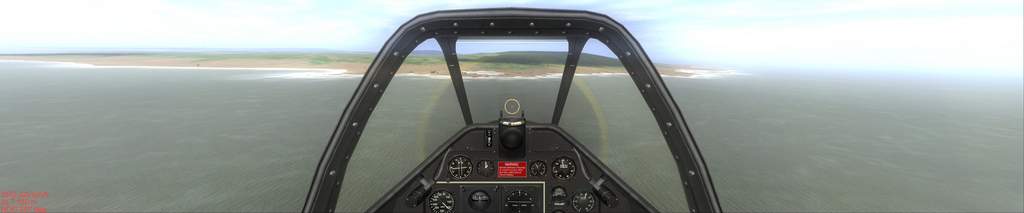
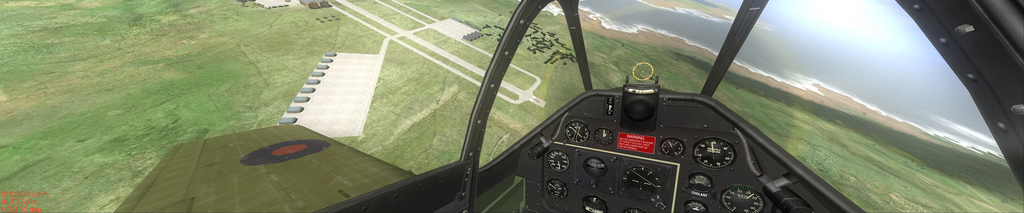
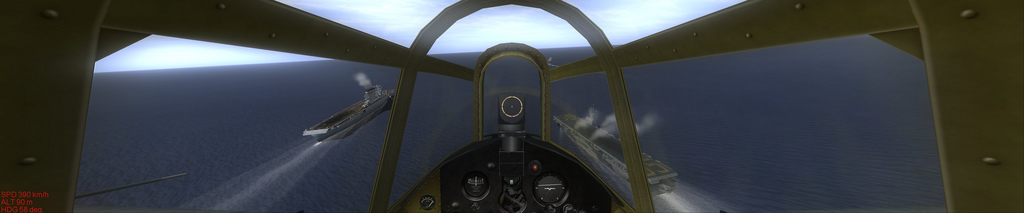
Single monitor examples with 101 Fov
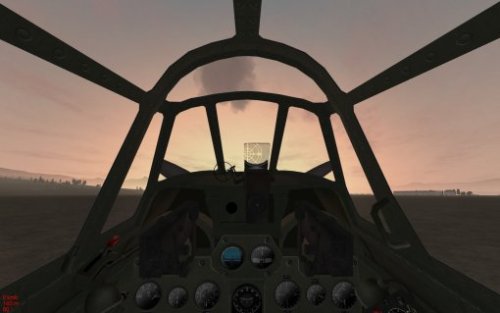
The web has the version 0.98 Beta but this weekend I'll try to post version 1.0 Beta which is easier to use with the english manual.
Please test it and feed back.
Regards
San




