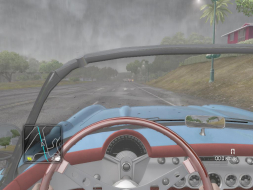
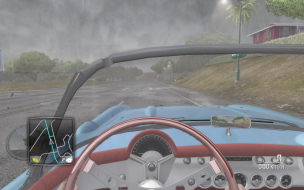
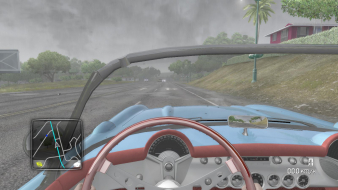
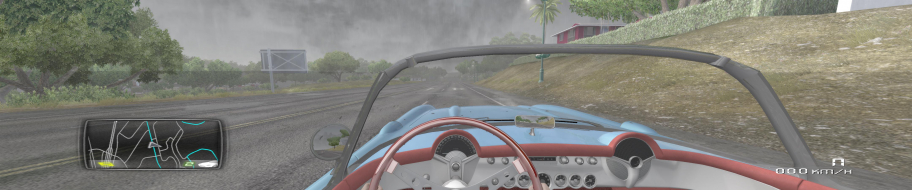
The fashionable youth simulator and racing game returns, packed with O'ahu and Ibiza roads waiting to be conquered. The game aims to combine single- and multiplayer into a seamless experience and lets you explore, race and spend your hard-earned virtual money on useless-thus-awesome customization items. Unlike its predecessor TDU2 requires an active internet connection even for offline solo play and has lost a number of PC specifics: force feedback, TrackIR support, even that nice HDR effect of fading colors when driving through a tree's shadow... It remains a vast and very unique, albeit rough around the edges, car game.
The fashionable youth simulator and racing game returns, packed with O'ahu and Ibiza roads waiting to be conquered. The game aims to combine single- and multiplayer into a seamless experience and lets you explore, race and spend your hard-earned virtual money on useless-thus-awesome customization items. Unlike its predecessor TDU2 requires an active internet connection even for offline solo play and has lost a number of PC specifics: force feedback, TrackIR support, even that nice HDR effect of fading colors when driving through a tree's shadow... It remains a vast and very unique, albeit rough around the edges, car game.
As far as the performance issue you are referring to I am uncertain to what you might mean. I've never had an issue running TDU2, currently I am running about 45+ fps at 5760 x 1080 with very high and 2x AA and adaptive Vsync (forced in NVCP). The biggest problem I am now facing in the game is the mouse, for some reason when moving it on any screen it drops my fps like a sob (20fps) on the menus and map, but looking around in fps mode there is no problem. I have hooked up my 360 conn and I can manipulate the map with no drop in fps, so it's purely a mouse problem input issue, even when I'm using my G27 or Keyboard solo. I plan to make a comment on the forums here soon, but is this the problem to which you were referring?
Azza Fusion 4000 Liquid Cooled Full/Mini-ITX Tower - AMD Ryzen 1700x CPU - Tt Water 3.0 Ultimate CPU Cooler - ASUS ROG Crosshair VI Extreme - 2x EVGA GTX 980 in SLI - Geil 16GB - Klipsch 5.1 THX Speakers - Vertex 4 128GB SSD, Sandisk 256GB SSD, Samsung 512GB 850 PRO SSD, WD Black 320GB & Two times Toshiba 5TB (one for Games and the other for Storage) - Logitech G502 - Corsair K65 RGB - Logitech G13 - Win10 Pro 64bit - 2-over-1 Viewsonic VA2448M 24" (2x 1920x1080 Secondary) & Samsung CHG90 Series Curved 49" (3840x1080) - Ergotech Monitor Stand - Shout out to WSGF for the upgrade on my stand!
I've had none of those issue with my Nvidia configuration. I found that mouse issue was related to the game itself, not all the files updated properly with the latest DLC pack via Steam, I re-download and that fixed it. My bro who has a similar rig hasn't had those issues either, he has 2 580's in SLI with Surround as well. His input helped me figure out where to start looking for my problem.
EDIT: Unfortunately my problem is back. I am not sure what it is, the game ran fine 2 or 3x but after it was back. I sent a ticket into Atari and they sent a bug report to the devs. I've since bought a new mouse the RAT 7 MMO, so I'm no longer on my wireless mouse and the only thing I can think of is the new update doesn't like Cyborg mice.
Azza Fusion 4000 Liquid Cooled Full/Mini-ITX Tower - AMD Ryzen 1700x CPU - Tt Water 3.0 Ultimate CPU Cooler - ASUS ROG Crosshair VI Extreme - 2x EVGA GTX 980 in SLI - Geil 16GB - Klipsch 5.1 THX Speakers - Vertex 4 128GB SSD, Sandisk 256GB SSD, Samsung 512GB 850 PRO SSD, WD Black 320GB & Two times Toshiba 5TB (one for Games and the other for Storage) - Logitech G502 - Corsair K65 RGB - Logitech G13 - Win10 Pro 64bit - 2-over-1 Viewsonic VA2448M 24" (2x 1920x1080 Secondary) & Samsung CHG90 Series Curved 49" (3840x1080) - Ergotech Monitor Stand - Shout out to WSGF for the upgrade on my stand!