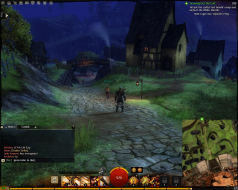
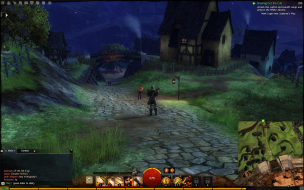
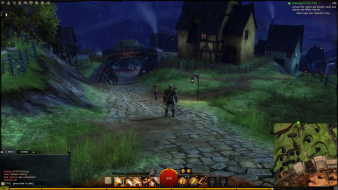
Guild Wars 2 is a massively multiplayer online role-playing game in development by ArenaNet. Set in the fantasy world of Tyria, the game follows the re-emergence of Destiny's Edge, a disbanded guild dedicated to fighting the Elder Dragons, a Lovecraftian species that has seized control of Tyria in the time since the original Guild Wars. The game takes place in a persistent world with a story that progresses in instanced environments.
I have not posted in a bit, but I am still out here gaming (when I can) on three 21.5" monitors using Eyefinity. I wanted to update the Guild Wars 2 thread since it seems from searching that very little info is out there for widescreen MMO gamers concerning GW2. Anyway, as is noted, the native resolutions of most any widescreen gamer are automatically supported by GW2. The problem (at least in my eyes) is that the UI is not customizable as of the open beta "weekend" event 4/27/12. The consensus I have seen on various forums is that the current incarnation of the UI is most likely the final UI design. This is a major drawback to GW2 from a widescreen gamers pov. I know I cannot play a game that "while centered" has a myriad of peripheral UI information (minimaps,quest trackers, compass etc etc ) that is placed at the far right/left of the side monitors. Most probably find that pretty much unusable due to the constant having to turn your head to see thing. I am hoping someone might have a workaround that could free up the UI for customization or work like widescreenfixer did for SWTOR before patch 1.2. Any info would be much appreciated!
I played the latest stress test and everything was centered except the chat. However the game was very unstable at 5760x1080 resolution, I kept getting a bug that zoomed in everything if i moved, similar to when you move your back close to a wall in some games, so it would bounce between zoomed in and out making it nearly unplayable. On top of that my gfx driver crashed twice.
So I had to go back to 1 screen for this game.
~ "Thus is our treaty written; thus is agreement made. Thought is the arrow of time; memory never fades. What was asked is given; the price is paid." ~
I played the latest stress test and everything was centered except the chat. However the game was very unstable at 5760x1080 resolution, I kept getting a bug that zoomed in everything if i moved, similar to when you move your back close to a wall in some games, so it would bounce between zoomed in and out making it nearly unplayable. On top of that my gfx driver crashed twice.
So I had to go back to 1 screen for this game.
I'm playing now and I get this in the full release. I never had this drama all through beta and even the last 4hr stress test it was working flawlessly. I don't know what they've done! Hope its fixed soon.
起死回生(kishi kaisei)Wake from death and return to life..
OK, if you already know, cool, but just in case.... I just got this to work today!!
In order to get softTH working in Guild wars 2, it requires a hand hold. I am usingthe exact same version and config file I use for L4D2, and CS:GO, and TF2.
What I found is that when I have the config and dll file in the Guild wars 2 directory, the game would not get past the initial splash screen where it downloads updates.
So, I pulled the files, let the update splash screen load, then when the "play" button is showing, I pasted the config and dll file into the directory, and then hit play.
As far as the zooming in is concerned, the problem as I see it is that the game does not allow objects to get between the player and camera. Instead of an object which falls between the camera and player becoming transparent, the camera zooms into the player. This causes problems on multi-monitor high resolution configs which have a wide viewing angle, as there are multiple areas in the game which causes repeated zooming. Tight, enclosed areas are particularly problematic.
Im using a Radeon 7970 with latest drivers running at 7680x1600.
I have also posted this on GuildWars2Guru, and raised an issue with AN's tech support.
As mentioned previously, running triple screen 5760x1080 on dual Nvidia 560ti
UI Elements - Cannot move chat window or minimap (they are vertical snap positions only)
Camera issues - Particularly when camera clips on objects or player enters internal structures, camera becomes detached and nearly impossible to view or control player
Cutscene Stretch - All cutscenes characters are stretched
These are three major issues i've seen thus far on triple screen but other than that, outdoors the game is gorgeous.
HaYDeN has a beta version of a plug-in for Flawless Widescreen. It centers the UI elements and fixes the camera "rubber banding". Works great. Only issue is that the game will crash if you enable centered HUD and have CrossFire running. This is a bug with the AMD driver and display detection when running CrossFire.
hi,was interested in increasing fov but seems not working for me.
Can u describe how is the procedure? what i did is opening the tool configuring it,open gw2 and i see it is detected by flawless widescreen but when i press enable key and i play with + and - fow,nothing happens-.-
I have fxaa tool installed in the game folder maybe is that?
Can u please also say what the znear camera padding does?
As mentioned previously, running triple screen 5760x1080 on dual Nvidia 560ti
UI Elements - Cannot move chat window or minimap (they are vertical snap positions only)
Camera issues - Particularly when camera clips on objects or player enters internal structures, camera becomes detached and nearly impossible to view or control player
Cutscene Stretch - All cutscenes characters are stretched
These are three major issues i've seen thus far on triple screen but other than that, outdoors the game is gorgeous.
I cannot get the fixer to work. I don't mind most of the little things like items not being centered, but when I go to my map, most of the waypoints become unclickable..I cannot interact with them! Until I figure out why this happens in multi monitor mode, I can't really do it. Not being able to fast travel via clicking waypoints makes this game almost unplayable.
Thank you for doing your best Hayden. I will await another release of the fixer.
I haven't been able to get Flawless Widescreen to help with scaling.. yet. Everytime I try, the game crashes during character selection. I'll update if I can get it to work.
I haven't been able to get Flawless Widescreen to help with scaling.. yet. Everytime I try, the game crashes during character selection. I'll update if I can get it to work.
Try disabling the centered HUD. There is an issue with the screen detection and CrossFire. I had the issue with my 2x 7970 setup. I disabled centered HUD and it works great.
I turned off the centered HUD in flawless widescreen and am only using it for camera padding, and it works ok with SoftTh
The only open issues I have so far is the UI:
1) Items that require a double click (such as scavenger kits) will not allow me to double click them. Items like bags of loot, or equipment that you can double click, I just right click and select "use" and that works. But If I want to scavenge, i have to switch back to single screen, get it done, then go back to tripple.
2) The initial load screen where you select your character is cut off on the tomp and bottom so I cant see my characters head or feet. Same thing for cut scenes, characters are out of view for head and feet. (no biggie, but annoying)
Would be gre3at to see these two fixes put into flawless widescreen!
Most folks who believe it's not working (originally like myself) This trully only fixes some folks. I have 3GTX580 SLI 3 monitors. I finally figure that it has to be in Windowed Full Screen format to see the difference. When I run on full screen mode, this fix is not needed. When in Windowed mode, you see the map on the far right and pretty much only belts of the toons when in the cinematic scenes. I also got the screen bounce when close to objects in windows mode unless patched this fix. So just FYI.
I will say this for a fact, when the HUD issues (like the chat box) is fixed I'll donate a good amount. but again I know this is a work in progress.
windowed full screen 958 190
fullscreen // also will look like this in Windowed Mode w/ this fix
When the fix is applied it will actually look lik the Fullscreen