The Matrix: Path of Neo

Detailed breakdowns of how games react to widescreen, ultra-wide, 4k and multi-mon
Post Reply
User avatar
Paddy the Wak
Editors
Editors
Posts: 3436
Joined: 27 Jul 2004, 17:42

The Matrix: Path of Neo

Post by Paddy the Wak »


Widescreen Grade: Incomplete
Ultra-Widescreen Grade: Incomplete
Multi-monitor Grade: Unsupported
4k Grade: Incomplete

Read Full Detailed Report - The Matrix: Path of Neo

Step into Neo's shoes in this spin-off based on the popular film series.


4:3


16:10


16:9


3x1

Last edited by Paddy the Wak on 11 Sep 2017, 21:45, edited 3 times in total.
Reason: Edit
LuckMC11
Posts: 50
Joined: 11 Aug 2005, 02:21

Solution: The Matrix ... Path of Neo

Post by LuckMC11 »

kk..coooll...thanks for posting...i was thinking of gettting it for my laptop with widescreen...but i wanted to know if it supported ws or not..thanks!!!!!! 8) 8)
kyleb
Posts: 85
Joined: 15 Apr 2005, 19:49

Solution: The Matrix ... Path of Neo

Post by kyleb »

Wow, thank you very much.

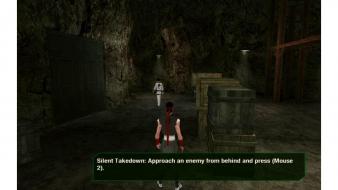
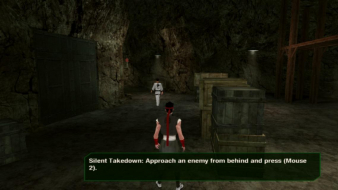
I had started the game with default settings and only tried widescreen resolutions after that which wound up both stretched and croped so I have played about half the game pillerboxed thinking that was as good as it gets but those shots prompted me to dig a little further.

Turns out the aspect ratio is stored in the the "PON Settings4" file and by deleting that and starting the game with a widescreen resolution I now have proper widescreen working. :D
voorhees1979
Posts: 5
Joined: 11 Jun 2011, 10:17

I am a little confused with

Post by voorhees1979 »

I am a little confused with this, thee guide says this:

"Put the two "UrRschanger2" files ('d3d9.dll' & 'resolution.ini') in the game folder."

But where do we get those files from?

Thanks for any help :)
User avatar
jackfuste
Insiders
Insiders
Posts: 521
Joined: 19 Dec 2011, 16:03

voorhees1979 wrote:I am a

Post by jackfuste »

I am a little confused with this, thee guide says this:

"Put the two "UrRschanger2" files ('d3d9.dll' & 'resolution.ini') in the game folder."

But where do we get those files from?

Thanks for any help :)

http://img.wsgf.org/f/u/universalreschanger2_0.zip
voorhees1979
Posts: 5
Joined: 11 Jun 2011, 10:17

jackfuste wrote:voorhees1979

Post by voorhees1979 »

[quote]I am a little confused with this, thee guide says this:

"Put the two "UrRschanger2" files ('d3d9.dll' & 'resolution.ini') in the game folder."

But where do we get those files from?

Thanks for any help :)

http://img.wsgf.org/f/u/universalreschanger2_0.zip

Hi

Many thanks for your fast help :) I am just finishing Enter the Matrix, which I think is an amazing game for its age, not to mention it works flawless on win 7 64 bit, well some of the cutscenes go slightly out of sync but not enough to ruin the game. Then moving on to Path of Neo so wanted to fix the res in advance, so thank again for your kind and fast help :)

Cheer
Vestor89
Posts: 1
Joined: 08 Aug 2014, 07:19

Re: The Matrix: Path of Neo

Post by Vestor89 »

Hi all,
I’ve just tried to download the UrRschanger2 from the link above but it says: page not found. Could you tell me if it’s still downloadable somewhere, please?
Thanks in advance!!
Tripper511
Posts: 2
Joined: 30 Jul 2016, 21:24

Re: The Matrix: Path of Neo

Post by Tripper511 »

The link for the UrRschanger2 files is dead. Here's a working link: http://community.pcgamingwiki.com/files ... n-changer/
Tripper511
Posts: 2
Joined: 30 Jul 2016, 21:24

Re: The Matrix: Path of Neo

Post by Tripper511 »

If for some reason in te future the link I posted goes dead here is the coding to make the file yourself:

========[For "resolution.ini"]=========

1) Open notepad and make a new .txt file
2) Save the file as "resolution.ini" without the quotations. Make sure it does NOT end in .txt, it must be .ini. Make sure your computer is showing file extensions so you can tell.
3) In the file place this coding:

Code: Select all

[MAIN]
#Resolution
Width=1920
Height=1080

#Force windowed mode (may not work in all cases)
Windowed=0

#Enable this if the window appears clipped ( 0 or 1 )
ForceViewport=0


=========[For "d3d9.dll]=========

As for the "d3d9.dll" file. I have no idea how to make those files but I took a screen shot of the data inside using Visual Studios. Perhaps someone else knows how to make those files. Below is the image of the code.


Image
Post Reply

Who is online

Users browsing this forum: Google [Bot] and 11 guests