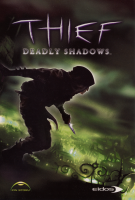
Thief: Deadly Shadows sees Garrett return to his thieving ways, in this third installment of Thief the plot involves the mysterious Keeper order. Although the game wasn't developed by the makers of the original Thief, Ion Storm did an admirable job.
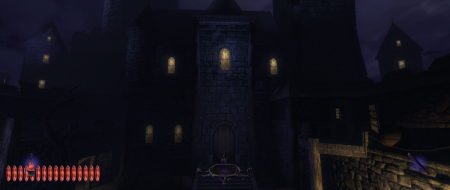
I've made a new patch for this game, which improves the widescreen situation quite a bit - and so I'd like to update the Detailed Report.
I did RTFM, and it says "To edit a game, find it in the Master Games List and click Edit". Sorry for the stupid question, but where's the Edit button...?
PS: I tried to link to the release thread on TTLG, but the spam filter wouldn't let me. Could someone please tell the spam filter that ttlg.com should be allowed? Or is it a restriction on newcomers?
The reason you where un able to edit the DR is that we lock certain content down to prevent spammers and mis use.
To edit a DR you need to have 3 posts on the forums to automaticly get upgraded, however I have done this manually for you.
Please try again, and also take the time to review this page for further informaiton about roles and resonabilities :)
http://widescreengamingforum.com/article/roles-responsibilities
This is working great. First Doom 3 and now this ! Playing these games again in flawless triplewide is incredible. :party:
One tiny engine limitation for owners of 120 Hz monitors: framerates over 60 fps break the gameplay, as Garrett gets stuck in front of lockpickable doors and ladders. I had to set my desktop to 60 Hz and activate in-game vsync to fix that. No biggie but if I could just set a max framerate for the game and keep my max refresh rate, that would be ace...
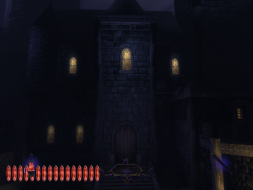
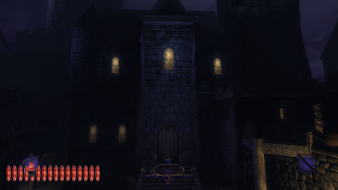
I'll have more comparison screenies for the DR soon.
Thanks for the feedback, more screenshots would be great. I don't know if I can fix the 120 Hz issue, but at least I can add it to the readme, with instructions, for the next version.
I've updated the DR with new screenies and info, including "anomalies".
To my great embarrassment I think I've wiped your "3D Solution" line in the process... Sorry about that, hope you can restore it :X
I also added a link to my "loading screen mod" & attached it.
Would it be possible for me to zip the Sneaky Update exe and attach it to the DR as well ? This would make it easier for users to grab it.
i just tried this with the steam version and it wouldn't work. first, it says "the patch cannot be applied to this version of T3Main.exe. if you continue installation the correct version will be downloaded" even though i just downloaded the game through steam and verified it is 1.1 (shown in the game menu). so i continue anyway and it starts to download something but then fails with the message "sorry, the files could not be downloaded...".
I played this with the patch on Steam not so long ago...installer seemed to work fine following the instructions. Don't remember having to do anything special. Simple as tafferpatcher for the first two...would love to play those in eyefinity.
"Personally, I see it as a virtue - trying to make the world a slightly better place _without_ trying to impose your moral values on other people. You do whatever the h*ll rings your bell, I'm just an engineer who wants to make the best OS possible." - Linus Torvalds
The version of T3Main.exe that it attempts to download is the newest version, which comes with the Thief 3 level editor. It's the only one which works properly with the extra levels (fanmissions) made by the Thief community. (I should probably add the explanation to that dialog.)
The download should work - wait a while and try again, or get the Editor Pack (~300 MB) and copy the file called T3MainReleaseVersion.exe into the System folder in whatever folder Steam installed the game in. Rename it T3Main.exe (replacing the existing one), then try the Sneaky Upgrade installer again.
The version of T3Main.exe that it attempts to download is the newest version, which comes with the Thief 3 level editor. It's the only one which works properly with the extra levels (fanmissions) made by the Thief community. (I should probably add the explanation to that dialog.)
The download should work - wait a while and try again, or get the Editor Pack (~300 MB) and copy the file called T3MainReleaseVersion.exe into the System folder in whatever folder Steam installed the game in. Rename it T3Main.exe (replacing the existing one), then try the Sneaky Upgrade installer again.