
bezel compensation

Discussions about getting games to run in a Multi-Mon setup.
Post Reply
momoniu
Posts: 1
Joined: 03 Feb 2012, 03:18

bezel compensation

Post by momoniu »

I know this has been answered somewhere because I can't have been the first, this wonderful site proves that but after many searches have found nothing as I don't know enough about what i am looking for to find the answer.

The issue I am having is not about the stretching of the side monitors, I understand its normal, but the alignment of straight objects in the side monitors, I took some images of what I am referring to from my phone.
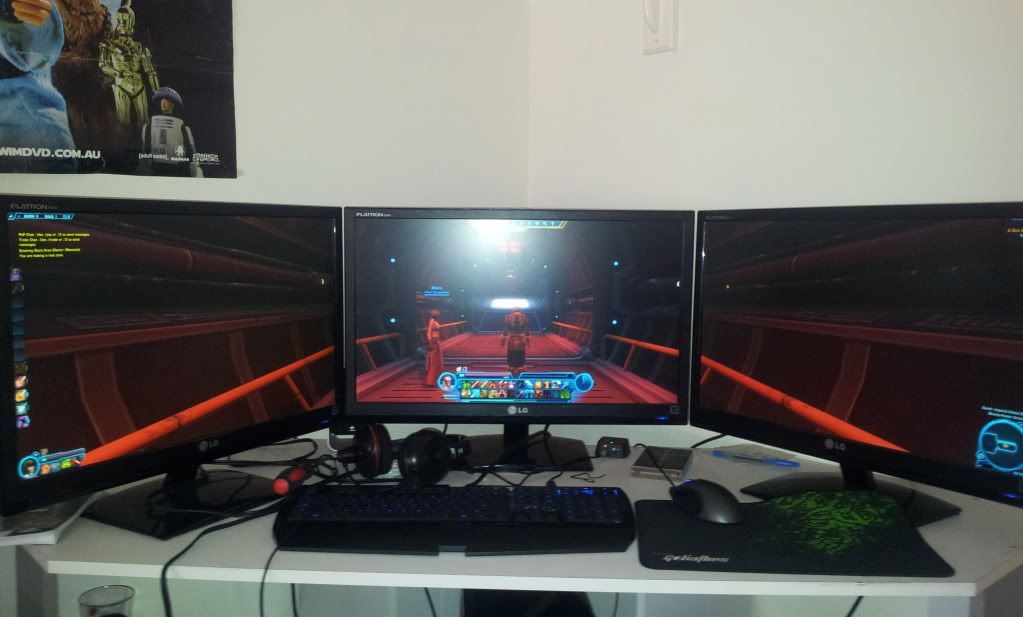
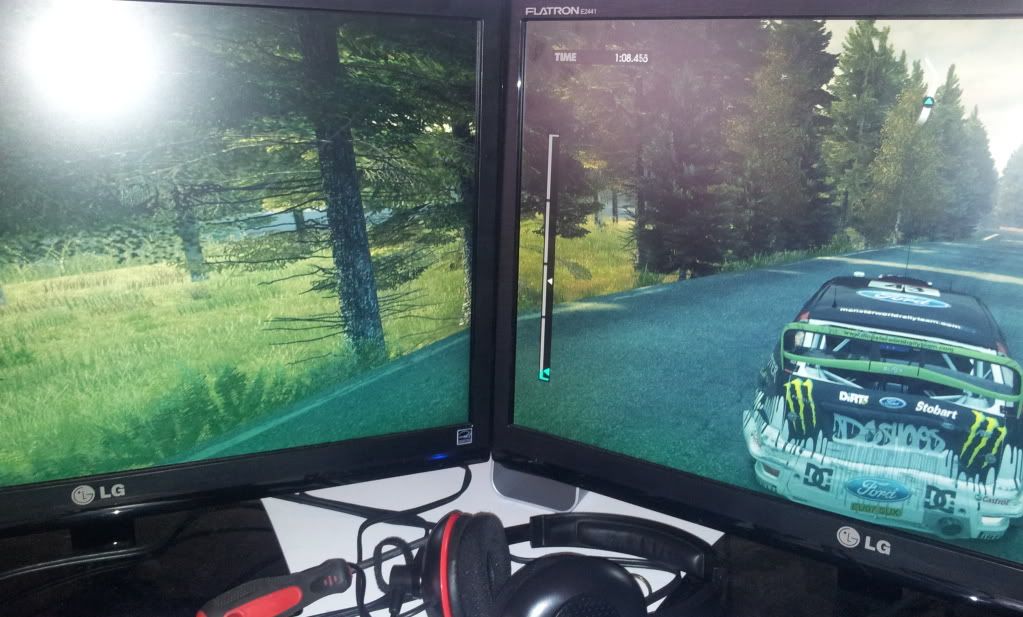
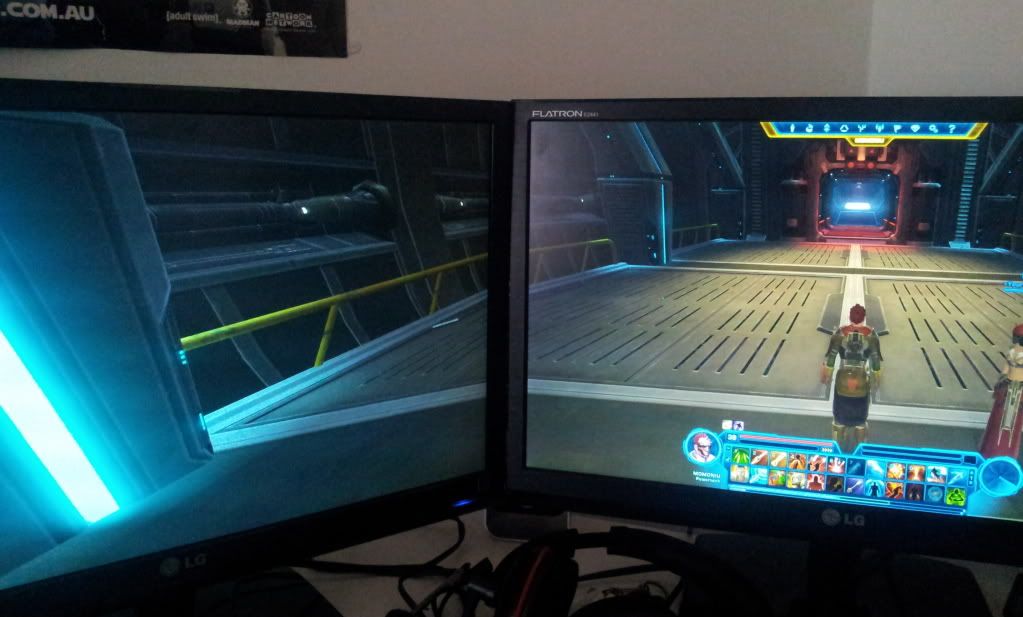
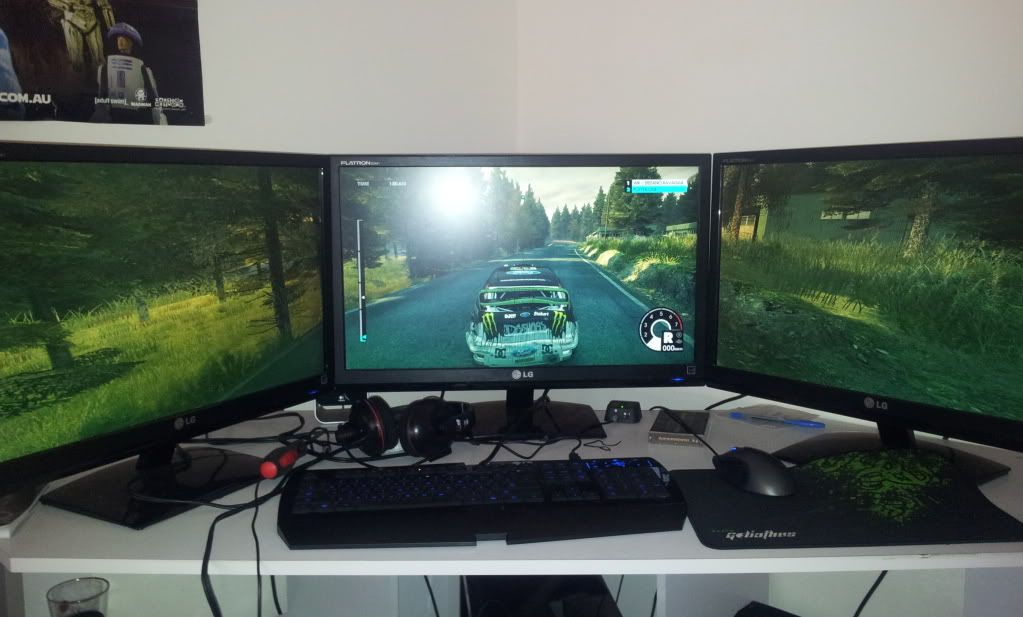


I have tried the bezel compensation tool in the ccc programe for my ati cards but to no avail
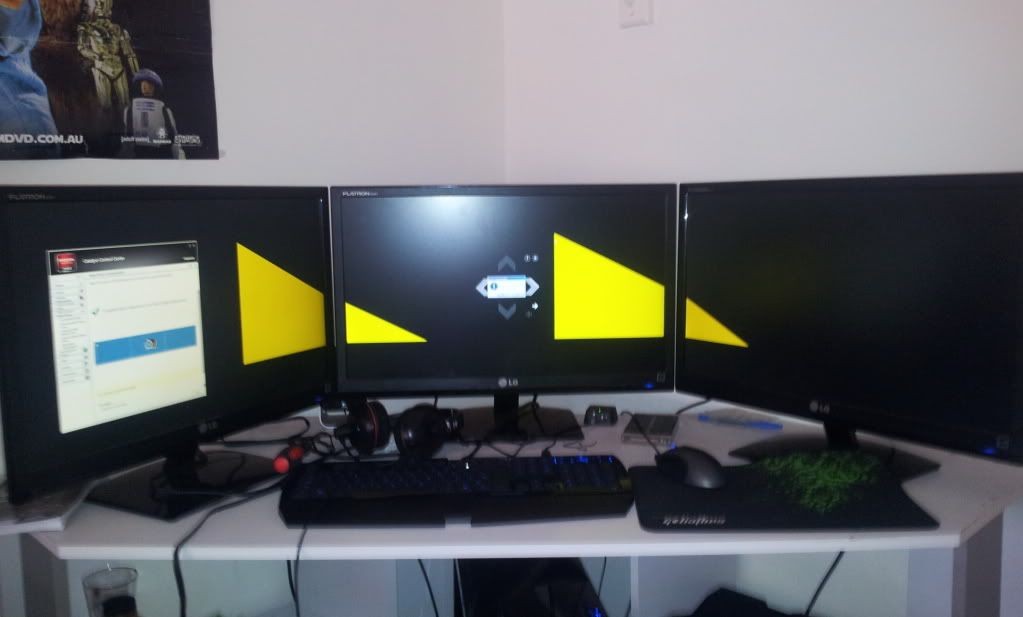


this is what it looks like with no bezel compensation


is this normal, can i fix it?

Skripka
Posts: 65
Joined: 12 Jul 2011, 19:15

In the calibration, you need

Post by Skripka »

In the calibration, you need to adjust each triangle, so that from where you sit the hypotenuse of the triangle is linear, currently it is a broken angle. That should eliminate most of what you're seeing.
User avatar
BHawthorne
Insiders
Insiders
Posts: 1640
Joined: 06 May 2006, 12:46

It's normal, no way around it

Post by BHawthorne »

It's normal, no way around it unless you do like I do and use a circular projection screen with edge blending. Most triple-head users tilt the side displays like that and on content with straight lines showing on both the center and side displays no way to better align them to keep from that perspective issue.

Bezels and alignment issues with content like that are some of the reasons why I graduated from LCDs to projectors.
Brad Hawthorne
Product Manager
Nthusim Pty. Ltd. | www.nthusim.com
Post Reply

Who is online

Users browsing this forum: No registered users and 2 guests