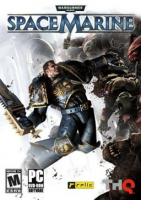
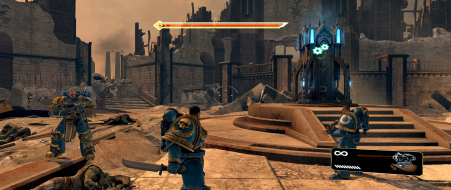
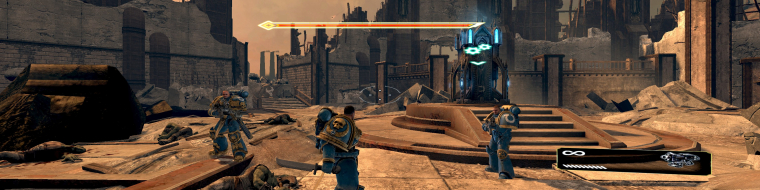
Warhammer 40,000: Space Marine (also known as WH40k: Space Marine) is a third-person action video game developed by Relic Entertainment and published by THQ. The gameplay experience focuses on a hybrid shooting and melee combat model.
As a Space Marine, you are given enhanced regenerative abilities and an Iron Halo shield. When health gets low, performing sync kills can allow Titus to get a portion of his health back. You are accompanied by Sidonus and Leandros for most of the missions, though in some instances you will have to go on solo missions.
Warhammer 40,000: Space Marine (also known as WH40k: Space Marine) is a third-person action video game developed by Relic Entertainment and published by THQ. The gameplay experience focuses on a hybrid shooting and melee combat model.
As a Space Marine, you are given enhanced regenerative abilities and an Iron Halo shield. When health gets low, performing sync kills can allow Titus to get a portion of his health back. You are accompanied by Sidonus and Leandros for most of the missions, though in some instances you will have to go on solo missions.
The combats look absolutely amazing, but because cutscreens are chopped and menus are stretched, the game looks poor. If this had a fix for widescreen I would buy it. (playing demo)
I've updated the test version of Widescreen Fixer to include support for HUD centering with Warhammer 40,000: Space Marine.
There are some issues that remain, and a new one that arises with the fix.
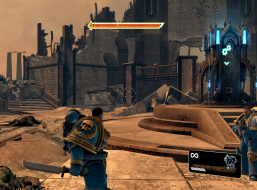
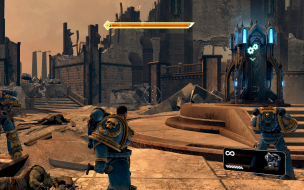
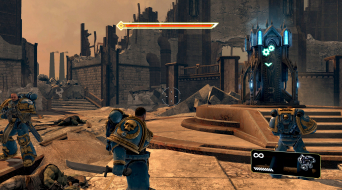
The HUD and most interface elements are centered. There are certain things that are not, such as subtitles and menu buttons (like under video configuration).
You can no longer select menu items with the fix enabled. You have two choices: use the keyboard to select your options (which works really well), or disable the fix and use the mouse.
The main menu and cutscenes are still vert-. I will continue to work on this.
Screenshots with the fix enabled can be found here:
https://impas.se/screenshots/pc/warhammer40k_space_marine
Download the test version here:
https://www.widescreenfixer.org/wsf_test.7z
If you can get this to work General Admission, it will be another success in the books! This was a game I was hoping WSGF would try to fix, but since it was released so far back, I'd given up hope. Once again, I greatly appreciate your time and efforts on this project.
I've managed to center a few more things in a recent test build of Widescreen Fixer.
Trying to center things while actually playing (not at the main menu) is a bit more tricky. Every time you press the escape key it relocates everything in memory. Also when you alt-tab, it will bring up the menu, which relocates everything in memory. That makes it tricky just because I have to alt-tab out to search for values, and as soon as I alt-tab the addresses change making my previous search invalid. I'll get it eventually, though. The cutscenes are my biggest concern.
Edit: I managed to find the FOV. Unfortunately this will be a very tricky one.
The FOV used by the game are stored in radians. The default seems to be 0.6981316805, or roughly 40 degrees. Zooming with the sniper rifle is about 10 degrees. The regular view and zoom view for all weapons is consistent. It does not change no matter what your aspect-ratio is. The cutscenes use the same address in memory, but are more tricky in that they use pre-set FOVs for various scenes within the cutscene. The values are affected by your aspect-ratio. This will need further investigating.
Edit 2: I've managed to change a part of code that will scale either the horizontal or vertical FOV correctly. However, it's still reversed between cutscenes and gameplay. During gameplay, it will leave the vertical scale untouched and scale horizontally just fine. For cutscenes, it will scale vertically, leaving the horizontal view stretched out across three screens. I'm still working on it.
I've managed to center a few more things in a recent test build of Widescreen Fixer.
Trying to center things while actually playing (not at the main menu) is a bit more tricky. Every time you press the escape key it relocates everything in memory. Also when you alt-tab, it will bring up the menu, which relocates everything in memory. That makes it tricky just because I have to alt-tab out to search for values, and as soon as I alt-tab the addresses change making my previous search invalid. I'll get it eventually, though. The cutscenes are my biggest concern.
Edit: I managed to find the FOV. Unfortunately this will be a very tricky one.
The FOV used by the game are stored in radians. The default seems to be 0.6981316805, or roughly 40 degrees. Zooming with the sniper rifle is about 10 degrees. The regular view and zoom view for all weapons is consistent. It does not change no matter what your aspect-ratio is. The cutscenes use the same address in memory, but are more tricky in that they use pre-set FOVs for various scenes within the cutscene. The values are affected by your aspect-ratio. This will need further investigating.
Edit 2: I've managed to change a part of code that will scale either the horizontal or vertical FOV correctly. However, it's still reversed between cutscenes and gameplay. During gameplay, it will leave the vertical scale untouched and scale horizontally just fine. For cutscenes, it will scale vertically, leaving the horizontal view stretched out across three screens. I'm still working on it.
If you can get this to work I'll gladly donate 10$ to you.
Just tried this. WSGF fixer didnt seem to do anything, it detects game running and base address, but nothing is fixed or changed when I toggle it on and off. Im using the latest Steam version, Eyefinity 6080x1200.
Also I dunno if its a bug or what, but I seem to move in slow motion.
If you are using Eyefinity, and you have not done so already, make sure you press the gear icon to configure the plugin. It uses auto-detection by default which does not currently work with Eyefinity. You will have to configure the setting manually for now. I do plan to add support for Eyefinity soon and then leaving it on auto-detection will work fine.
Hi, I have the same problem with the fix not taking effect but I think it may be due to the latest Steam version being 1.0.156 - WideScreen Fixer has an option for 1.0.153 only so I guess this may be causing an issue?
Keep up the good work though Dopefish, Eyefinity would be useless without your hard work.
Hi,
Yes, I tried the settings manually in the Gear section. It wasnt clear to me what Corrected vs Uncorrected actually refered to, so I tried both ways (1920 in one, 6048 in the other), no change.
I am running the fixer as Admin,
I note when its running it has "0" for both Left Hud Position and Hud width. Base address is reported (0x400000) and game is detected/fix enabled.
Cool, Ill test it out straight away then! I didnt know it was patched either as I only played it first time yesterday.
Also, can you clarify how to correctly fill out the Corrected vs Uncorrected Resolution setting in your Fixer (and I realise this is probably obvious, just cannot visualise it)!? :)