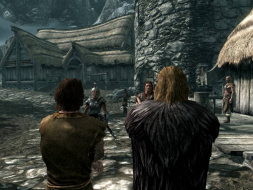
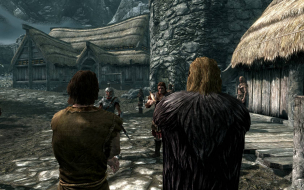
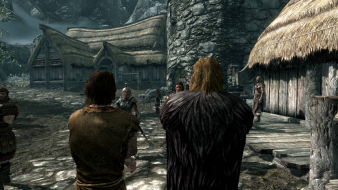
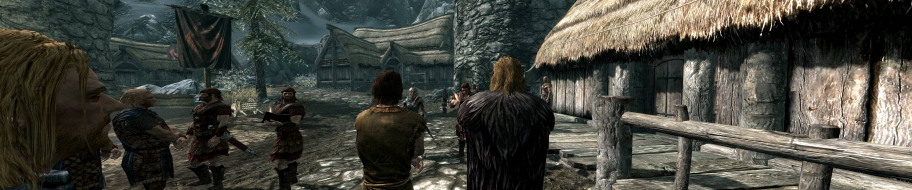
It retains the traditional open-world gameplay found in the Elder Scrolls series. The player is free to roam the land of Skyrim at will, either on-foot or on horseback. Within Skyrim lie five major cities and numerous smaller towns, and expanses of wilderness and mountain ranges. Each city or town has its own economy, which the player can either stimulate by completing jobs such as farming and mining, or harm by sabotaging industrial buildings. The player can train in eighteen different skills, and the player character is leveled up by raising skills.
It retains the traditional open-world gameplay found in the Elder Scrolls series. The player is free to roam the land of Skyrim at will, either on-foot or on horseback. Within Skyrim lie five major cities and numerous smaller towns, and expanses of wilderness and mountain ranges. Each city or town has its own economy, which the player can either stimulate by completing jobs such as farming and mining, or harm by sabotaging industrial buildings. The player can train in eighteen different skills, and the player character is leveled up by raising skills.
should work as long as your drivers, wetaher ati or nvidia, allow you to set both screens as a single resolution. i have not even tried doing that with 2x monitors so im sure if you can or not.
Is there a more active thread for HaYDeN and Helifax's fixes?
I got HaYDeN's to work but I'm still having a problem with the inventory UI. The item stats box is getting chopped off by my bezel correction, making it impossible for me to see item weights. There's also crowding at the bottom, where the hotkey legend overlaps (and hides) stats comparison details. Screenshots below show what I mean.
I'd like to find a way to offset some of the UI elements left or right, shrink everything down, etc. Note I'm using SoftTH, and a resolution of 3944x1600 (which is three 1600x1200 monitors in PPP with some bezel correction). Granted this is an unusual setup.
Edit: Ok sorry turns out the more active thread where I should have posted this is at link shown below (couldn't include as text as it triggered forum's spam filter)
Is there a more active thread for HaYDeN and Helifax's fixes?
Yes here - http://widescreengamingforum.com/forum/forums/gaming/requestdiscuss-game-solutions/18156/skyrim-multi-monitor-user-interface-fix-disc , may help other users too.
GodAtum wrote:Hi the Flawless Widescreen plugin does not work. it says version unsupported. i have Skyrim with the lastest patches and DLCs.
That's the problem. The latest 1.9 patch for Skyrim broke the fixes made by Flawless Widescreen. I played this game last year with no problems and it looked great while using FW. I was going to buy the new DLCs and play again but now that FW won't work it just isn't the same. We will all have to wait until the fix is updated. In the meantime you can try https://www.widescreenfixer.org/. It's not as good as FW but it makes the game playable for now.
Hello, I have the latest ver of skyrim. (Ver 1.9) and the latest ver of Widescreen Fixer.. and it doesn't seem to be doing what it needs to do with the GUI.. i have read all of the instructions and installed everything like I was supposed to do and i'm getting some really messed up looking stuff... i have some screen shots but not sure how to post them on here..
if someone could let me know if there is more i need to do, or if i'm missing something here...
Also i have noticed any post on support past skyrim 1.5 doesn't exist. Is there not going to be anymore support for this???????
I know this thread is probably really really old but I hope someone can still help me. I have Skyrim installed. I have Eyefinity enabled. Ive also downloaded anything under the sun that could help me but still no dice. Can someone give me a straight forward fix to this. I have the latest version of Skyrim enabled from steam. I have SKSE. Please can someone help me. Whenever I enable Skyrim using the settings Ive been told, it just shows up as duplicated skyrims on each of the monitors instead of just ONE long one.
Is anyone currently playing Skyrim and has it working in Widescreen?
Thought I'd fire this baby up during some time off as I haven't played it in ages and now find that I can't get it to work in Widescreen. Tried both options (Flawless Widescreen & Widescreen Fixer) and both of them aren't working. Best result I get is the middle screen working in the specified resolution from the launcher.
I have the same problem. I have Skyrim v1.8 (dawnguard) and none of the complete HUD fixes (HaYDeN or Helifax's versions) have been updated in forever. Supposedly the Widescreen Fixer app supports Skyrim up to v1.9, but for me all it does is make the HUD worse. It only offsets the HUD which helps nothing. We need to center the HUD on one screen and scale it back to normal so it's not clipping.
If you use stock skyrim for triple monitors it works alright except you will have to disable SkyUI and use Skyrims original HUD to school through your inventory. At least without SkyUI you can see all the items if you scoll.
I'm really disappointed in WSGF community for not creating a fix. Dawnguard has been out forever. Seems like this place seems to be dying as of late. Please someone update a HUD fix for skyrim 1.8 and 1.9!!!
Just tried Flawless Widescreen and it doesn't even inject when it detects skyrim, I get an injection error. Unless you're running an old version it won't even enable for v1.8
Does anyone know how to get the crosshair back into the center of the screen(s)? My crosshair is off to the left too much.
I have been using the sweet yet not quite flawless widescreen app with Skyrim, all is well except the crosshair is off to the left too much. i have all the boxes checked including the crosshair fix. Anyone know how to fix this? I am running Soft TH on a gtx 660 ti AMP card across 3 displays: Two 24" monitors on either side of a larger display (each at 1152 x 864 60hz) in portrait mode with a 40" Sharp HDTV (1920 x 1080 60hz) in the center for a combined res of 3648 x 1152. :'D
Any help in fixing the Skyrim crosshair would be infinitely appreciated, i cant aim without it!!! sob. sob. i was frozen twice today by a Northern frost Drake in the hot springs of Skyrim...
RUS_Starbuck wrote:I have the same problem. I have Skyrim v1.8 (dawnguard) and none of the complete HUD fixes (HaYDeN or Helifax's versions) have been updated in forever. Supposedly the Widescreen Fixer app supports Skyrim up to v1.9, but for me all it does is make the HUD worse. It only offsets the HUD which helps nothing. We need to center the HUD on one screen and scale it back to normal so it's not clipping.
If you use stock skyrim for triple monitors it works alright except you will have to disable SkyUI and use Skyrims original HUD to school through your inventory. At least without SkyUI you can see all the items if you scoll.
I'm really disappointed in WSGF community for not creating a fix. Dawnguard has been out forever. Seems like this place seems to be dying as of late. Please someone update a HUD fix for skyrim 1.8 and 1.9!!!
My friend... first buy the original game and stop asking to fix your hacked game. Version 1.9 is out for like almost 2 years now. WSGF is AGAINST PIRATED GAMES / SOFTWARE. Read the rules before posting. That being said I've tested both WSF and FWS plugins and they work ON AN UPDATED version of a LEGIT COPY of the game.
For SOFT-TH you need to manually specify the resolutions + monitors since autodetect can't detect something that is not at driver level...(Think about it ...)
WideScreen Fixer... Fixes your Surround problems to give a gorgeous 3D Surround Experience! WideScreen Fixer
Only website to show TRUE 3D Vision Surround Gaming Videos(viewable by anyone) only at 3D Vision Surround Gallery
I start up Skyrim, without mods, launch the game while having Flawless Widescreen in the background, nad nothing happens. The game is just copied on every monitor. So I change the SkyrimPrefs-file, and writes in my ultrawide-resolution, open the game, and the game is spun across all three monitors, but ALL UI is on the left. So I test Widescreen Fixer, lauch the game in 16:9, and the game is duplicated once again, but everything is pushed together in the centers of each screen. So I try to change the SkyrimPrefs again, and when I launch the game, everything is pitch black! But if I launch Widescreen Fixer when I'm in a game, the hud is moved, but not centered, and is placed between two of the monitors to the right... Please help me! It worked before I did a system-refresh!
I have legit everything and legit Steam Skyrim Version 1.9.32.0.
However, this is the reason why the Ultrawide Fix V 0.91 does not work. It only supports older versions of the game as you can see below in bold with my patch injection output log.
+ Searching for RUNNING Skyrim Process... + Skyrim process found... + Process opened successfully! # Image: G:\Steam\steamapps\common\Skyrim\TESV.exe # Version: 1.9.32.0 ! This version is not supported, Terminating. # Supporting: 1.1.21.0, 1.2.12.0, 1.3.7.0, 1.3.10.0
Has there been an update to support the latest version of the game considering a roll back to previous versions via steam is not possible?