Detailed breakdowns of how games react to widescreen, ultra-wide, 4k and multi-mon
kvochur
Posts: 2 Joined: 02 Nov 2003, 09:03
Post
by kvochur 18 Nov 2003, 14:52
Last edited by
kvochur on 09 Sep 2013, 23:46, edited 1 time in total.
Reason: Edit
remf
Posts: 34 Joined: 18 Jul 2004, 23:46
Post
by remf 11 Jun 2005, 13:18
this one escapes me too.
skipclarke
Founder
Posts: 7358 Joined: 13 Oct 2003, 05:00
Post
by skipclarke 29 Oct 2005, 02:41
The file to be changed is found in OperationFlashpointUsers - if this does not exist, then you should create a profile first in the game.
Faguss
Posts: 3 Joined: 07 Oct 2011, 12:29Location: Poland
Contact:
Post
by Faguss 11 Oct 2011, 01:15
As I have completed report I have some comments.
Other game title is Operation Flahspoint: Resistance (expansion set name).
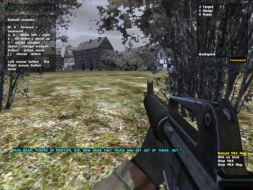
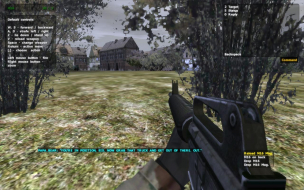
Widescreen method for this game can be considered: .ini + mod.
Here's a video
Readme for OFP Aspect Ratio package you'll find here
There are no pre-rendered FMV.
I'm not able to test multi-monitor but I saw on YT video
Not every interface element can be modified. Things like chat or action menu are always centered.
_
As for issues, those below are both SP and MP so I'm not sure where to add them.
Map screen is scrolled always like on 4:3
Optics are stretched.
_
Specific MP behaviour:
If you're using any modified files and connect to the server then a message will appear informing that you have modified files.
The_Nephilim
Posts: 65 Joined: 14 Mar 2010, 16:15
Post
by The_Nephilim 30 Mar 2012, 23:27
Hi, I have the GAME of the Year Edition and that supports multi monitor with the following hack in the user.config:
Users browsing this forum: Bing [Bot] , Google [Bot] and 3 guests