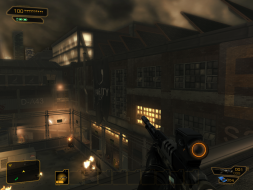
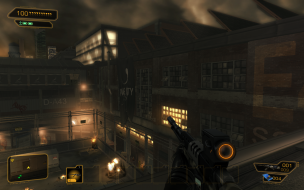
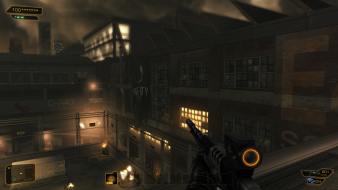
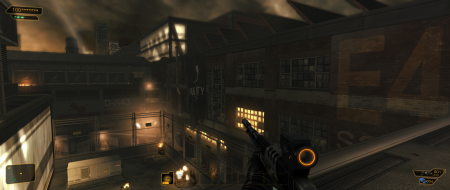
Deus Ex: Human Revolution is the third game in the Deus Ex first-person role-playing video game series, and a prequel to the original game. The game takes place during the year 2027, 25 years before Deus Ex. Nanotechnological augmentations have yet to be developed and biomechanical augmentations are the current state of the art.
The main protagonist, Adam Jensen, is a private security officer with Sarif Industries, a leading company that specializes in human augmentations. After he witnesses a chilling attack on his company which leaves him horrifically injured and forced to undergo augmentation to survive, "the conspiracy begins."
The player will visit five cities over the course of the game, including Detroit, Shanghai and Montreal. In addition, the protagonist will have his own apartment where he may store his secrets and collected information. The events in the game will lead to the formation of UNATCO from the original game.
Deus Ex: Human Revolution is the third game in the Deus Ex first-person role-playing video game series, and a prequel to the original game. The game takes place during the year 2027, 25 years before Deus Ex. Nanotechnological augmentations have yet to be developed and biomechanical augmentations are the current state of the art.
The main protagonist, Adam Jensen, is a private security officer with Sarif Industries, a leading company that specializes in human augmentations. After he witnesses a chilling attack on his company which leaves him horrifically injured and forced to undergo augmentation to survive, "the conspiracy begins."
The player will visit five cities over the course of the game, including Detroit, Shanghai and Montreal. In addition, the protagonist will have his own apartment where he may store his secrets and collected information. The events in the game will lead to the formation of UNATCO from the original game.
Ugh. I'm really disappointed that it doesn't work properly with Nvidia Surround. In Nvidia Surround, I'm also having an issue where the visible mouse cursor is left of where the actual mouse is, which makes hacking difficult. Also, on a related note (but somewhat off topic), I can confirm that this game does NOT work propetly with Nvidia 3D vision. I've heard it works with AMD HD3D though...
Wish I could move the radar, healthbar and commsbox over from my side screens to the main one. It just wont work. Tried a few different things to get it centralised, but noo. Guess I've done something wrong <.>
Edit: Reports on Eidos forum that this seems to be a problem for Eyefinity users on Crossfire, but that http://sites.amd.com/us/game/downloads/Pages/crossfirex-app-profiles.aspx should fix it. I'll do a bit of testing once I get home.
[quote]All the info is in the DR page. Hit the link in the original post.
I'm not really sure what to make of the explanation. Could you break it down for me? :)
Zuffox, check the Detailed Report here - http://widescreengamingforum.com/dr/deus-ex-human-revolution/en , then check the "Solution" thats posted there, according to the aspect ratio youre playing the game, there is an adjustemnt to the FOV you should do to make the game Hor+, and not also Vert-. :onethumb
[quote][quote]All the info is in the DR page. Hit the link in the original post.
I'm not really sure what to make of the explanation. Could you break it down for me? :)
Zuffox, check the Detailed Report here - http://widescreengamingforum.com/dr/deus-ex-human-revolution/en , then check the "Solution" thats posted there, according to the aspect ratio youre playing the game, there is an adjustemnt to the FOV you should do to make the game Hor+, and not also Vert-. :onethumb
I'll increase my FOV with 10 from 75 to for my 16:9 and cross my fingers. Thanks.
Running Deus Ex HR with a triple monitor set-up on nVidia hardware results in the HUD being displayed on the left and right monitors.
If anyone can work out a fix for this, it would make the game perfect (because it runs really well otherwise).
:(
Still no Eyefinity option in the setup, so still have the radar, health and stuff on the side screens. Its not game breaking, alltho it is starting to annoy me slightly >.>
Edit: Reinstalled the driver itself, and now it works.
That is correct, however for me it is redded out. Previous post on the DE forums, a member figured out that 11.8 ccc divers worked, but not when updated to cap1 or 2.
That is correct, however for me it is redded out. Previous post on the DE forums, a member figured out that 11.8 ccc divers worked, but not when updated to cap1 or 2.
Thanks RoboPatton, please post back if you find out a solution.
@TheScorp: Thats weird, it should be easy to fix in the next patch.
Decided to put bezel compensation on, and boom. Screwed again. No removing the Eyefinity group, or anything fixes it again. trying a reinstall of drivers...again >.>
Edit: Went back and disabled the eyefinity group, setup extended display again and started the group from scratch. back to working now, but the second I enable bezel compensation it seems to screw it up again.
Oh, no! This time it works with bezel compensation aswell. Well, thats kinda random.
Still cant change the FOV tho, which is livable albeit a tad annoying.